





Configurable Reviews for Approvals
Create and customize reviews with pre-defined conditions & hierarchy for digitizing your approval workflows


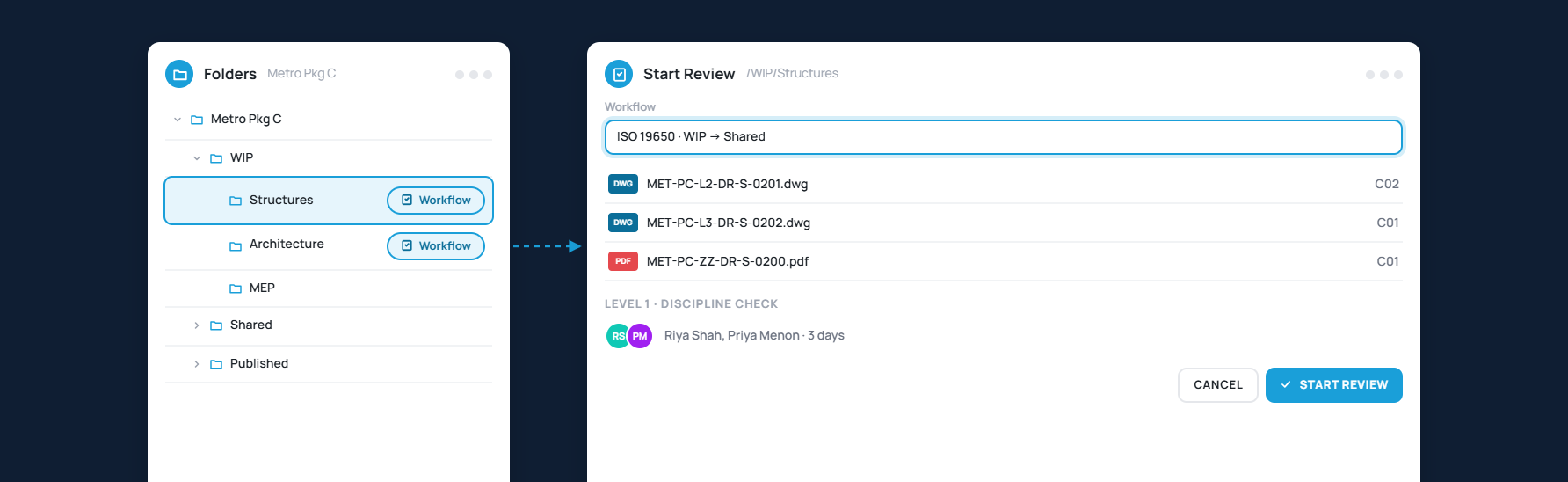
Launch Reviews in Any Folder
Start a review wherever a workflow is configured and bring the right people in from the first step
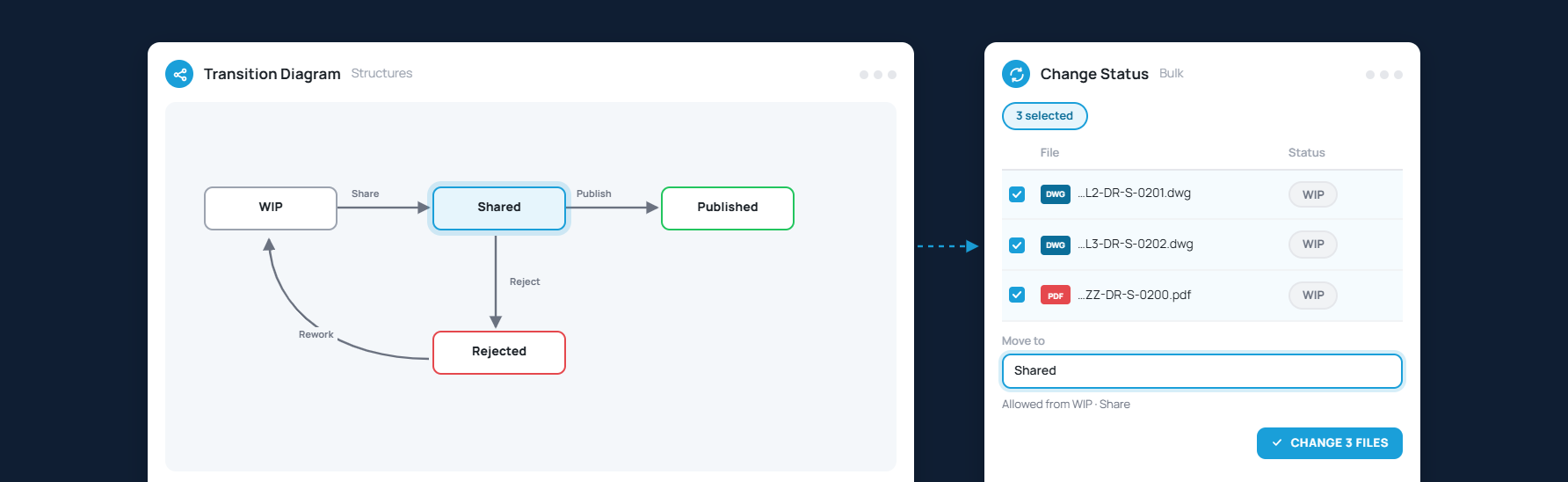
Move Files Through a Transition Diagram
Change file status against a configured transition diagram, one file at a time or in bulk
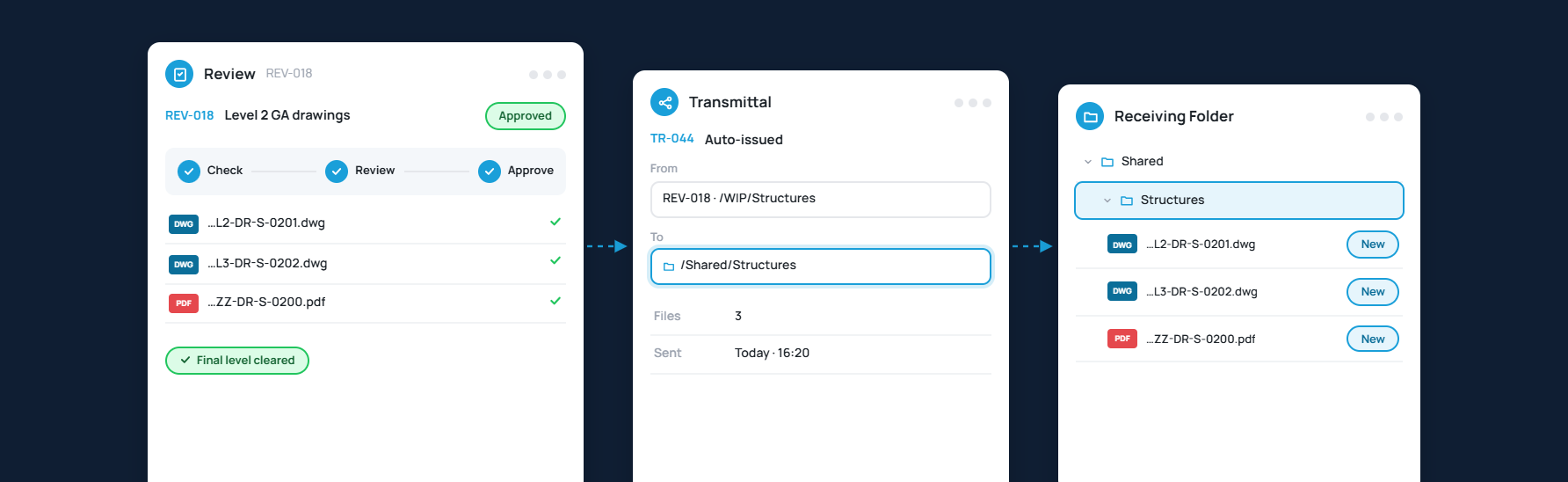
Issue Approved Files as Transmittals
Send reviewed files straight to the receiving folder the moment they clear the final level

Configure Series & Parallel Approvals
Set days per level, choose reviewers, preview the flow, and roll back, bypass or revoke when plans change
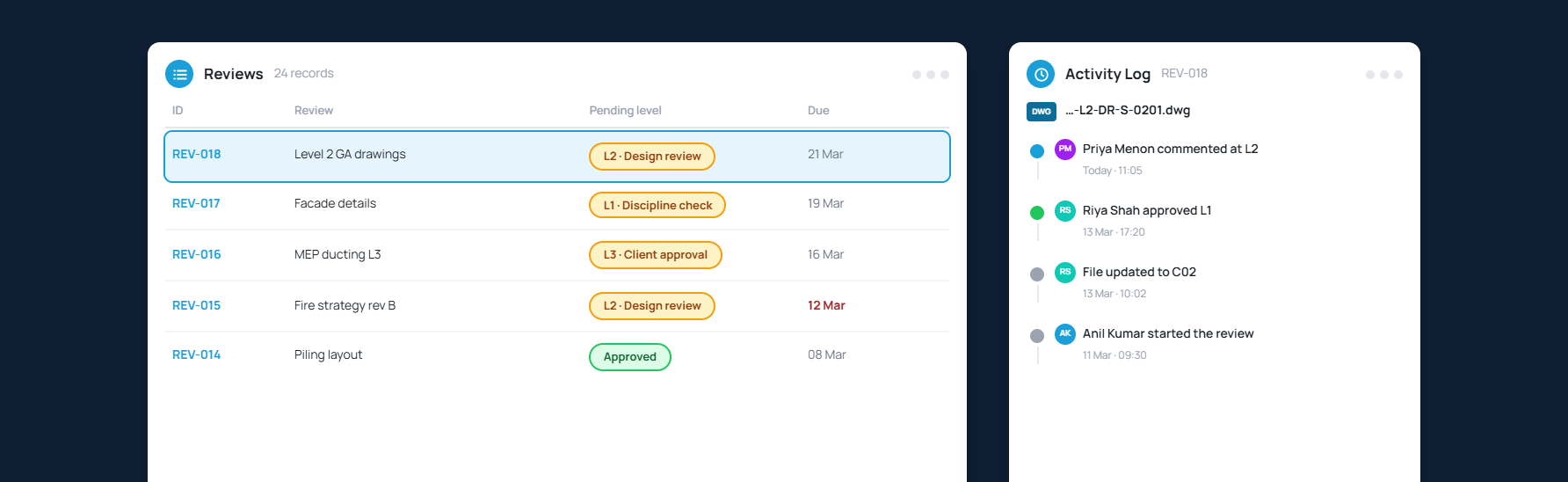
Know Which Level a Review Awaits
See the pending level in the grid and a full activity log behind every file in the review
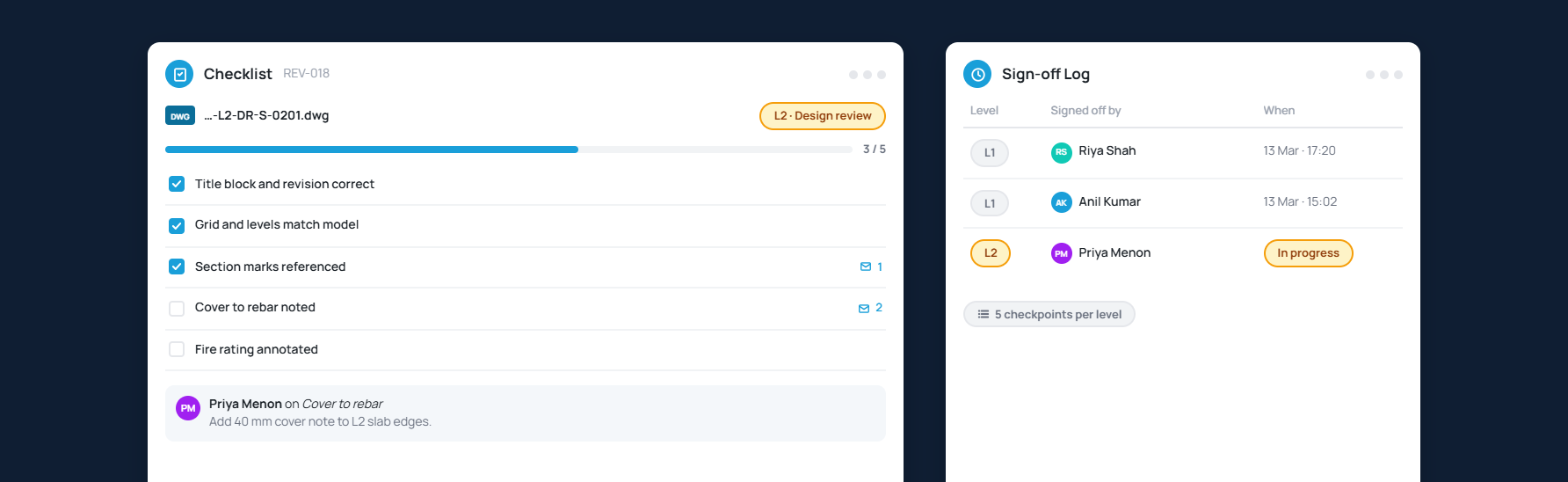
Attach Checklists to Every Review Level
Run level-by-level checklists per file, comment on checkpoints and keep a log of who signed off what
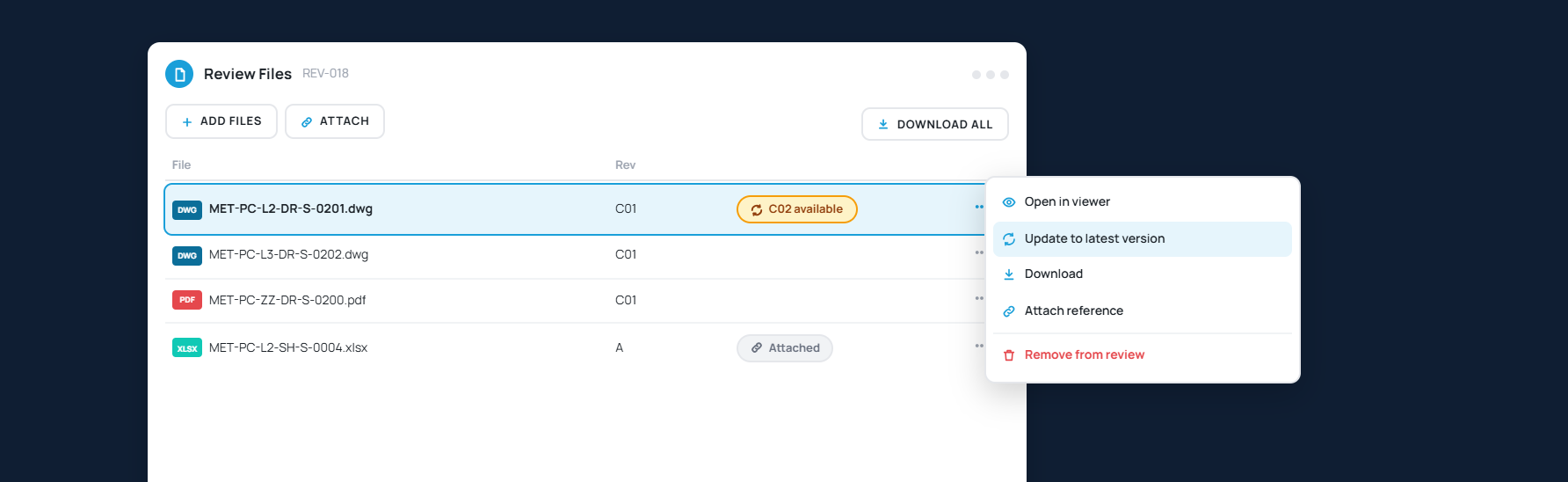
Manage Files Inside the Review
Open, attach, add, remove, update to the latest version or download files without ever leaving the review

Export Reviews to Excel & PDF
Pull the review register and every attached issue into a report your client can open
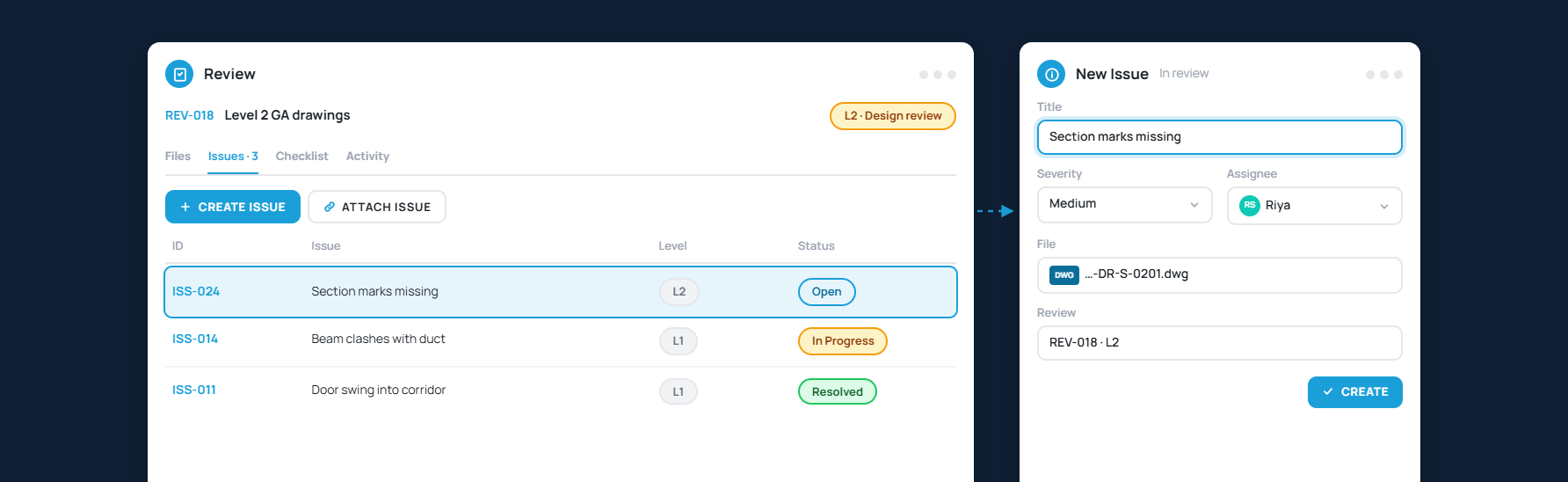
Raise and Resolve Issues Within Reviews
Create or attach issues to a review and track their status through the same approval flow
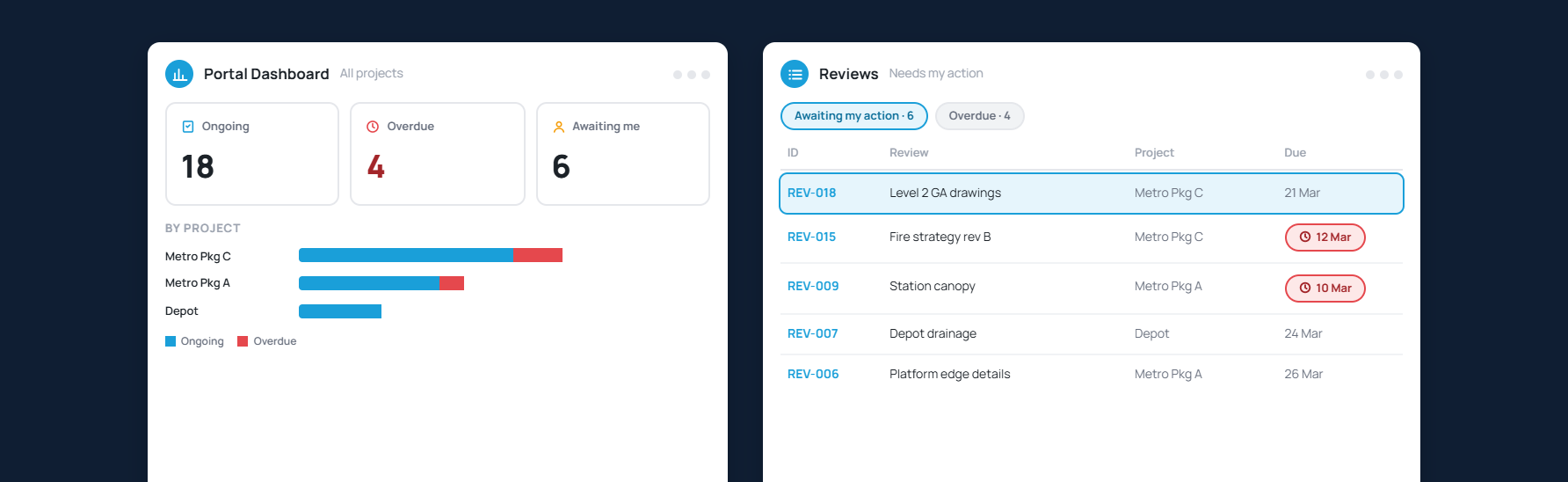
See What Needs Your Action
Project and portal dashboards surface ongoing and overdue reviews so nothing waits on the wrong desk
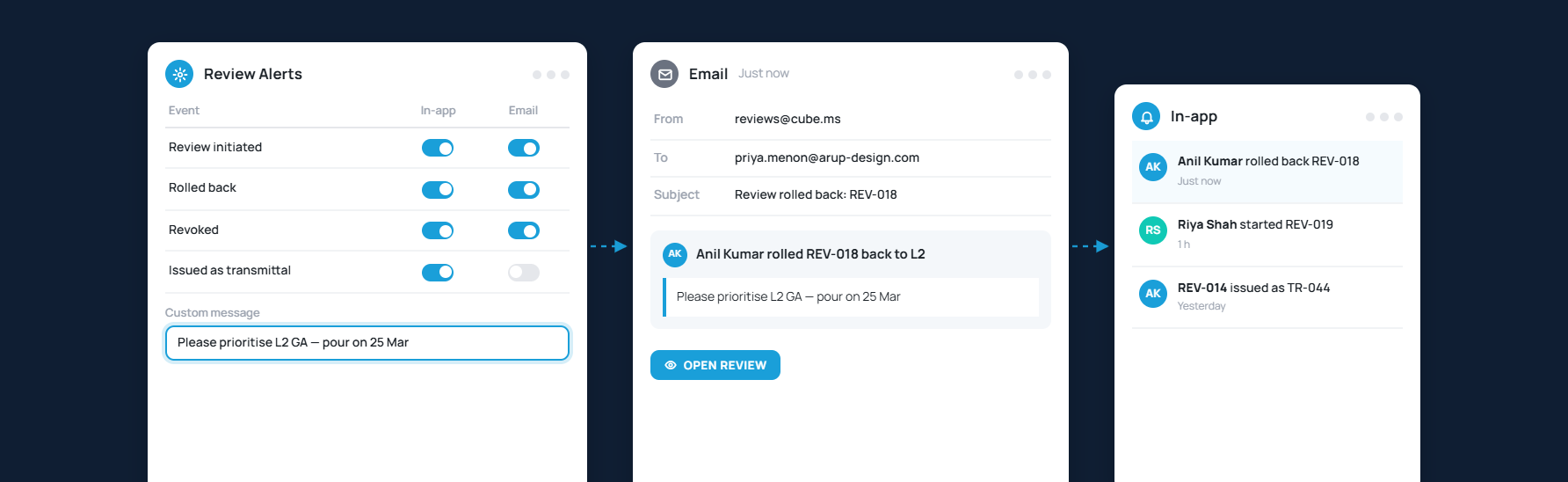
Keep Reviewers in the Loop
Start a review wherever a workflow is configured and bring the right people in from the first step
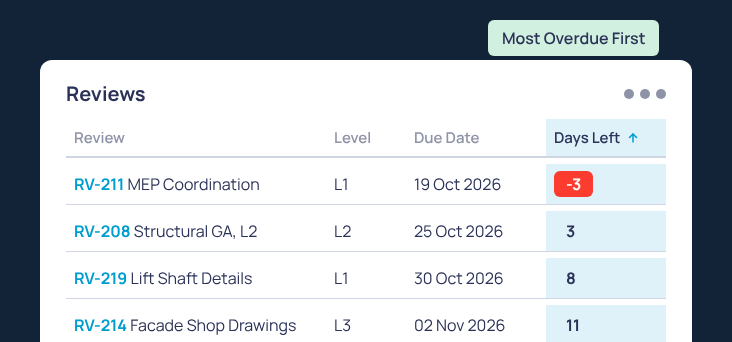
Count Down to Every Review Deadline
A Days Left column that turns red once a level is overdue, sortable so the latest reviews rise to the top


Series & Parallel Reviews

Add one or more users to multiple levels for managing reviews within & across organizations.

Digital Signatures
While reviewing, require users to provide digital signatures on documents for enhanced accountability

Configure Statuses
Control and monitor progress of files at any level by assigning predefined or custom statuses

Visual Transitions
CUBE automatically generates a transition diagram to help visualize the entire review cycle.

Track issues in a Review
Issues pertaining to reviews can be added and tracked in a single interface