.svg)


.png)
.png)


.svg)




.png)
.png)

What Is a Common Data Environment (CDE)? Definition, ISO 19650 Workflow & Benefits
A Common Data Environment (CDE) is the single source of truth for construction projects. Discover how CUBE’s CDE helps teams collaborate better, avoid delays and deliver successful projects.


In the fast-paced world of construction, collaboration is critical. Multiple teams work simultaneously on complex projects, sharing designs, updates, documents, and data. Without a centralized system to manage this information, miscommunication, delays, and costly errors quickly follow. This is where a Common Data Environment (CDE) becomes essential.
A Common Data Environment (CDE) is a single, agreed source of information used to collect, manage, and share project data across every team on a construction project. Under the ISO 19650 information management standard, a CDE is the digital environment where data is created, checked, approved, and published so that everyone works from one trusted, version-controlled source of truth.
A Common Data Environment is more than storage - it serves as the single, reliable source of project information. By bringing data into one secure and accessible platform, a CDE strengthens coordination, improves clarity, and supports confident decision-making across stakeholders.
Key Takeaways
- A Common Data Environment (CDE) is the single, ISO 19650-aligned source of project information where construction data is created, managed, shared, and approved.
- The ISO 19650 CDE model organizes information into four workflow states: Work in Progress, Shared, Published, and Archived.
- A CDE differs from shared drives and basic document management systems through controlled revisions, audit trails, governed approvals, and role-based access.
- CDE workflows are now mainstream: buildingSMART International found 77% of respondents view a CDE/collaboration platform as the most effective way to exchange large volumes of information.
- Every project stakeholder — owners, designers, consultants, contractors, and site teams — benefits from centralized, real-time information.
- CUBE delivers a purpose-built CDE that connects drawings, models, reviews, tasks, and field coordination in one continuously updated platform.
What is a Common Data Environment (CDE)?
A Common Data Environment (CDE) is a collaborative digital hub where all project information is stored, managed, and shared in real time, giving every stakeholder access to the same up-to-date data. In ISO 19650 terms, it is the agreed source of information for a project that reduces duplication, prevents conflicting versions, and keeps collaboration governed and traceable.
A Common Data Environment (CDE) is a collaborative digital hub where project information is stored, managed, and shared in real time. It is used by project owners, design teams, contractors, consultants, customers, and site teams, ensuring everyone works from the same up-to-date data.
Instead of relying on scattered emails, local drives, or disconnected tools, a CDE provides a unified environment that reduces confusion, improves accountability, and enables stronger project outcomes.
Key features of a CDE typically include:
- Centralized storage for documents, drawings, models, and data
- Controlled revisions to maintain accurate information
- Role-based access for secure collaboration
- Activity history for traceability
- Real-time updates and notifications
.png)
The Four CDE Workflow States (ISO 19650 Model)
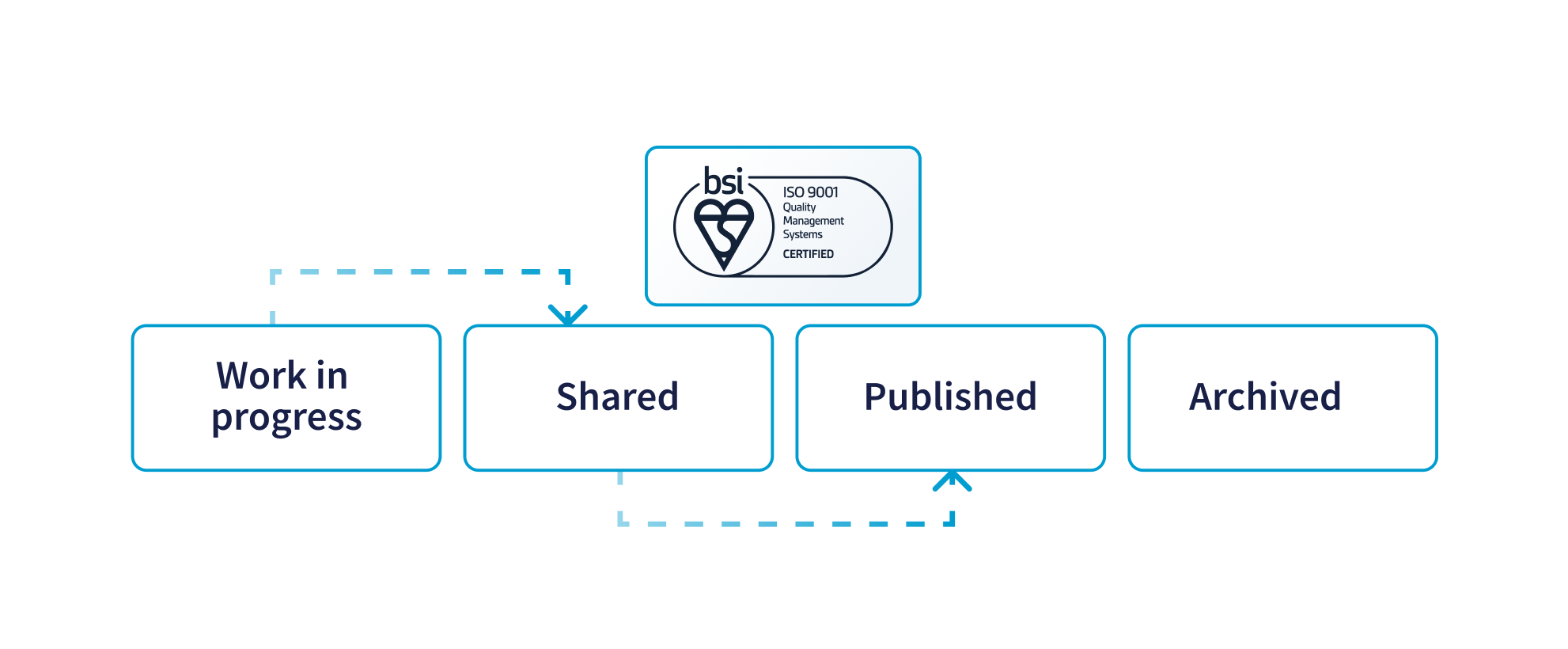
One of the defining characteristics of an ISO 19650-aligned Common Data Environment is how it moves information through controlled states. Rather than dumping files into a shared folder, a CDE governs the lifecycle of every piece of information through four distinct stages:
- Work in Progress (WIP): Information is being developed by a single task team and is not yet visible or accessible to other teams. This keeps in-development content isolated until it is ready.
- Shared: Checked and approved information is released for other teams to view, reference, and coordinate against — enabling multidisciplinary collaboration without exposing unverified drafts.
- Published: Information that has been reviewed and formally authorized for use, becoming the approved reference for construction, procurement, or client sign-off.
- Archived: A complete, retained record of superseded and historical information, preserving a full audit trail for accountability and future reference.
This four-state model is what transforms a CDE from simple storage into a governed information management system — the framework most widely referenced when explaining how a CDE actually works.
Why Does a Common Data Environment Matter?
A Common Data Environment matters because it removes the fragmentation, version confusion, and miscommunication that drive delays and rework in construction. By centralizing information and governing how it is shared, a CDE improves coordination, clarity, and control across every team.
Adopting a CDE reshapes how construction projects are delivered by improving coordination, clarity, and control across teams.
The relevance of CDEs continues to grow as digital working becomes standard practice — NBS' 2025 reporting found that BIM adoption remained at seven in ten construction professionals, indicating the collaborative workflows CDEs support are now mainstream rather than early-stage. (Source: NBS.)
1. Stronger Collaboration
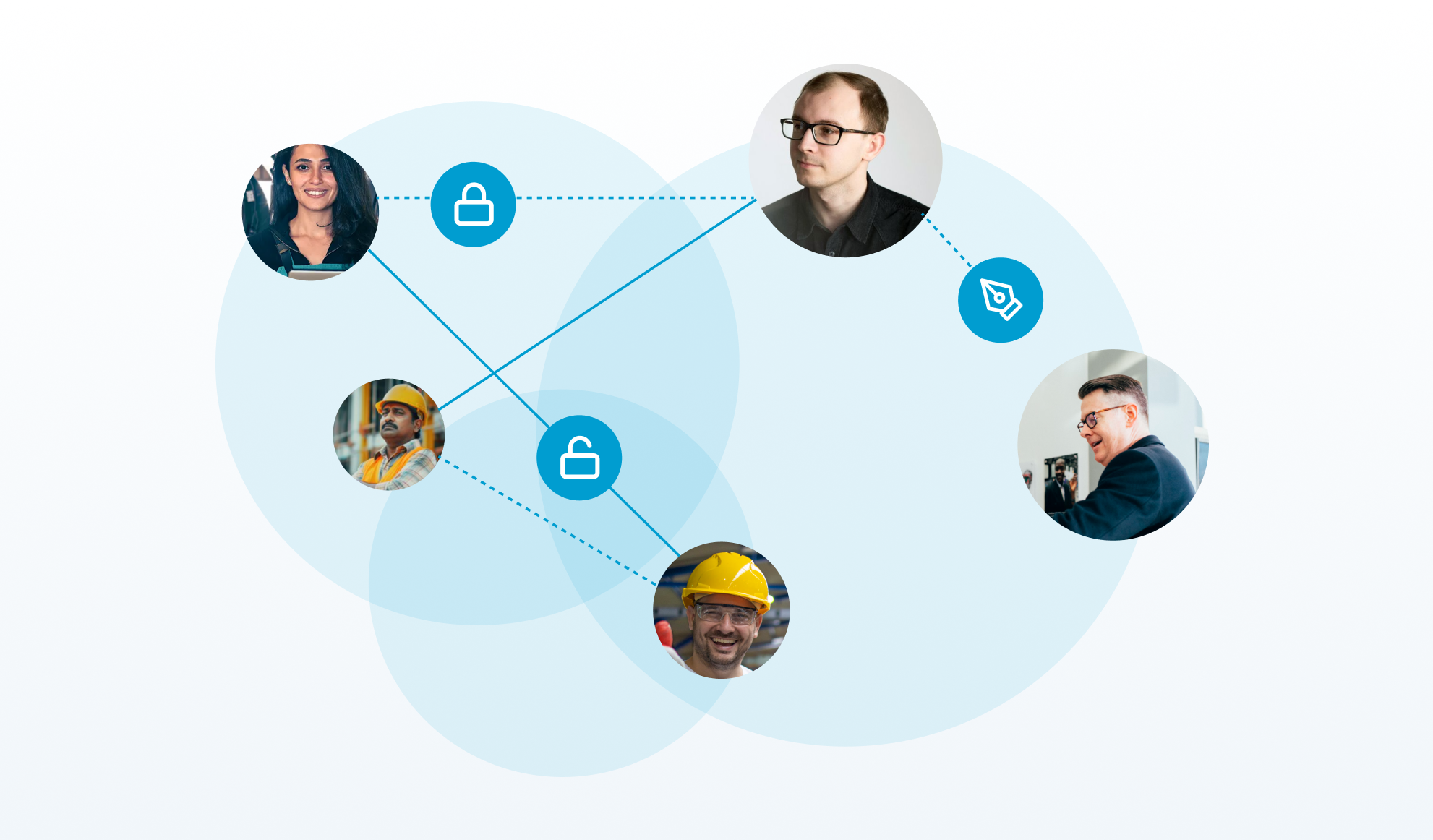
All stakeholders - from design offices to on-site teams - access the same information, reducing silos and enabling coordinated execution across disciplines.
2. Fewer Errors and Rework
Working from current, approved information minimizes mistakes and prevents teams from relying on outdated drawings or documents. Structured approval workflows further support accurate and timely sign-offs.
3. Faster Decision-Making
Immediate access to reliable project data allows teams to respond quickly, maintain momentum, and avoid unnecessary delays.
4. Clear Accountability
Recorded actions and updates create a transparent history of project activity, making responsibilities easier to track and manage.
5. Greater Visibility for Stakeholders
Owners and leadership teams gain a comprehensive view of progress, timelines, and documentation - supporting informed oversight and trust.
Real-world results reinforce these benefits. Since a 2024 CDE rollout on a major UK defence programme, Assystem reported a 69% reduction in review cycles (from 13 days to 4 days), a 21% reduction in overdue deliverables, a 33% improvement in metadata and workflow compliance, and 100% traceability of document transmissions. (Source: Assystem.)
CDE vs Shared Drives vs Document Management Systems
A common question is whether a CDE is simply a fancy shared drive or document management system (DMS). The distinction lies in governance, workflow, and traceability. The table below breaks down the key differences:
In short, a shared drive stores files, a DMS organizes them, but only a CDE governs how information is created, checked, approved, and shared as a single source of truth across the whole project team.
How CUBE's CDE Powers Modern Construction Projects
At CUBE, our Common Data Environment is purpose-built for the real-world complexity of construction delivery. Rather than functioning as standalone document storage, it connects drawings, models, communication, reviews, and field coordination inside a single, continuously updated platform - ensuring every stakeholder works with accurate and contextual project information.
1. Centralized Document Management
CUBE brings together drawings, RFIs, submittals, models, and supporting documentation within one secure and structured environment. This eliminates the need to search through email chains or disconnected storage systems and removes uncertainty around which file is current.
With organized access, controlled revisions, and role-based permissions, teams collaborate with clarity and confidence. Structured Transmittals support formal information exchange, while dedicated project Spaces maintain logical organization and easy navigation across disciplines and deliverables.
2. Structured Information States and Controlled Sharing
CUBE mirrors the ISO 19650 CDE lifecycle by managing information through controlled states — keeping work-in-progress content isolated to task teams before it is checked, shared for coordination, and published for approved use. This ensures teams always know which information is a draft, which is shared for reference, and which is authorized for construction.
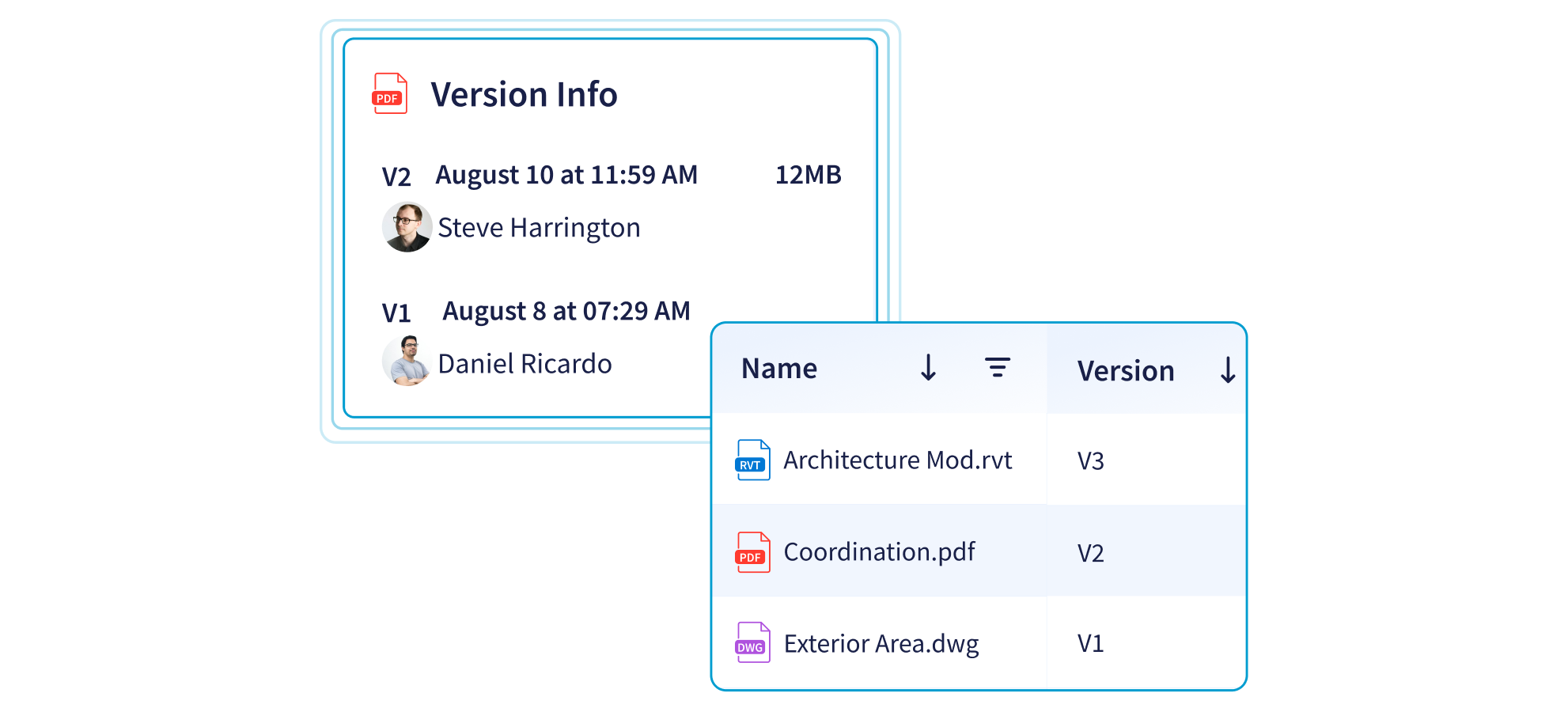
3. Advanced Revision Control and Visual Comparison
Automated revision tracking maintains a complete history of document evolution, providing clarity on what changed, when it changed, and who initiated the update.
To support deeper design understanding, CUBE also includes a visual comparison slider for CAD and BIM files. Teams can quickly identify modifications between versions, making technical reviews more precise and significantly reducing the risk of unnoticed design changes impacting construction.
Take control of your projects with intelligent File management on CUBE.
4. Real-Time Reviews and Governed Approvals
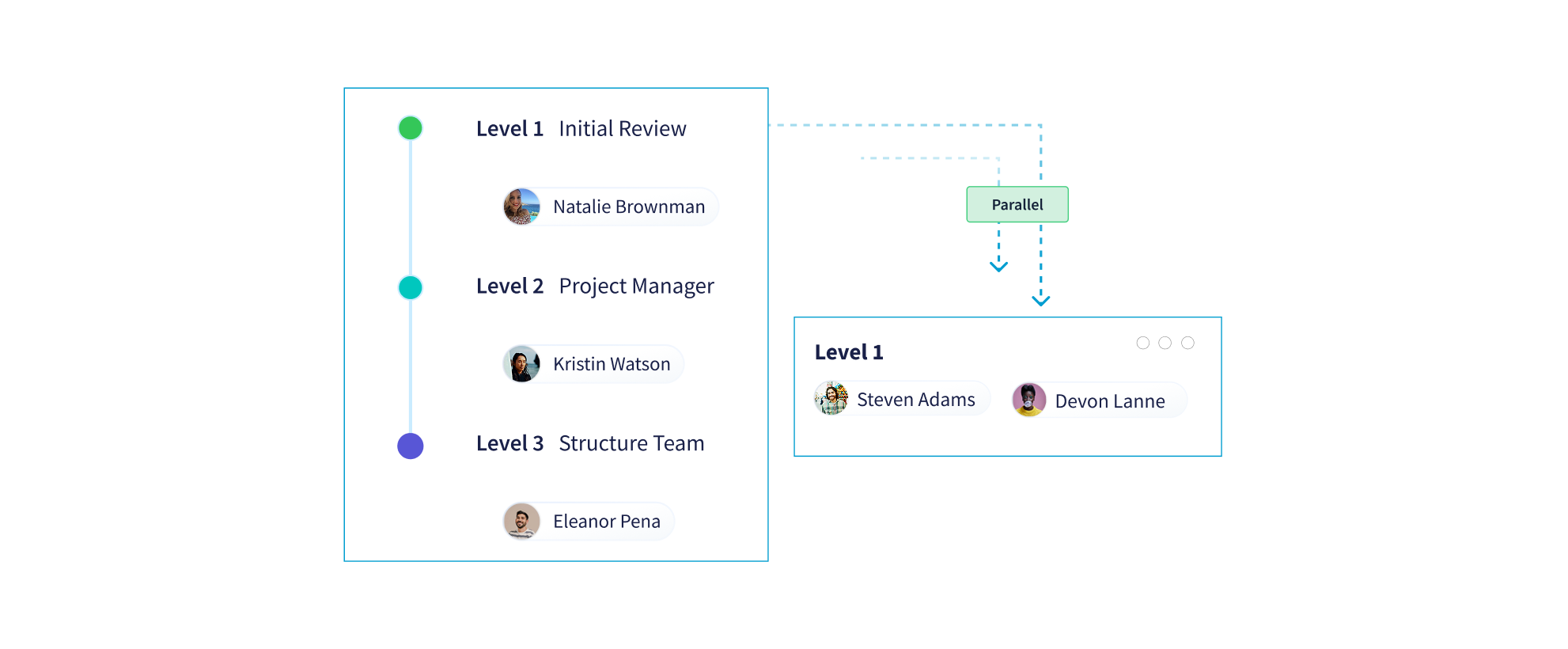
CUBE enables stakeholders to review drawings, documents, and models directly within the platform, removing the need for offline markups or disconnected feedback channels. Contextual comments, notifications, and task assignments help maintain review momentum and reduce coordination delays.
Approval workflows are fully configurable to reflect real project governance. Teams can define series or parallel approval paths, introduce conditional branching, skip unnecessary steps, or roll back when revisions are required - ensuring reviews remain structured, compliant, and traceable without slowing delivery.
Strengthen decision-making through clear, traceable Review workflows.
5. Seamless Team Coordination Across Office and Field
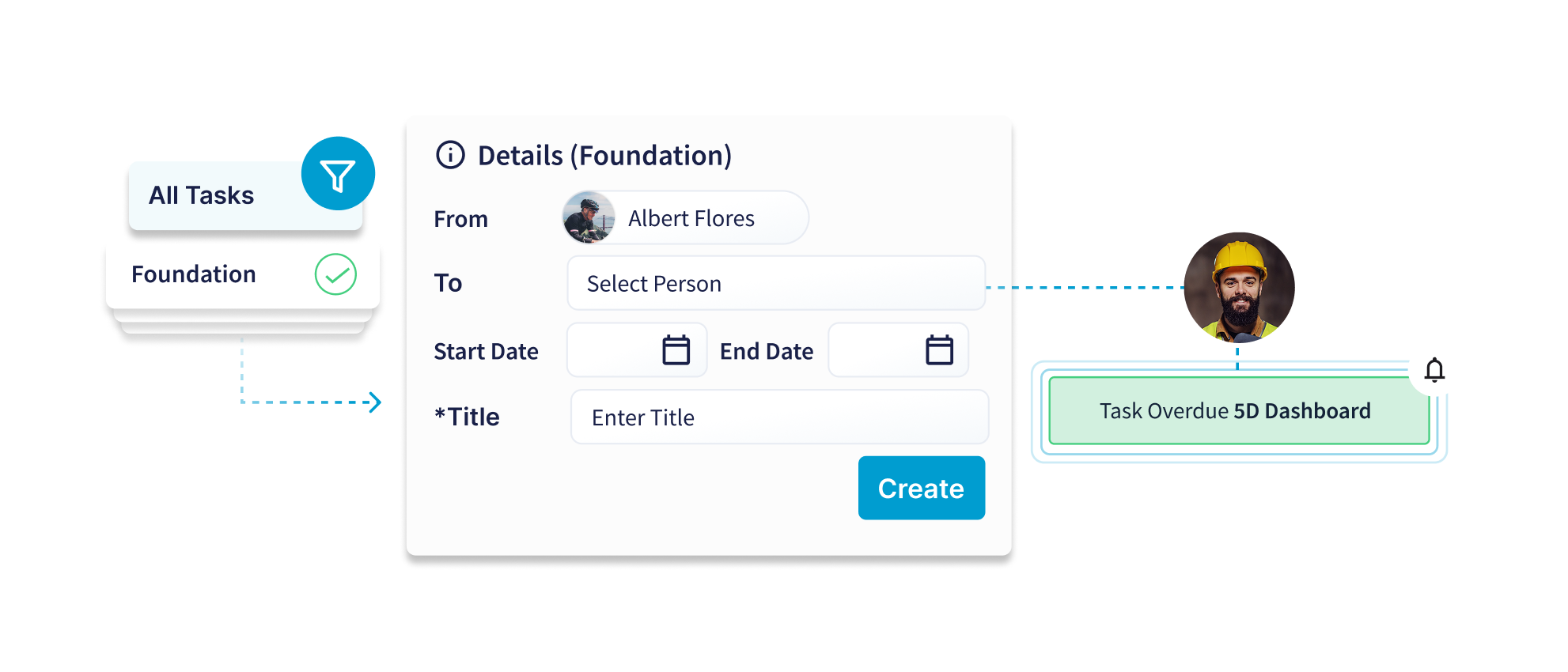
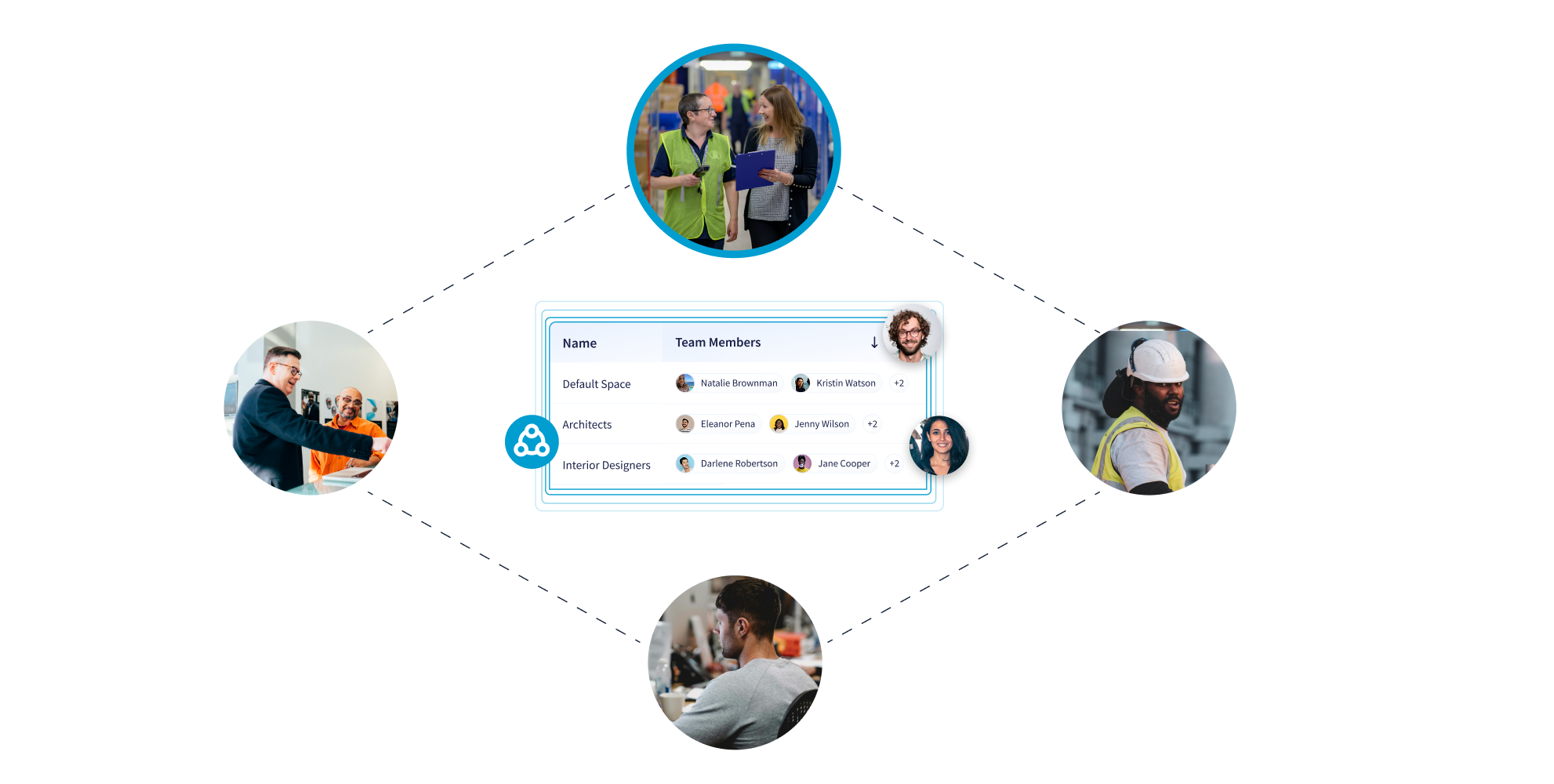
CUBE connects designers, managers, consultants, and site teams within a shared operational workspace. Tasks can be created, prioritized, and assigned with deadlines, dependencies, and live status tracking - keeping responsibilities visible and progress measurable.
Issue tracking, task management, and communication remain continuously aligned, allowing conflicts to be resolved faster and ensuring no critical activity is lost between teams or project stages. CUBE keeps Task ownership, progress, and collaboration fully aligned.
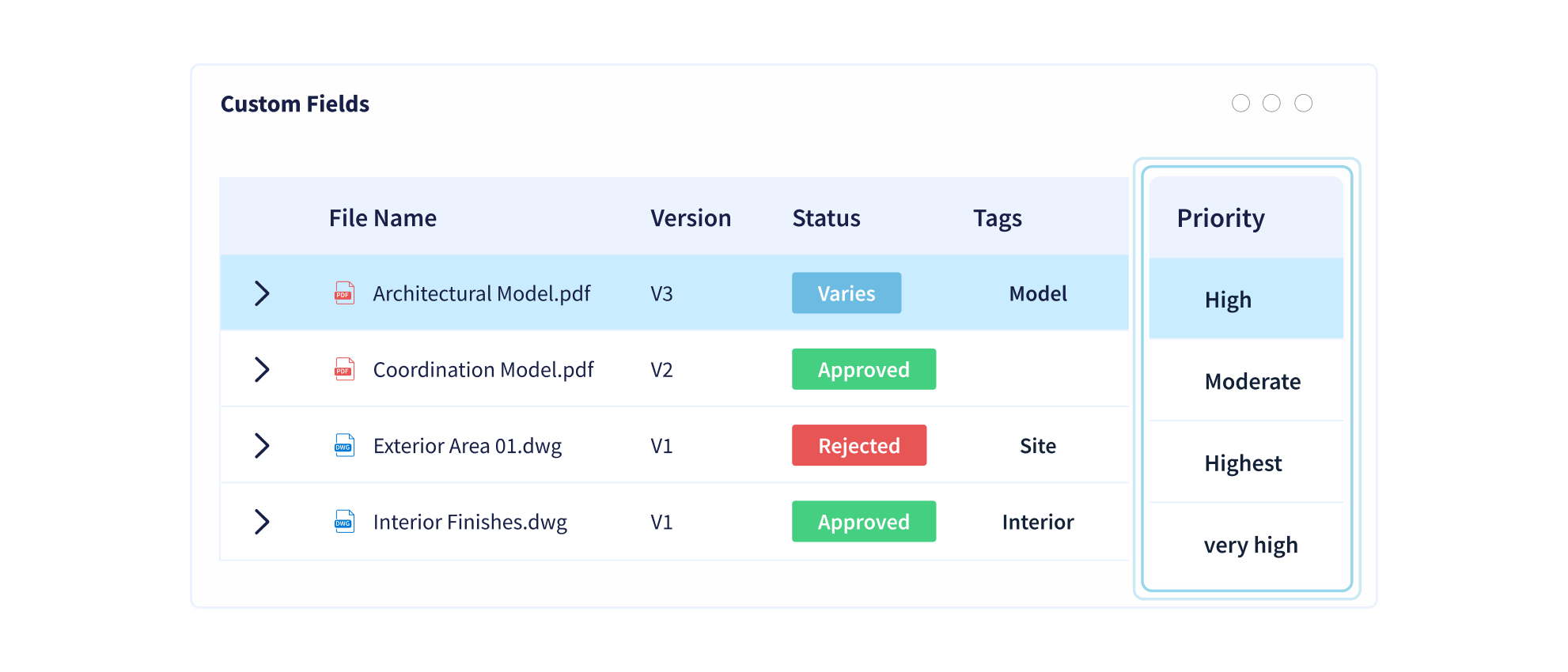
6. Smart Metadata Tagging for Faster Information Retrieval
Every file and document within CUBE can be enriched with customizable metadata such as discipline, location, project stage, or asset reference.
This structured classification enables powerful search, filtering, and grouping capabilities - allowing teams to locate precise information instantly instead of manually browsing folder structures. The result is faster access, clearer organization, and improved usability of growing project datasets.
7. Alignment with ISO 19650 Information Management Practices
CUBE's CDE is designed to support ISO 19650-aligned workflows, including structured naming conventions, controlled information states, and governed approval processes.
This ensures project information remains organized, auditable, and consistent throughout the lifecycle - from design development to construction delivery and handover - supporting industry best practices in digital information management.
Learn more about how CUBE supports ISO 19650 compliance, and explore our guide to ISO 19650 Compliance for standardizing BIM in AEC projects.
8. Flexible Cloud and On-Premise Deployment
Recognizing varying organizational IT and compliance requirements, CUBE supports both secure cloud deployment and on-premise hosting.
Teams benefit from anywhere access and real-time synchronization in cloud environments, while organizations with stricter data residency or security policies can maintain full internal control - without sacrificing platform capability.
This flexibility reflects a wider industry shift — buildingSMART International's global survey found that 53% of respondents had moved to more cloud software in the prior two years, while another 21% wanted to adopt more cloud software but had not yet done so. (Source: buildingSMART International.)
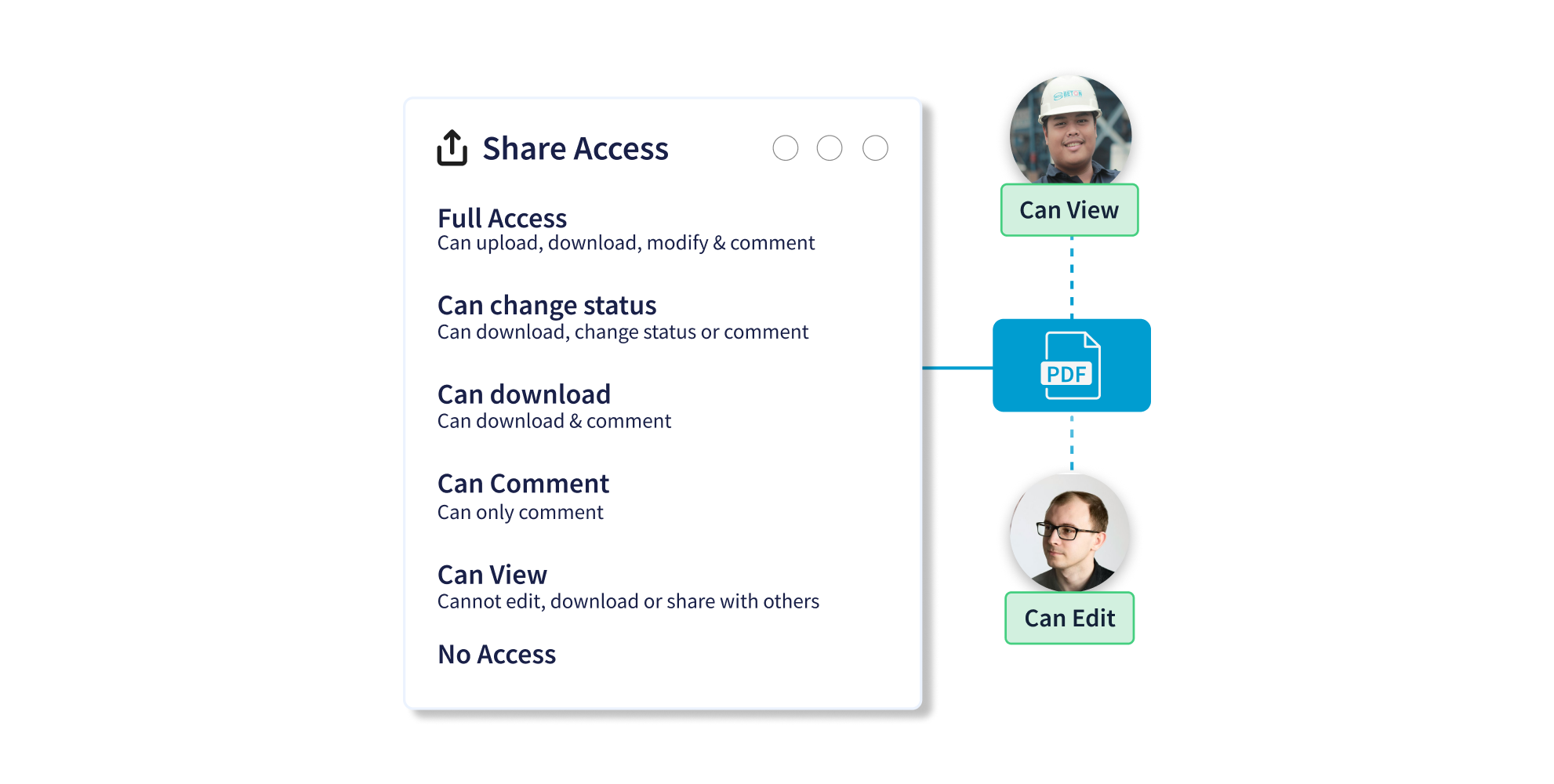
9. Granular Role-Based Access Control
CUBE enables highly detailed permission management, ensuring each stakeholder accesses only the information relevant to their role.
This protects sensitive data, maintains governance standards, and still allows efficient collaboration - supported by complete activity visibility for administrative oversight.
See how robust access control fits into broader data security in construction document management.
10. Connected Workflows Across the Entire Platform
CUBE's CDE is deeply integrated across modules rather than operating as an isolated repository. Drawings link to issues, documents connect to tasks, and site activities remain tied to controlled information sources.
This continuous data connection creates a reliable single source of truth that supports coordination, reporting, and decision-making throughout the full project lifecycle.
Elevate project collaboration through CUBE's fully connected Common Data Environment.
The Impact of a CDE on Project Success
A CDE improves project success by cutting the rework, delays, and miscommunication caused by fragmented information — delivering measurable gains in time, cost, quality, and stakeholder trust.
Implementing a Common Data Environment delivers measurable benefits:
- Time efficiency through faster coordination and approvals
- Cost reduction by minimizing rework and miscommunication
- Improved quality driven by consistent, reliable data
- Stronger stakeholder trust through transparent collaboration
Ultimately, a CDE enables projects to be delivered on time, within budget, and to higher standards.
Evidence of this impact is well documented. NBS' 2023 Digital Construction Report found that 64% of BIM users had some involvement in using common data environments, up from 60% in 2021 (Source: NBS Digital Construction Report 2023) — a sign that structured, CDE-driven information management continues to gain traction. To understand the bigger picture, read why digital construction software is critical for AEC growth.
Who Benefits From a CDE?
A Common Data Environment benefits everyone involved in a construction project — from owners and designers to consultants, contractors, and site teams — because each role works from the same accurate, real-time information.
A Common Data Environment isn't just for large construction projects; it's valuable for projects of all sizes and types.
Stakeholders who benefit include:
- Project Owners: Gain clear, real-time visibility into project progress and document flow.
- Design Teams: Collaborate seamlessly with other disciplines using shared models and markup tools.
- Consultants: Review and approve documents faster with configurable workflows, in-platform comments, and automated notifications.
- Contractors: Avoid miscommunication and costly rework with centralized, up-to-date information.
- Site Teams: Instantly access the latest drawings, documents, and updates right from the field.
For a practical example, explore this CDE implementation for a real estate developer in India to see how these stakeholders benefit in a live project.
Start Building Smarter with CUBE
If your construction projects are still running on scattered systems and outdated processes, now is the time to adopt a Common Data Environment. CUBE is designed to simplify your workflows, enhance collaboration, democratize information, and drive better project outcomes.
Ready to see how CUBE can transform your construction projects? Book a demo today!
Frequently Asked Questions (FAQs)
What does CDE stand for in construction?
CDE stands for Common Data Environment. It is the single, agreed digital source used to collect, manage, and share information across all teams on a construction project, keeping everyone aligned on one version of the truth.
Is a CDE the same as BIM?
No. BIM (Building Information Modelling) is the process of creating and managing digital models and data about a built asset, while a CDE is the environment where that information — including BIM models — is stored, controlled, and shared. A CDE supports BIM workflows but is not the same thing.
Is a shared drive or SharePoint a CDE?
Not by itself. A shared drive or generic cloud folder stores files but lacks the controlled workflow states, governed approvals, revision control, and audit trails that define a true CDE. Without those governance features, it cannot reliably act as a single source of truth.
What is the CDE workflow in ISO 19650?
ISO 19650 describes a CDE workflow with four information states: Work in Progress (developed by a single team), Shared (checked information released for coordination), Published (approved information authorized for use), and Archived (a retained record of superseded information).
Who owns and manages a CDE?
Ownership varies by project, but the CDE is typically appointed and governed by the lead appointed party or information manager, with role-based access ensuring each stakeholder can only view and edit information relevant to their responsibilities.
Does a small project need a CDE?
Yes. A Common Data Environment is valuable for projects of all sizes and types, not just large ones. Even smaller projects benefit from centralized, up-to-date information, fewer errors, and clearer accountability.
How does a CDE reduce rework and delays?
By ensuring teams always work from current, approved information and by governing changes through revision control and structured approvals, a CDE prevents work based on outdated drawings — a leading cause of costly rework and coordination delays.
.png)
.png)