.svg)


.png)
.png)


.svg)





.png)


.png)
Document Control in Construction: The Complete Guide (2026)
Learn how document control works in construction: key documents, workflow states, roles, and how to choose the right process and software.


Key takeaways
- Document control sets clear rules for every project file. It shows who can create, check, and approve records.
- Each file moves through set stages before it becomes final. This keeps old versions but marks the current one.
- Common problems include duplicate files and lost approvals. Clear naming and set roles help fix these gaps.
- A shared system, like CUBE, helps track every stage. Teams should measure results to spot recurring problems.
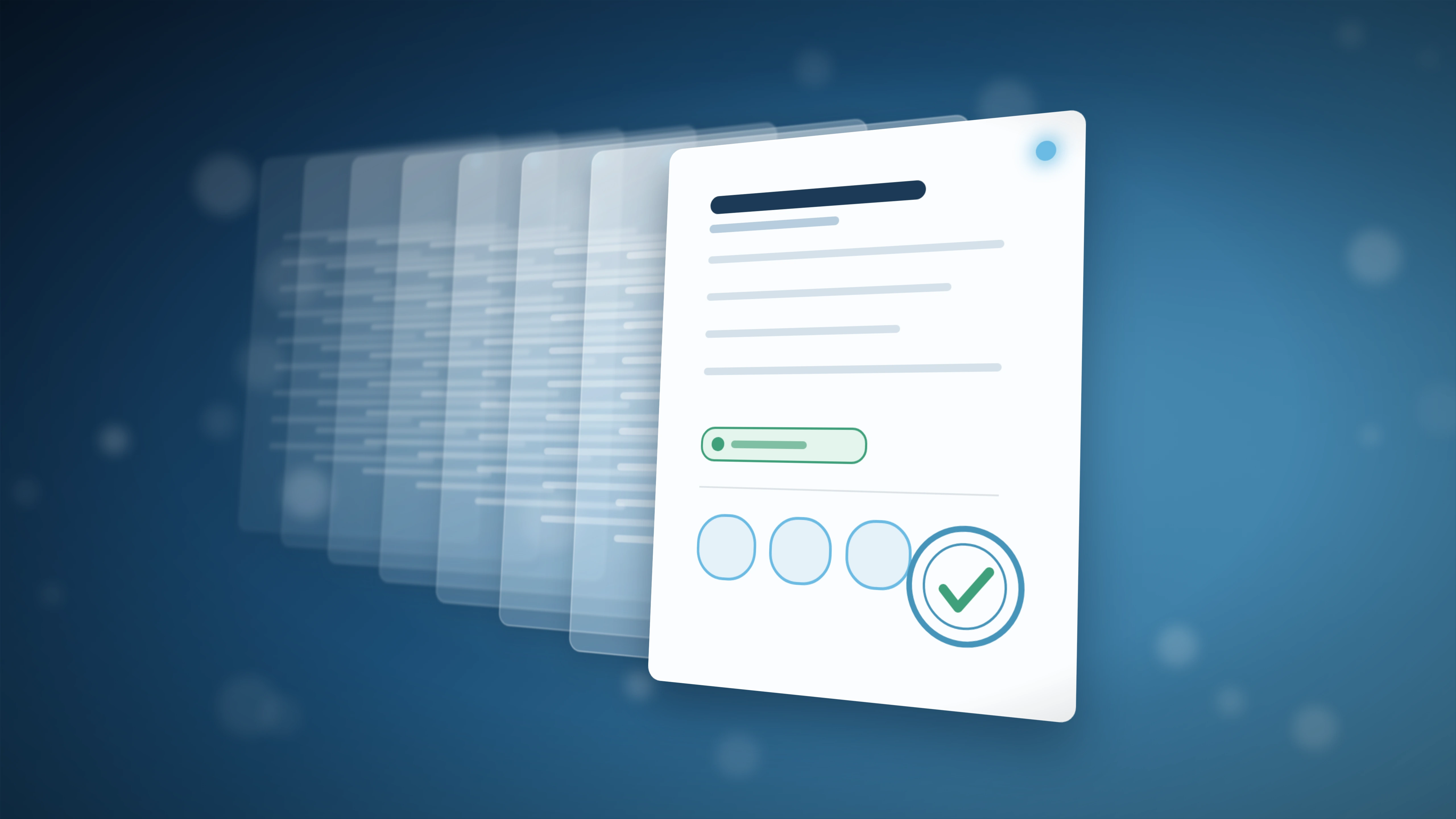
Document control in construction helps set the rules for creating, reviewing, approving, issuing, accessing, revising, and retaining project information. Those rules protect the current record while preserving the history behind it.
This guide is for US owners, contractors, engineers, document controllers, and BIM or VDC managers. It covers the operating model, roles, workflows, controls, field practices, technology, and measures needed for dependable construction management document control.
What Is Document Control in Construction?
Document control in construction is the governed management of project information throughout its usable life. It covers creation, review, approval, issue, access, revision, retention, and final handover.
The process applies rules to every controlled information container. Examples include drawings, models, specifications, RFIs, submittals, contracts, meeting records, inspection reports, and operation manuals.
A controlled document carries enough information to answer six questions:
- Identity: What is the document, model, record, or information container?
- Ownership: Who creates it, checks it, approves it, and issues it?
- Status: What stage has the record reached?
- Permitted use: Can the recipient coordinate, price, fabricate, build, inspect, or retain it?
- Revision: Which controlled change applies now?
- History: Who changed, reviewed, approved, issued, or received it?
Storage and control serve different purposes:
A shared folder answers, “Where is the file?” Document control answers, “Which record governs, what can we use it for, and who authorized it?”
1. Document control versus document management
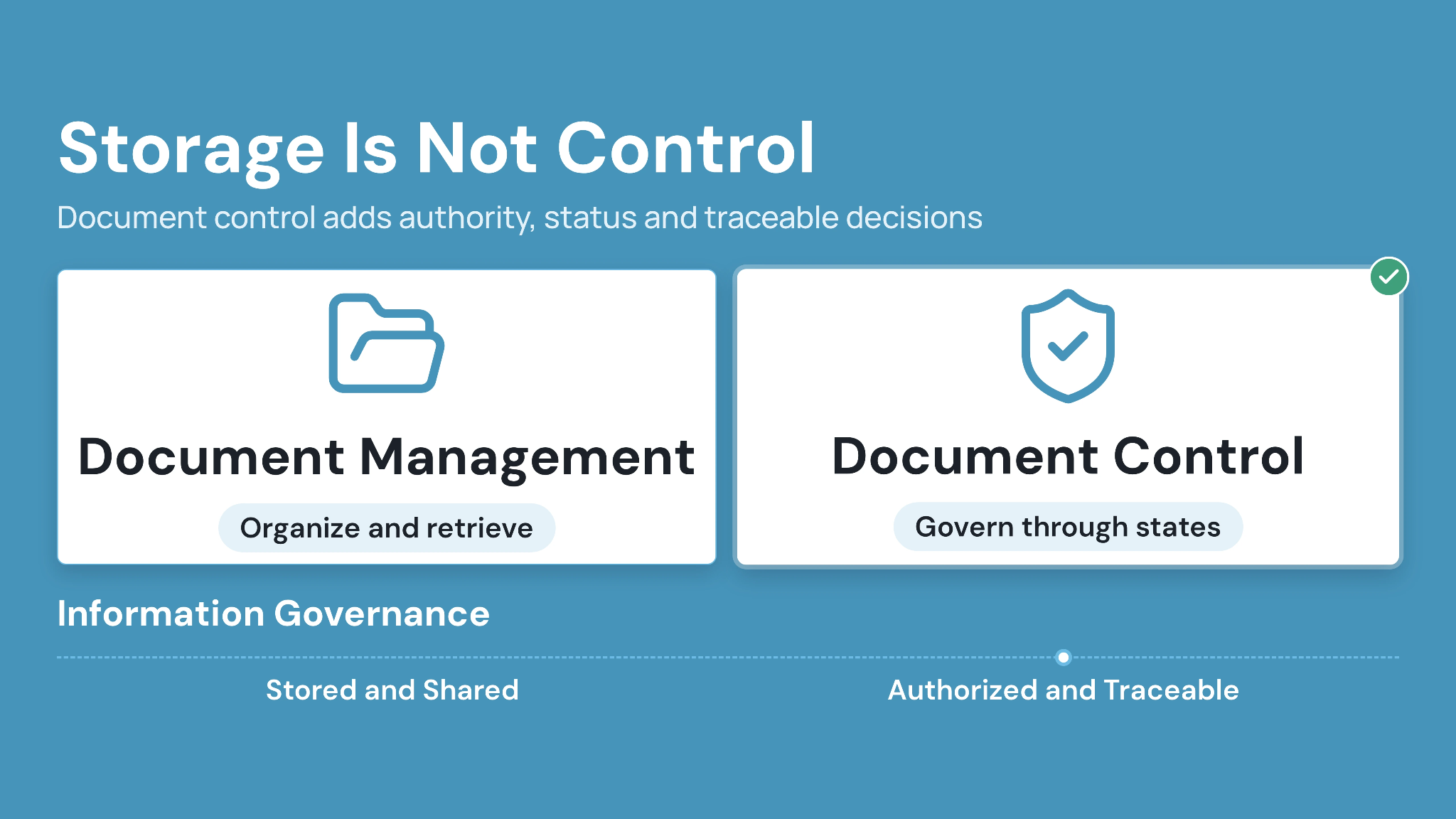
Document management focuses on storing, organizing, searching, and sharing project files. Document control adds authority, status, revision discipline, formal issue, and traceable decisions.
The two practices work together. A project needs efficient file access, followed by controls that establish which information participants may rely on.
2. Why construction projects need formal control
Construction information changes across design, procurement, delivery, and handover. Each update can affect cost, sequence, quality, or installed work. Project teams also cross company boundaries. An architect may author a drawing, while the general contractor controls distribution. Several subcontractors then rely on that issue onsite.
Formal control makes authority visible across those boundaries. It creates a shared operating rule when contracts, responsibilities, and software access differ.
The Associated General Contractors of America reported that 36% of 1,293 surveyed firms planned increased document-management investment in 2024. The figure shows sustained attention to information workflows among US contractors.
What Documents Need Control on a Construction Project?
Controlled scope should include any record that authorizes work, changes obligations, supports payment, or proves project activity. The exact register follows the contract and project procedures.
A useful document register separates information types because each carries different owners and approval routes. A shop drawing should follow its submittal process. A contractual notice requires its own correspondence route.
3. Design and technical information
Design records direct coordination and construction. They need visible revisions, issue status, author details, and links to relevant change records.
Typical controlled records include:
- Drawings and drawing indexes
- Specifications and addenda
- Building Information Modeling (BIM) files and federated models
- Calculations and design reports
- Shop drawings and fabrication details
- Product data and samples
CUBE supports BIM, CAD, PDF, document, spreadsheet, and image information within its Common Data Environment. Project procedures still define each record's authoritative status.
4. Commercial and contractual records
Commercial records establish commitments and support entitlement. Their controls should preserve the sender, recipient, issue date, referenced scope, and response requirements.
Examples include contracts, change orders, payment applications, purchase orders, and formal notices. Access usually follows commercial responsibility instead of general project visibility.
5. Project delivery and field records
Delivery records show how teams coordinated and verified work. Each record needs an owner, status, location, and retention rule.
The register may include:
- Requests for Information (RFIs)
- Submittals and approvals
- Meeting minutes and action logs
- Daily reports and progress records
- Inspection reports and test results
- Punch lists and issue records
- Safety and quality records
- Progress photographs
6. Handover and asset information
Closeout information supports acceptance, warranty, and operations. Teams should define required formats and metadata before construction ends.
Common deliverables include record drawings, approved submittals, warranties, commissioning records, training materials, and operations manuals. A late collection exercise often loses approval context and revision history.
Who Owns Construction Document Control?
Responsibility sits across the project team, while one role coordinates the system. A document controller often administers registers, workflows, issue records, permissions, and quality checks.
Authority still comes from the contract and project governance plan. Software administration alone provides limited authority to approve design, accept work, or change contractual obligations.
1. The document controller
The document controller maintains the controlled record and applies agreed procedures. Daily work includes checking metadata, routing reviews, preparing transmittals, and reconciling revision conflicts.
The role also supports users who cannot find or interpret a record. Strong document controllers fix the process behind recurring errors instead of repeatedly fixing individual files.
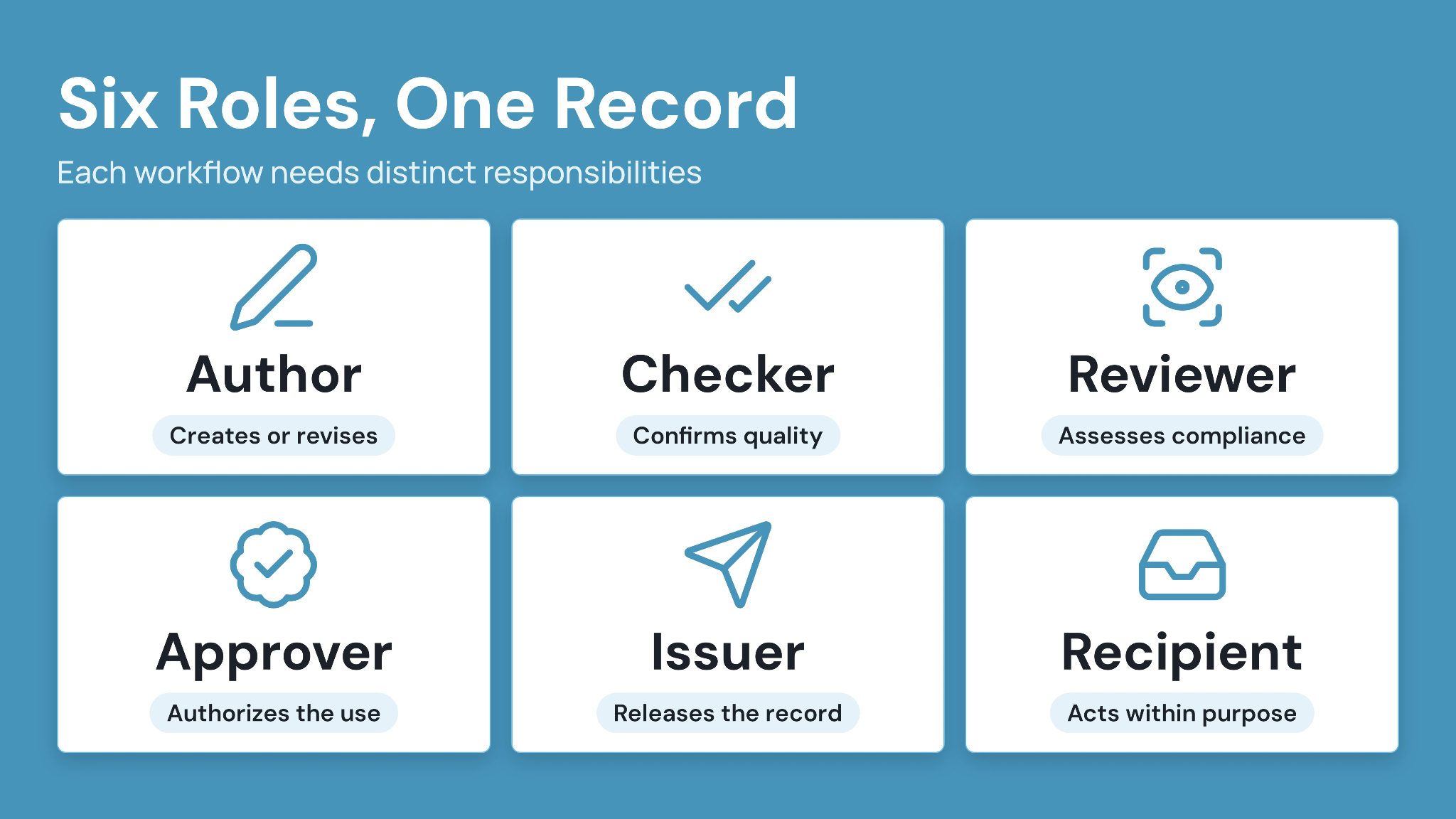
2. Authors, reviewers, approvers, and issuers
Each controlled workflow needs distinct responsibilities. The same person may hold several roles on a small project, as long as the authority matrix permits that arrangement.
- Author: Creates or revises the information.
- Checker: Confirms technical quality and completeness.
- Reviewer: Assesses coordination, compliance, or contractual requirements.
- Approver: Authorizes the defined status or use.
- Issuer: Releases the approved record to named recipients.
- Recipient: Confirms access and acts within the stated purpose.
3. Field teams and trade partners
Field users protect document control through daily verification. They check revision, status, issue source, and permitted use before work begins.
Trade partners also maintain controlled submissions. Their shop drawings, RFIs, product data, and closeout records need the same identity and status discipline.
How the Construction Document Control Workflow Works
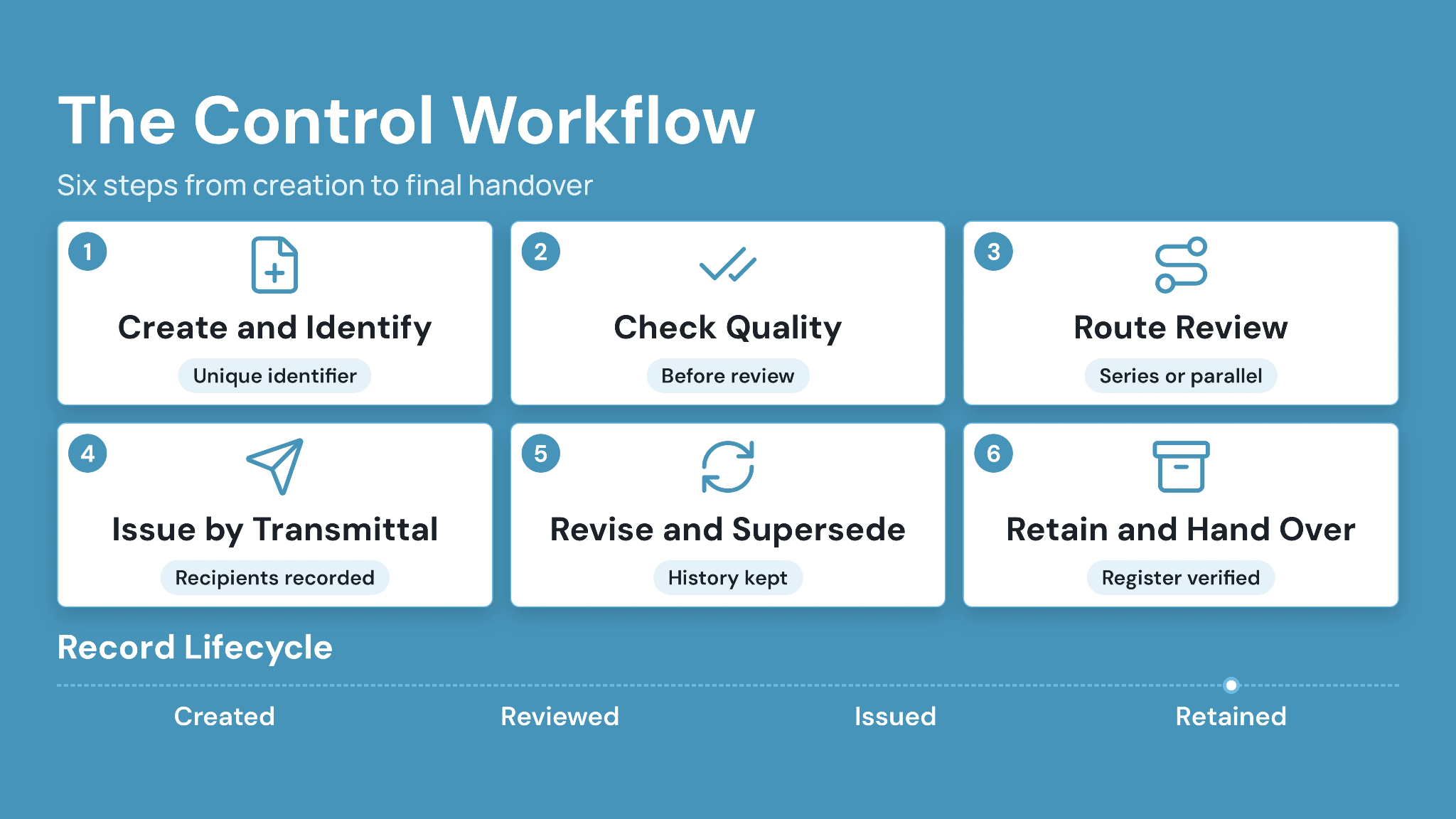
A dependable workflow moves information through defined states. Each transition records who acted, what changed, and which use became authorized.
The labels vary by project. The operating logic stays consistent from initial creation through final retention.
1. Create and identify the record
Every record starts with a unique identifier and required metadata. The author should select the correct project, originator, discipline, type, location, and sequence.
Naming rules should support search and sorting. They should also prevent two teams from assigning the same identifier to different records.
2. Check quality before review
An internal quality check confirms completeness before wider review. The checker verifies file integrity, title-block data, referenced attachments, and required metadata.
Incomplete submissions should return to the author with a recorded reason. Clean intake protects reviewer time and produces clearer cycle-time data.
3. Route review and approval
Review paths should mirror actual authority. Sequential reviews work when one decision depends on another. Parallel reviews suit independent disciplines working to the same deadline.
Conditional routes help when value, discipline, or document type changes the approver. CUBE’s Reviews module supports configurable statuses, series reviews, parallel reviews, digital signatures, and recorded activity.
Approval needs a stated purpose:
“Approved” has limited meaning without context. Record the use, such as coordination, procurement, fabrication, construction, or acceptance, beside the decision.
4. Issue through a controlled transmittal
A formal issue should record the exact files and revisions released. It should also capture recipients, purpose, sender, and issue date.
A transmittal creates evidence of distribution. Email may carry the notification, while the controlled environment retains the issued record and its history.
CUBE’s Transmittals module centralizes shared files, recipient access, notifications, and transmittal tracking. Recipients open the transmittal, review the files and their details, then consume them into their own Space or create a shortcut, subject to permission checks.
5. Revise and supersede information
A revision starts a new controlled cycle without erasing the earlier record. The project register should show the latest authorized issue and retain previous history.
Superseded information belongs outside active working views. Retention requirements may preserve it for audit, claims, or handover purposes.
6. Retain and hand over the record
Retention begins during project setup. The team should define required records, formats, metadata, approval evidence, and ownership before closeout.
Final verification compares the handover package with the register. Missing approvals or transmittals should receive named owners and resolution dates.
How to Set Up Document Control in Construction
Setup begins with project rules, followed by configuration and user testing. A folder structure alone leaves authority and distribution open to interpretation.
Use the following sequence before the volume of active information increases.
1. Define the controlled information scope
List every record type that affects work, payment, acceptance, or project history. Assign an owner and retention requirement to each type.
Start with active records and high-risk workflows. Historical material can follow after the team stabilizes current information.
2. Build the document register
The register should identify every controlled record and its current state. Keep fields practical enough for consistent completion.
Recommended fields include:
- Document number and title
- Originator and responsible discipline
- Document type and project area
- Revision and status
- Permitted use
- Review owner and due date
- Issue date and transmittal reference
- Retention or handover requirement
3. Set naming and metadata rules
Naming supports identification, while metadata supports filtering and governance. Publish examples for each information type and test them against real project packages.
Avoid encoding every fact inside the filename. Stable identifiers work best when changeable details, such as status, remain in managed metadata fields.
4. Configure status and revision rules
Define what each status means and who can move a record forward. Users should see the difference between work in progress, shared information, authorized issue, and superseded history.
Revision rules should cover letters, numbers, preliminary states, and final record status. Apply one project convention consistently across the register and title blocks.
5. Map review and issue authority
Build a responsibility matrix for each record type. Include authors, checkers, reviewers, approvers, issuers, and recipients.
Test exceptions before launch. A rejected shop drawing, an urgent field bulletin, and a revised model often follow different routes.
6. Apply role-based permissions
Permissions should reflect responsibility and work package. Separate the ability to view, upload, edit, review, approve, issue, download, and administer.
Use role groups where practical. Individual exceptions become difficult to review when staffing changes.
Read CUBE’s guide to data security in construction document management for more context on secure access and file sharing.
7. Pilot one real information package
A pilot exposes missing rules before the full team depends on them. Use one drawing package with a review, revision, formal issue, and field verification.
Ask representative users to complete the process. Include document control, design, project management, field leadership, and one trade partner.
8. Train by role and enforce cutover
Training should show each user the actions they perform. An approver needs a different session from a field recipient or document controller.
Set a cutover date for the controlled environment. Legacy folders can become read-only, while email links direct users back to the governed record.
Implementation check: A successful launch gives each participant one clear answer to three questions: where the record lives, what they may do, and who resolves uncertainty.
Common Document Control Problems and Practical Fixes
Recurring failures usually involve authority, distribution, or adoption. Each problem needs a process correction supported by appropriate technology.
1. Duplicate files compete for authority
Local drives and email attachments create competing copies. Users often choose the newest timestamp instead of checking the formal issue.
Fix: Declare one controlled source. Distribute links or transmittals, then move superseded copies away from active views.
2. Approvals become separated from the reviewed revision
Comments in email or meeting notes may lose their connection to the exact file. Later teams struggle to prove which revision received approval.
Fix: Route reviews against the controlled file. Preserve reviewer identity, decision, date, comments, and status change together.
3. Naming conventions fail under project pressure
Complex codes create errors when users cannot interpret them. Free-form naming creates duplicates and weak search results.
Fix: Keep identifiers stable and provide examples. Use required metadata fields and validation to catch missing values before issues.
4. Field teams use downloaded or printed copies
A cached tablet file or printed sheet represents a point-in-time copy. A later revision may reach the register while the old copy stays onsite.
Fix: Add a field verification step before affected work. QR codes, revision notices, and controlled links can support the check where configured.
5. External access becomes too broad
Folder-level sharing can expose unrelated packages or commercial records. Project pressure often turns temporary access into permanent access.
Fix: Use project and package roles. Review external access on a set schedule, then close access when scope or employment changes.
6. Handover starts too late
Teams may collect files near substantial completion without checking status or approval history. The result contains duplicates and incomplete records.
Fix: Track handover requirements in the live register. Review completeness at project milestones and assign missing items before final delivery.
Document Control in a Common Data Environment
A Common Data Environment (CDE) provides the managed environment where project information can move through controlled states. It connects records with metadata, workflows, permissions, and history.
The CDE supports the process, while project governance supplies authority. Contracts and information procedures still define who may approve, issue, or supersede each record.
1. What a CDE should support
Construction teams should test a CDE against real workflow scenarios. Feature lists provide limited proof of day-to-day control.
Core capabilities include:
- Controlled version and revision history
- Configurable review and approval routes
- Formal transmittals and recipient records
- Role-based action permissions
- Searchable metadata and naming controls
- Activity history and audit records
- Drawing, model, PDF, and office-document support
- Web and field access to current information
- Structured export for handover or contract exit
Read What a Common Data Environment Is and Why Does It Matter? for a fuller treatment of the CDE model.
2. How CUBE supports controlled project information
CUBE connects revision history, configurable reviews, transmittals, permissions, and activity records within a shared project environment. Teams can manage documents alongside CAD, BIM, PDF, spreadsheet, and image information.
The approach fits mid-market AEC teams that have outgrown shared drives. It also supports document controllers who need clearer links between a file update, its approval, and formal distribution.
BIM-led teams can read more about BIM in construction document management. Project-specific procedures should still define model status, federation, approval, and permitted use.
How to Measure Document Control Performance
Useful measures reveal whether information reaches the right person in an authorized state. File counts alone show volume, not control quality.
Choose a small scorecard and review trends by record type. Investigate the workflow behind exceptions instead of using measures to rank individuals.
1. Workflow measures
Cycle-time measures show where reviews and issues slow down. Track median results because a few extreme cases can distort averages.
Useful measures include:
- Median time from submission to first review
- Median approval cycle time by record type
- Percentage of reviews completed by the due date
- Percentage of submissions returned for missing information
- Time from approval to formal issue
2. Quality and control measures
Quality measures test the reliability of the record. Sample audits can reveal recurring causes before they affect wider project activity.
Track revision conflicts, missing metadata, unlinked approvals, and unresolved transmittal exceptions. Field reports of superseded information deserve immediate review.
3. Adoption measures
Adoption measures show where users leave the controlled process. Monitor emailed attachments, uploads outside agreed locations, and activity within legacy folders.
Support requests also carry useful evidence. Repeated questions about status or permissions often point to unclear configuration or training.
Caption: A practical construction document control scorecard.
Document Control Checklist for Construction Projects
A checklist turns policy into repeatable project practice. Use it during setup, milestone reviews, and handover preparation.
1. Before project launch
- Define controlled record types and owners.
- Approve the naming and metadata standard.
- Configure statuses and revision rules.
- Map review, approval, and issue authority.
- Build role-based permission groups.
- Test one representative document package.
- Set the controlled-system cutover date.
2. During active delivery
- Reconcile the register with formal issues.
- Review overdue approvals and transmittal exceptions.
- Audit metadata and revision history.
- Check external access against current scope.
- Verify field access after important revisions.
- Move superseded records from active views.
- Track closeout requirements throughout delivery.
3. Before handover
- Confirm each required record has an accepted status.
- Validate revision and issue history.
- Resolve missing approvals and metadata.
- Export records in agreed formats.
- Test links and model references.
- Confirm retention ownership and access.
- Obtain formal acceptance of the package.
Final control test: Select one installed element. Trace its drawing, approved submittal, field issue, inspection record, and handover information through the controlled record.
Document Control in Construction With CUBE: Build Trust in the Project Record
Effective document control gives the team a dependable answer before work proceeds. The correct record shows its identity, revision, status, permitted use, authorization, and distribution history.
Start with the project rules. Assign owners, map authority, test a real workflow, and measure exceptions. Technology should make those decisions visible and easier to follow.
CUBE provides a CDE-led environment for revisions, reviews, approvals, transmittals, permissions, and activity history. It connects controlled documents with the wider project information teams use during delivery.
Choose one active package and run it through the complete process. Verify how each participant creates, checks, approves, issues, receives, revises, and retains the record.
Ready to bring that workflow into one project environment? Sign up today.
Frequently Asked Questions
1. How should document control handle files received from the owner outside the agreed system?
Log the file at intake, record its source, verify its revision and status, then route it through the project’s acceptance process. Preserve the original communication and issue the accepted record through the designated controlled environment.
2. How can a team control documents when site connectivity is unreliable?
Create a defined offline process with timed synchronization, visible download dates, and revision checks before work starts. CUBE can provide web and mobile access, while project procedures govern cached files, printed sets, and reconnection checks.
3. What should happen when two documents use the same identification number?
Place both records on hold and prevent formal issue. Document control should compare originators, titles, revisions, and prior transmittals. Assign a corrected identifier, record the change, and notify every recipient of the affected issue.
4. How should document control performance be reported to project leadership?
Use a short monthly scorecard covering approval time, overdue reviews, metadata completeness, issue latency, and superseded-use incidents. Show trends by record type, then assign corrective actions for recurring workflow failures instead of isolated user mistakes.
5. Can CUBE support document control across several projects with different procedures?
CUBE provides configurable reviews, statuses, permissions, transmittals, and project workspaces. Teams can align each project’s configuration with its contract and authority matrix, while maintaining an organizational approach to governance, reporting, and user access.