




Autodesk Build Alternatives for Construction Teams (2026)
Weighing Autodesk Build alternatives? See how CUBE, Procore, Aconex, Fieldwire and others compare on documents, field work, and integrations.


TL;DR
- Autodesk Build became Forma Build on March 24, 2026, inside Autodesk Forma, while its core features and layout stayed the same.
- Teams look for Autodesk Build alternatives when costs climb with headcount, large models lag, or partners outside the Autodesk ecosystem need easy access.
- Procore suits general contractors wanting one broad platform; Oracle Aconex, InEight, and CMiC suit large capital programs and ERP-led firms.
- Fieldwire covers jobsite tasks on plans, while Buildertrend and Contractor Foreman serve home builders and small contractors who need simpler, lower- cost tools.
- CUBE suits mid-size AEC teams switching over document control, with versioned drawings, multi-level Review Flows, logged transmittals, and browser model viewing for partners.
Autodesk® Build, now Forma Build™ inside Autodesk Forma®, gives contractors one place for field work, RFIs, submittals, and cost management. For teams already designing in Revit® and AutoCAD®, that link between design data and the field is its biggest draw.
As projects grow, some teams hit friction. Reviewers mention lag with large files, slow syncing, and per-user costs that climb as more partner firms join. When those issues stack up, teams start weighing Autodesk Build alternatives.
Those alternatives fall into three groups. Broad platforms such as Procore® cover the whole general-contractor scope. Governance-led tools such as CUBE and Oracle® Aconex® focus on the document record, while field-first apps such as Fieldwire® keep crews moving on site.
This guide compares nine of them on document control, model access, cost tracking, and partner access. It shows how CUBE answers the most common triggers, with browser model viewing for partners, approvals tied to exact versions, and free Guest seats. It also shows where each other platform fits better.
Best Autodesk Build Alternatives at a Glance
The best Autodesk Build alternative matches the reason you're switching. CUBE fits teams switching for document control and partner model access. Procore fits general contractors wanting one broad platform outside the Autodesk stack. Oracle Aconex, InEight®, and CMiC® fit large programs and finance-led firms.
Fieldwire, Buildertrend®, and Contractor Foreman™ fit field crews, home builders, and small contractors.
Why Construction Teams Look Beyond Autodesk Build
Forma Build's biggest strength is its link between Autodesk design data and the field. Autodesk renamed Autodesk Construction Cloud® as Autodesk Forma on March 24, 2026, and Autodesk Build became Forma Build. For teams that design in Revit and AutoCAD, that link keeps design and field data together. For teams with partners outside the Autodesk stack, the fit can slip. In reviews on Capterra's Autodesk Forma page, four reasons appear most often.
1. Large files and syncing slow the team down
Reviewers describe slow performance, especially with large files. Others find syncing slow or manual and report technical glitches.
2. Costs grow with every partner seat
Capterra lists a per-user plan for Autodesk Build, with an unlimited-users option on custom quote. One estimator's review says total platform cost keeps rising. Teams that bring many outside firms onto a project feel per-user pricing first.
3. The platform works best inside the Autodesk stack
Capterra's review summary says teams familiar with Autodesk tools onboard fairly quickly, while beginners, field users, and admins need more time. Partner firms on other design tools face the steepest climb.
4. Permissions and mobile trail the desktop experience
Some Capterra reviewers report limited permission granularity and no private folders, and others find the mobile app convenient but less complete than the desktop version.
These points don't make Forma Build a weak product. They make it a harder fit when partners sit outside the Autodesk stack and drawing control across firms causes your rework.
How We Compared Autodesk Build Alternatives
An Autodesk Build alternative has to cover the workflows your team runs today and fix the one pushing you to switch. We compared each platform on eight buyer-facing criteria. Features come from each vendor's own pages, and
strengths and tradeoffs reflect recurring themes in G2® and Capterra reviews from 2023 onward.
The 9 Best Autodesk Build Alternatives Compared
Each platform below answers a different reason for leaving Autodesk Build. CUBE comes first because this is CUBE's guide; the rest run from broad platforms to lighter tools.
1. CUBE: Best for Document Control and Partner Model Access
CUBE is a construction project management platform that pairs a common data environment with a Project Management product. Partners open Revit, IFC™, and CAD files in any browser, while versions, Review Flows, and transmittals keep the document record.
CUBE Is Best For
Specialty and MEP subcontractors, mid-size general contractors, and BIM or VDC consultancies. They keep authoring in Revit but want a different record for drawings, reviews, and issues. CUBE is a construction project management platform that pairs a common data environment with a Project Management product.
CUBE's Key Features
- Revit, IFC, FBX®, RFA, and CAD files open in the Design Viewer in any browser, including on tablets and phones. Section planes and measuring tools work inside the viewer.
- Merged Files combine several discipline models into one federated view. When a constituent model gets a new version, CUBE flags the merge, and you select Update to bring it in.
- BIM and CAD compare shows any two versions in a list or a visual comparison.
- Issues pin to model elements, PDFs, and CAD sheets and travel as BCF files (BCF 2.1 recommended). A Revit plugin syncs them back with persistent element IDs.
- Review Flows in the Reviews module run up to 20 ordered levels and record each decision against the exact version.
- The Transmittals module records sender, recipients, timestamps, and files for every issue.
- The Folders module holds each project's Spaces, with six access levels set per user on any file or folder.
- Schedules, Estimates, Contracts with budgets, Progress Updates and Inspections run in the Project Management product.
- ISO 27001, SOC 2 Type II, and the BSI Kitemark™ for BIM software, certified against ISO 19650.
How CUBE Handles the Situations That Push Teams Off Autodesk Build
External partners need model access: A structural consultant without an Autodesk license needs the latest architectural model. Invite them to the project, and they open the RVT or IFC file in a browser. They can cut a section plane, measure a clearance, and pin an Issue to the element. The architect sees that Issue in Revit through the plugin, or imports it as BCF.
Teams need to review multiple discipline models: Architecture, structure, and MEP models need checking together. Combine them into one Merged File and review the federated model in a single view. When the MEP team uploads a new version, CUBE flags the merge, and one Update brings the change in.
Teams need to identify changes between revisions: The design team asks what changed between model revisions. Run BIM compare on the two versions, then switch between a list of changes and a visual comparison.
Partner seats keep adding up: Every 10 CDE seats include 10 free Guest seats, so a team of 20 paid CDE users brings 20 partner users along at no extra seat cost.
Subcontractors need restricted access: A subcontractor should see only its own package. Set Can View on that package's folder for each of the subcontractor's users and No Access elsewhere. A file-level setting overrides its folder, so one-off exceptions stay possible.
CUBE's Strengths
- Partners open, federate, and compare models in a browser without authoring software.
- Approvals stay tied to the exact version, with a full transmittal record behind them.
- Issues travel between CUBE and Revit through the plugin and BCF.
CUBE's Tradeoffs
- Clash Detection is a paid add-on, currently in beta.
- Field-only punch-list crews and residential builders fit better with tools built for that work.
CUBE's Pricing
Published per-user pricing for each product, billed monthly or annually, on CUBE's pricing page.
Case in Point: A G+43 Mixed-Use Development in the UAE
The project team brought BIM access and document management into one cloud platform in CUBE, tracked issues, and ran Clash Tests on federated models. The team tracked issues and ran clash tests on federated models (Clash Detection is a paid add-on, currently in beta). Read the full case study →
2. Procore: Best for a Broad Platform Outside the Autodesk Stack
Procore is a construction management platform for general contractors, owners, and specialty contractors. It covers drawings, RFIs, submittals, field work, quality and safety, and financials, with unlimited users in every contract.
Procore Is Best For
General contractors running many commercial projects who want one vendor-neutral platform and can fund setup and training.
Procore's Key Features
- Drawings, specifications, RFIs, and submittals.
- Daily logs, punch lists, and photos for field work.
- Change orders and construction financials.
- Quality and safety tools.
- Unlimited users in every contract (Procore pricing).
Procore's Strengths
- Keeps project data in one central platform.
- Makes RFIs and submittals easy to track.
- Keeps field and office staff on the same information.
Procore's Tradeoffs
- Bugs, glitches, and lag can disrupt daily work.
- MEP model work depends on outside BIM tools.
Procore's Pricing
Annual fee per product, based on annual construction volume, with unlimited users.
3. Oracle Aconex: Best for Large Multi-Party Programs
Aconex is Oracle's cloud platform for large construction and engineering programs. Documents, project mail, and workflows sit in one controlled record that every organization on the program works inside.
Oracle Aconex Is Best For
Owners, EPC firms, and infrastructure teams where a client or program requires every firm to work in one controlled record.
Oracle Aconex's Key Features
- A complete project record across the construction lifecycle.
- Project mail for formal correspondence.
- Design and construction coordination with BIM model access.
- Field management with issues, inspections, punch lists, and daily reports.
- Project controls.
Oracle Aconex's Strengths
- Strong document control and workflow management.
- Keeps a clear record of every document approval.
- Responsive direct support contacts.
Oracle Aconex's Tradeoffs
- The layout feels clunky, and the learning curve is steep.
- Workflows merge multiple comments on a sheet into one.
- Mail has no workflows and is hard to report on.
Oracle Aconex's Pricing
Available on quote from Oracle.
4. Trimble ProjectSight: Best for Contractors on Viewpoint Accounting
ProjectSight is Trimble's project management software for commercial general contractors. It brings documents, drawings, RFIs, submittals, and photos into one place and connects project data with Viewpoint Vista and Spectrum accounting.
Trimble ProjectSight Is Best For
Mid-market commercial contractors that run Viewpoint Vista or Viewpoint Spectrum for accounting.
Trimble ProjectSight's Key Features
- Documents, drawings, RFIs, submittals, and photos in one location.
- Field and office connection for real-time financial and project control.
- AI-assisted drawing uploads and linked project information.
- Web, iOS, and Android™ apps.
Trimble ProjectSight's Strengths
- Provides a solid project management backbone for general contractors.
- Connects project data with Viewpoint accounting.
Trimble ProjectSight's Tradeoffs
- Not every desktop feature works in the mobile app.
- Support during rollout can fall short.
- Adoption and training take time.
Trimble ProjectSight's Pricing
Available on quote from Trimble.
5. InEight: Best for Capital Project Controls
InEight is a modular project controls platform for capital, infrastructure, and heavy civil projects. Its modules cover estimating, CPM scheduling, cost control, contracts, change, work packaging, and document control.
InEight Is Best For
Infrastructure, heavy civil, and capital project teams with a mature project-controls function.
InEight's Key Features
- Control, with budget and forecast scenarios that integrate with your ERP.
- Contract and Change modules for contracts, payments, issues, and change orders.
- Plan and Progress for work packages and real-time productivity.
- Estimate, plus Schedule with full CPM, look-ahead planning, and risk management.
- Document and Model modules for document control and a common data environment.
InEight's Strengths
- Keeps project information in one place across the lifecycle.
- Links project controls, scheduling, and field data.
InEight's Tradeoffs
- Heavy to implement without a mature project-controls team.
InEight's Pricing
Available on quote; InEight prices by the modules you choose (InEight's platform page).
Switch to InEight When
CPM scheduling, cost control, and work packaging on capital projects matter more than Autodesk model data.
6. CMiC: Best for ERP-Led General Contractors
CMiC is a construction ERP that puts financials, project management, and project controls on a single database. Large general contractors use it to run accounting, job costing, and project operations from one system.
CMiC Is Best For
Large general contractors and capital project firms whose finance team wants accounting and project management on one database.
CMiC's Key Features
- A single database platform for Financials, Project Management, and Project Controls.
- Construction accounting and job costing.
- Field management tied to the same data.
CMiC's Strengths
- Combines project management and accounting in one integrated ERP.
- Offers a deep feature set that rewards long-term use.
CMiC's Tradeoffs
- Some features don't always work smoothly.
- Support and accounting integrations rate below rival tools on G2.
CMiC's Pricing
Available on quote from CMiC.
7. Fieldwire by Hilti: Best for Field-First Crews
Fieldwire is a jobsite management app that runs tasks, punch lists, inspections, and markups directly on project plans. Crews use it on mobile and web, and a free Basic plan covers up to five users.
Fieldwire Is Best For
Superintendents, field crews, and specialty contractors that used Autodesk Build mainly for plans, tasks, and punch lists.
Fieldwire's Key Features
- Plan viewing and markups on mobile and web.
- Tasks, punch lists, and inspections linked to drawings.
- A BIM viewer from the Business tier (ProjectManager overview).
- RFIs, submittals, change orders, and budgets on the Business Plus tier.
Fieldwire's Strengths
- Easy interface for crews who aren't tech-savvy.
- Links tasks and markups to drawings.
Fieldwire's Tradeoffs
- Limited links to job management systems.
- Office workflows sit on the top tier.
Fieldwire's Pricing
Free Basic plan for up to five users, then per-user paid tiers on Fieldwire's pricing page.
8. Buildertrend: Best for Home Builders and Remodelers
Buildertrend is project management software for home builders and remodelers. It covers lead proposals, client selections, scheduling, change orders, daily logs, and a client portal.
Buildertrend Is Best For
Home builders and remodelers whose work centers on client selections, change orders, and schedules.
Buildertrend's Key Features
- Lead proposals and client selections.
- Advanced estimating on higher plans.
- QuickBooks®, Xero®, and Gusto® integrations.
- Scheduling, daily logs, and a client portal.
Buildertrend's Strengths
- Puts scheduling, budgets, and client updates in one place.
- Includes unlimited users and subcontractors.
Buildertrend's Tradeoffs
- The feature set can feel overwhelming at first.
- Thin links to ERP and accounting tools.
- Scheduling can be too simple for larger commercial jobs.
Buildertrend's Pricing
Three published plans, Essential, Advanced, and Complete, on Buildertrend's pricing page.
9. Contractor Foreman: Best for Small General and Trade Contractors
Contractor Foreman is an all-in-one platform for small general and trade contractors. It combines estimates, schedules, change orders, daily logs, timecards, and a client portal in one tool.
Contractor Foreman Is Best For
Small general and trade contractors that need office tools without an enterprise contract.
Contractor Foreman's Key Features
- Estimates, schedules, and change orders.
- Daily logs and timecards.
- A client portal.
Contractor Foreman's Strengths
- Easy to use, with solid mobile access.
- Responsive support.
Contractor Foreman's Tradeoffs
- Integration problems, especially with QuickBooks.
- Limited customization.
Contractor Foreman's Pricing
Published tiered plans with a 30-day free trial.
Autodesk Forma Build vs CUBE: Six Reasons Teams Switch
Forma Build extends Autodesk design data into field and cost work, while CUBE goes deepest on the document record, open model access, and partner seats. These six areas decide most switches.
1. Pricing and Partner Seats
With Autodesk Forma Build: Per-user monthly and annual plans, with unlimited users on quote.
With CUBE: Published per-user pricing, plus 10 free Guest seats for every 10 paid full seats.
2. Model Access Outside the Autodesk Stack
With Autodesk Forma Build: Built around Revit and AutoCAD data.
With CUBE: Revit, IFC, FBX, and RFA files open in any browser. Merged Files federate models in one view, BIM and CAD compare show what changed, and issues travel as BCF 2.1 or 3.0.
3. Approval Traceability
With Autodesk Forma Build: Version control, reviews, and transmittals for project files.
With CUBE: Review Flows of up to 20 ordered levels record each decision against the exact version. Admins create custom statuses, such as ISO 19650 states, in Portal Settings and add them to each Review Flow, where transitions set how files can move between them. Files can be moved to a new status one at a time or in bulk.
4. The Current Sheet on Site
With Autodesk Forma Build: Quick mobile access to current documents.
With CUBE: A crew scans the QR code on a printed sheet to see whether it is current or superseded, then downloads the latest version.
5. Permissions
With Autodesk Forma Build: Some reviewers report limited permission granularity and no private folders.
With CUBE: Project Roles, Space-level permissions, and six access levels per file or folder. A file-level setting overrides its folder.
6. Filing Discipline and Migration
With Autodesk Forma Build: Folder structures and naming depend on project setup; test both in a demo.
With CUBE: Nomenclature templates set the naming every new subfolder must follow. An Excel® template bulk-uploads files and later versions with their metadata, which also speeds a move from another platform.
Stay with Autodesk Forma Build if your whole team works in the Autodesk stack and wants field, cost, and payment workflows in one cloud.
Move to CUBE if partners need model access without Autodesk seats, approvals must trace to exact versions, and drawing control causes your rework.
Follow One Drawing: What Each Platform Should Record
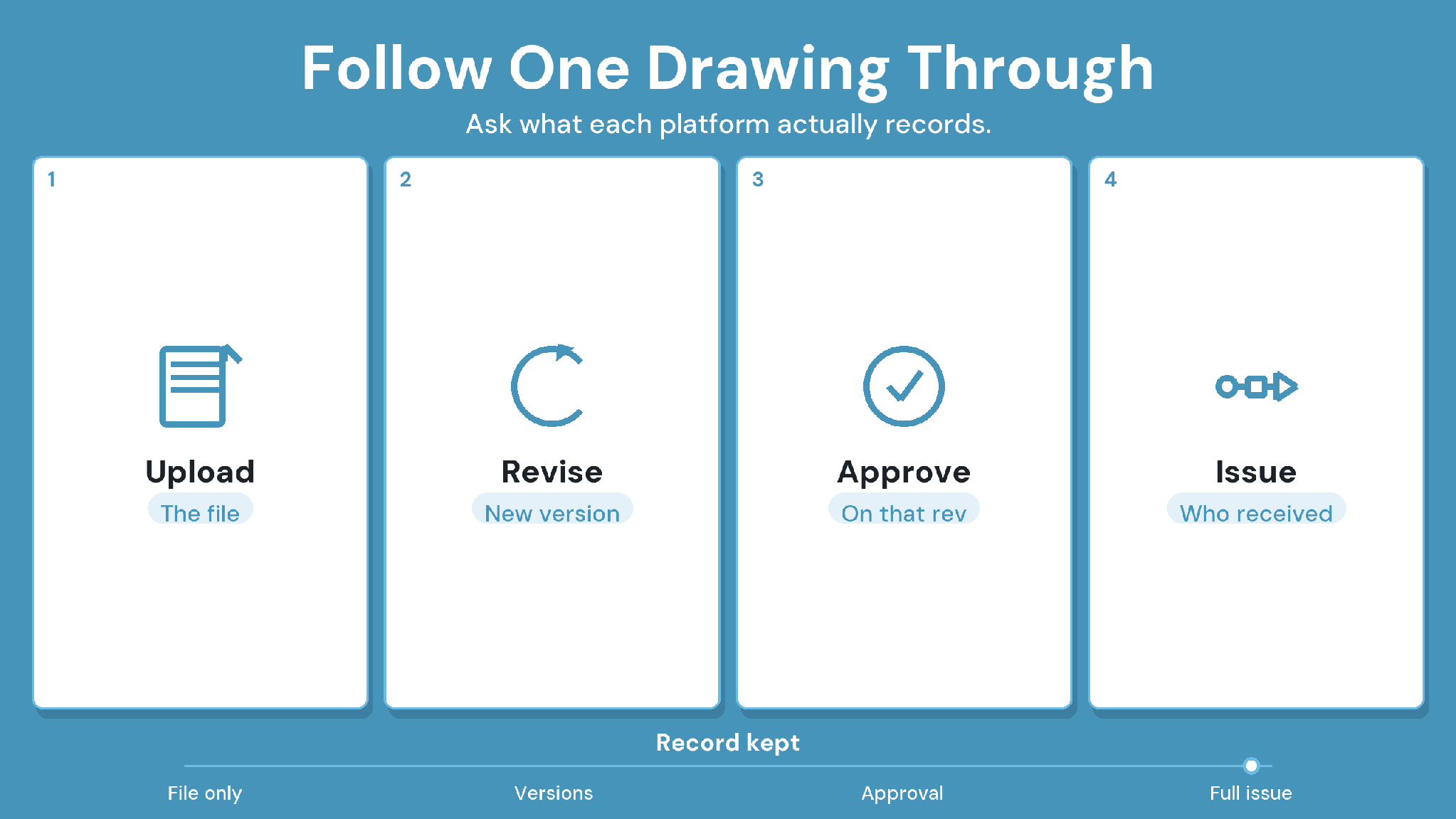
The quickest way to compare platforms is to follow one sheet from upload to supersession. Run this same path in every demo and note what the platform records at each step.
How to Choose an Autodesk Build Alternative
Choose the alternative that fixes your specific switching trigger, then prove it on one live project before you move everything. Check how project records leave Autodesk Build, which integrations must survive, how partners get access, and whether crews adopt it. Confirm the pricing basis with each vendor directly.
1. Name the switching trigger
Write down the workflow that pushed the evaluation, such as lagging models, partner access costs, or weak cost control. That trigger decides the shortlist. A document-control problem points to a different platform than a project-controls problem.
2. Plan the migration before the demo
List the records you must keep: current drawings, version history, issue logs, RFIs, and submittals. Ask Autodesk which records export and in what formats. Issues that travel as BCF move most cleanly between platforms that both read BCF.
3. Protect the integrations you need
Revit, accounting, ERP, and scheduling links often decide whether a switch sticks. Test the exact connector with real project data during the pilot.
4. Check permissions and partner access
Map who needs access across owners, designers, subcontractors, and field crews. Then check what each person can see and what each seat costs.
5. Test adoption on site
Ask a superintendent and a subcontractor to finish one daily task without help. Their result tells you more about adoption than a vendor demo.
6. Verify the pricing basis
Vendors price on construction volume, per user, or per company tier. Model a full year with partner seats and add-ons before you compare quotes.
Switching checklist:
The pilot runs on a live project with at least one outside firm.
Current drawings, version history, and issue logs exported and opened in the new platform.
A superseded sheet traces to its replacement, reviewer, and issue date.
Revit and accounting connectors worked with real data.
Field users finished a daily task on mobile without help.
The quote covers partner seats, add-ons, and renewal terms.
Autodesk Build Alternatives: Where CUBE Fits
CUBE fits mid-size AEC teams switching for document control and partner access. It versions every upload, runs Review Flows of up to 20 levels, and logs every transmittal. Partners open Revit and IFC models in any browser, and each block of 10 paid seats adds 10 free Guest seats. Clash Detection is a paid add-on, currently in beta.
Pilot CUBE on one live project with the drawings that cause the most rework, and follow one sheet through the steps in Table 3.
SIGN UP to try CUBE on your next project.
Frequently Asked Questions
1. What is Autodesk Build called now?
Autodesk Build became Forma Build on March 24, 2026, when Autodesk renamed Autodesk Construction Cloud as Autodesk Forma. Autodesk Docs became Forma Data Management. Older names still appear in contracts, search results, and review sites during the transition.
2. Which Autodesk Build alternative suits general contractors best?
Procore suits general contractors that want one broad platform with unlimited users. Trimble ProjectSight suits firms already buying from Trimble. Large owners and EPC firms that need one controlled record across every party often shortlist Oracle Aconex instead.
3. Can I keep using Revit if I switch from Autodesk Build?
Yes. Autodesk Build manages construction work, while Revit authors models. CUBE opens RVT and IFC models in the browser. Its Revit plugin syncs Issues back with persistent element IDs, so designers keep working in Revit.
4. How do I move project data out of Autodesk Build?
List the records you must keep, including drawings, version history, issues, RFIs, and submittals. Ask Autodesk which records export and in what format. Then test a full export on one closed project before migrating live work.
5. How do outside firms join a CUBE project?
Admins add them to the project and set each person's access with Project Roles and Space-level permissions. Each block of 10 paid full seats adds 10 free Guest seats, so partner firms join as the paid team grows.