.svg)


.png)
.png)


.svg)




.png)
.png)
How to Choose CDE Software for Construction & AEC Teams (2026)
Use this practical checklist to evaluate CDE software for construction and AEC teams in 2026, from document control to BIM, security, and adoption.


Your field team is already working from phones. In the 2025 AGC and Sage outlook survey of more than 1,100 US contractors, 69% of firms said they use mobile software for daily field reports, and 53% plan to use it to share drawings, photos, and documents.
But being mobile isn't the same as being in control. When a superintendent opens a drawing on a phone, does that drawing show whether it's current, superseded, or still under review? On a shared drive, it usually isn’t the case. The file is just the last one someone uploaded.
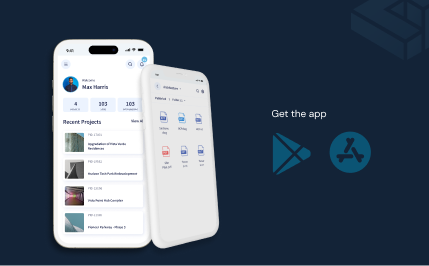
That's why a CDE has to reach the field beyond the office walls. If site teams get drawings through a separate app, a text, or an email attachment, the revision control you set up in the office stops at the trailer door. When you evaluate CDE software, open it on a phone first and check what a field user actually sees.
This guide walks through the eight factors that separate a CDE your team uses from one it works around, including document and revision control, review and approval workflows, Building Information Modeling (BIM) coordination, and more.
The short answer: how to choose CDE software
Choose common data environment (CDE) software by testing it against its feature list, but also against your real project workflows. The strongest tools do three things well:
- Keep everyone on the current revision, with clear review, approval, and issue states.
- Record the decision trail: who changed what, who approved it, and when.
- Reach the whole project team, including subcontractors and field users who don't author models.
After that, check BIM and IFC support, integrations with your existing tools, security and ISO 19650 alignment, rollout time, and how pricing scales as you add users.
What Is CDE Software (and What It Is Not)
A common data environment (CDE) is the one controlled place where a project team stores and manages its documents, drawings, and models. A CDE tracks every revision, routes each file for review and approval, and records who changed what and when.
A shared drive, like SharePoint or Dropbox, is built to store and share files. It keeps basic version history, but on its own it doesn't show whether a drawing is a draft, under review, or approved for construction, or record who approved a change, unless the team configures and maintains that by hand. Two people can edit the same drawing on a shared drive, and neither will know the other did.
When Does Your Team Actually Need a CDE?
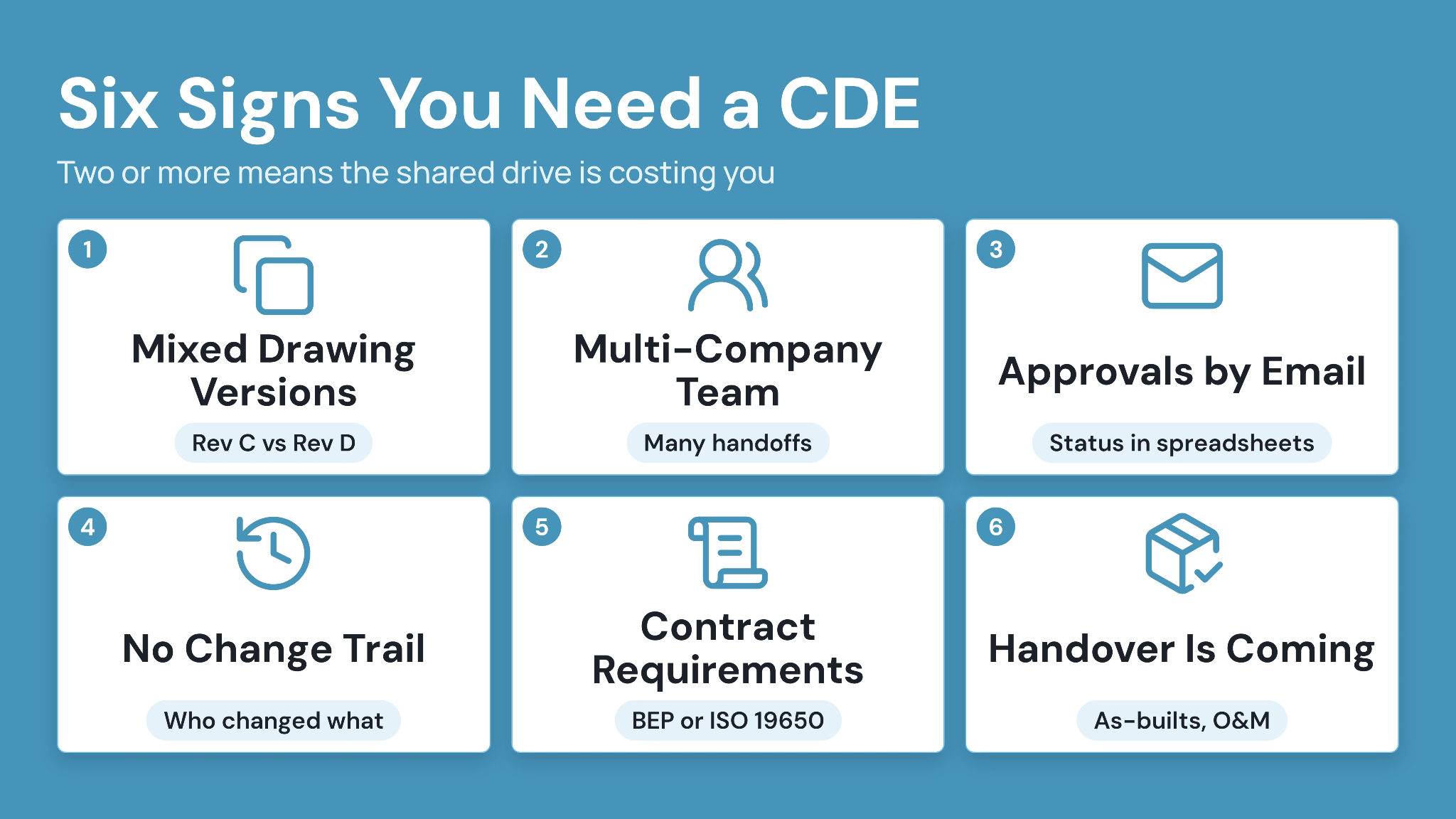
Teams don’t need a CDE right away. A small firm running one project with a handful of people can often get by with a well-organized shared drive. But certain moments make a shared drive unworkable. If you recognize any of these, it's time to look seriously at a CDE.
- People are working from different versions of the same drawing: A subcontractor installs from Rev C when Rev D was issued last week. Or the architect and the MEP engineer are coordinating against different models. Once this happens even once, it will happen again.
- Your project team spans several companies: Designers, contractors, subcontractors, and owners each keep their own files. Every handoff between companies is a chance for the wrong version to get through.
- Approvals happen over email, and status lives in a spreadsheet: If you need to search an inbox to find out whether a drawing was approved, your document control depends on one person's memory.
- You can't easily trace who changed what: A client, auditor, or lawyer asks who approved a change and when, and your team spends days rebuilding the answer from emails.
- A contract requires structured information management: The owner asks for a BIM Execution Plan or ISO 19650 alignment, and your current setup can't show information states or an audit trail.
- Handover is coming, and there's no clean record to hand over: The owner expects as-builts, O&M manuals, and a complete document history, and you'd have to assemble all of it by hand.
One trigger is a warning. Two or more usually means the shared drive is already costing you time, rework, or risk.
CDE vs Document Management vs PMIS: What's the Difference?
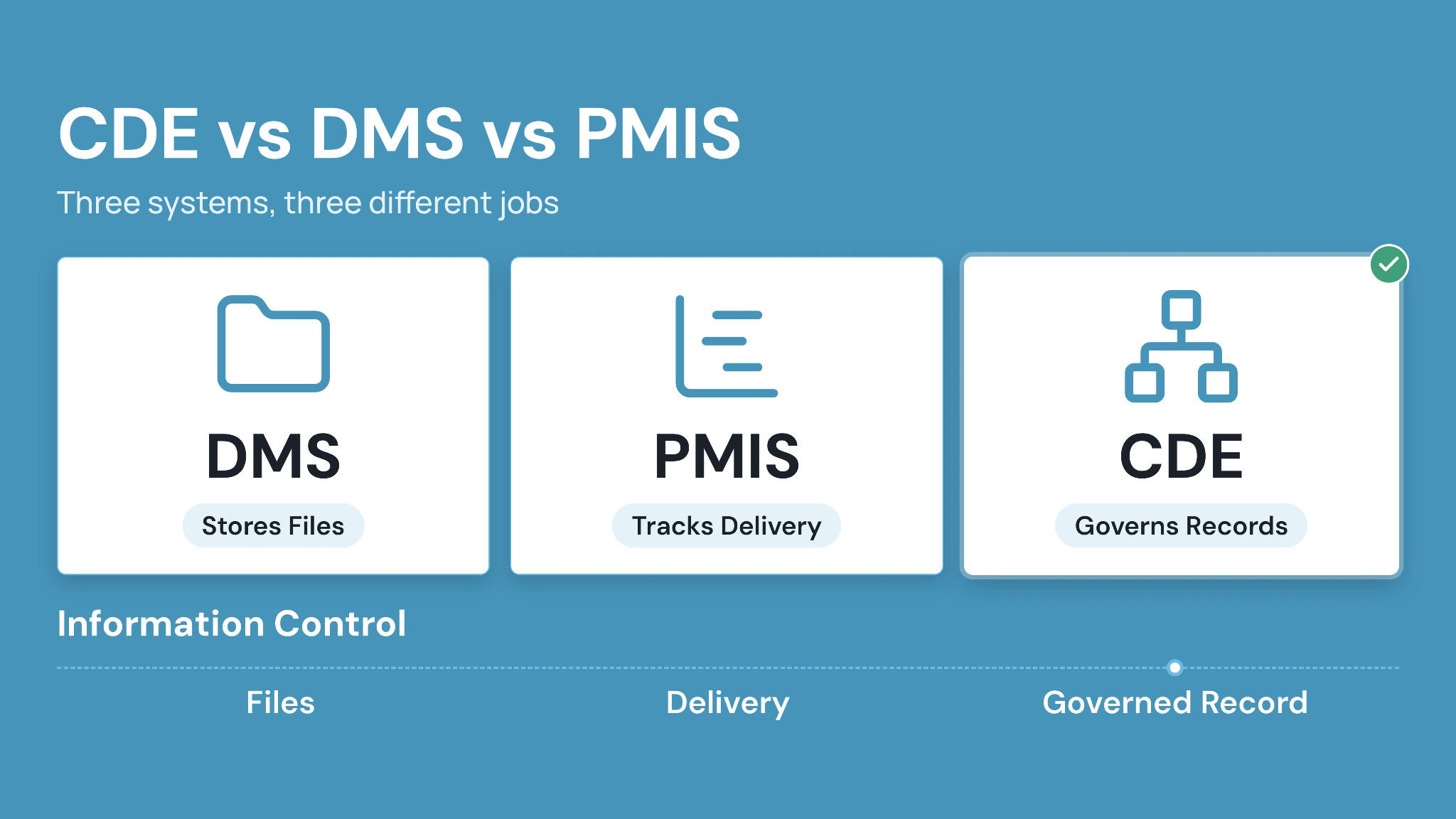
A Document Management System (DMS) stores files. A Project Management Information System (PMIS) tracks schedules, budgets, and tasks. A CDE governs the information states, approvals, and audit trail that make a document trustworthy before it reaches either system.
Table: How a CDE differs from a document management system and a PMIS.
If your team already has a PMIS, you still need a CDE. A PMIS can flag that a submittal is overdue without knowing whether the file behind it is the current approved version.
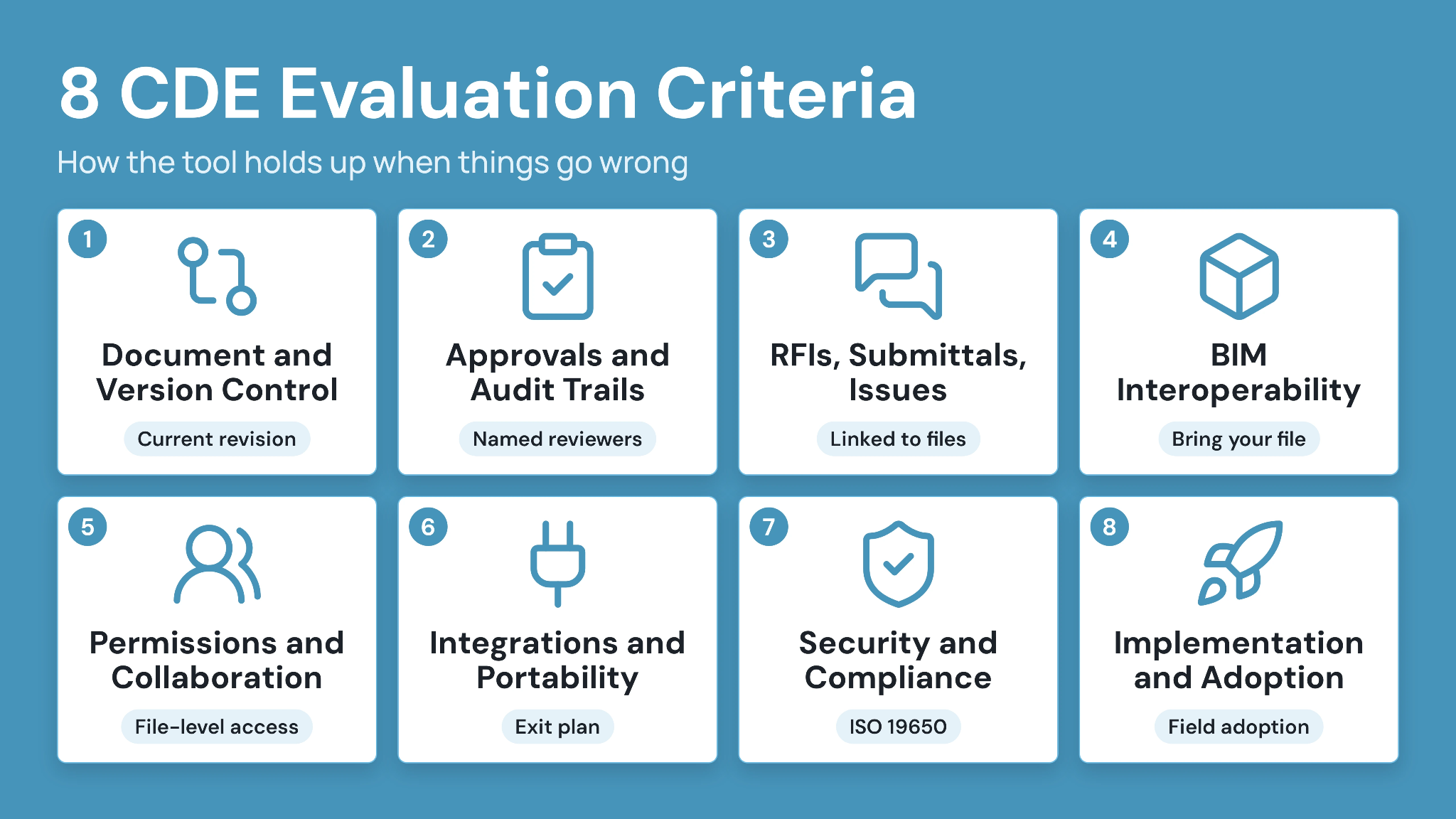
How to Choose CDE Software: 8 Evaluation Criteria
A CDE demo usually shows how the tool works when everything goes right. These eight criteria show how it holds up when things go wrong.
1. Document and version control
A CDE should always make clear which revision is current, mark older ones as superseded, and keep the full history within reach. Look for enforced file naming rules, configurable revision numbering, and a version log that shows who uploaded each file and when.
The test: during the demo, have the vendor upload a new revision of a drawing. Then open the previous revision the way a subcontractor would. Does it clearly show it's been superseded, or does it look like any other file?
Related: How to stop building from outdated construction drawings
2. Approvals, transmittals, and audit trails
Approvals are where document control usually slips back into email. A good CDE lets you set up multi-step review workflows with named reviewers at each stage, due dates, and a clear status for every file. Transmittals should keep a record of what was sent, to whom, and in which version.
Watch out if the audit trail only records uploads and downloads. When a claim comes in, you need to prove who approved a change and when. A list of file activity won't answer that.
3. RFIs, submittals, and issue workflows
Storage alone doesn't make a CDE. The questions and decisions about a document should stay attached to that document. When an RFI refers to a detail on sheet A-301, anyone opening that sheet should be able to see the RFI.
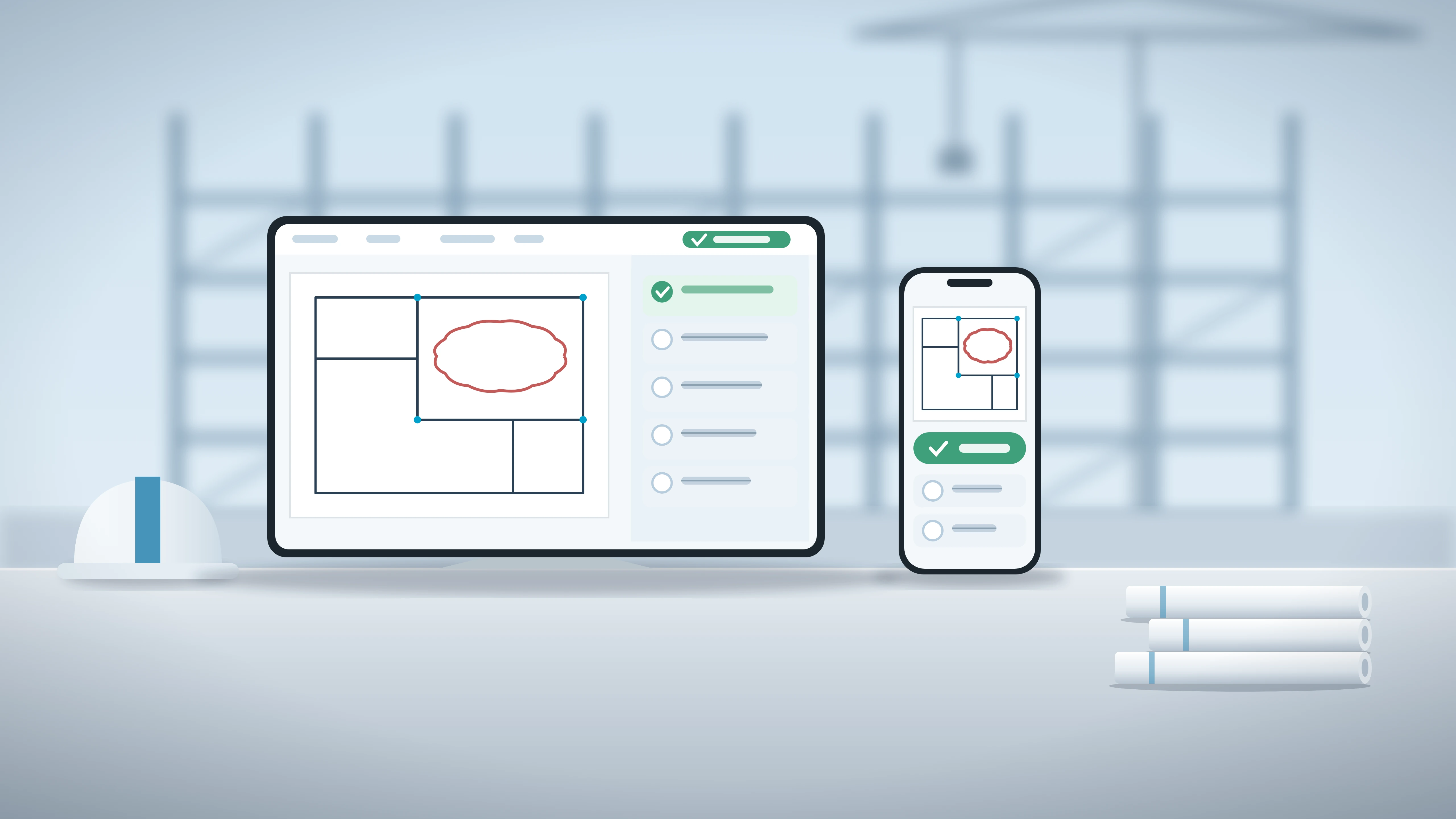
Ask the vendor to show an issue raised directly on a drawing or model, assigned to a person, and tracked until it's closed. If issues sit in a separate list with no connection to the file, your team will end up doing that linking by hand.
4. BIM and model interoperability
Many CDEs claim to support BIM, but what they actually handle varies a lot. What matters is whether your team can open, review, and comment on models without each person needing a Revit license. Support for open formats like IFC and BCF (BIM Collaboration Format) also matters, because it keeps your models portable if you switch tools later.
Bring your own file. Upload one of your real models to the trial, preferably a large, federated one. Check how long it takes to load, whether you can compare two versions, and whether issues sync back to your authoring tools.
5. Permissions and external collaboration
Your project team probably includes people from other companies: subcontractors, consultants, and the owner's representatives. The CDE has to let them in without handing them the whole project.
Picture this: you add an electrical subcontractor who should see only their drawings package, download the current revisions, and comment on issues. Can you set that up at the file level, or only at the folder level? And what does each of those external users cost? Seat pricing for outside collaborators is often what makes a CDE expensive on a large project.
6. Integrations and data portability
A CDE sits alongside your authoring tools, your scheduling software, and your reporting dashboards. Check how it connects to Revit, Primavera P6, Microsoft Project, Excel, and BI tools like Power BI, and whether it does that through native connectors, plugins, or an API.
Then ask the question most buyers skip: if we leave in three years, what do we take with us? Get a clear answer on exporting files, full version history, and metadata.
7. Security, compliance, and ISO 19650
This is the stage where IT and procurement get involved, and where smaller vendors often drop out. Before the final round, request these documents: current security certifications and their scope, the authentication options (including two-factor), data hosting locations, and retention policies.
If any of your projects require ISO 19650, ask the vendor to show how the platform handles information states (work in progress, shared, published, archived) in practice.
8. Implementation and adoption
A CDE that takes two quarters to roll out is often dropped before anyone uses it. Ask how the vendor moves your existing folder structures and files into the system, how they train field users, and how the mobile app works on site.
On reference calls, skip “Do you like it?” Instead, ask what percentage of the field team logs in every week. That tells you more than any feature list.
How CUBE handles the requirements for construction and AEC teams:
See how CUBE handles your hardest workflow, whether that's a reissued drawing, a stalled approval, or a subcontractor who needs access.
Compare Leading CDE Software at a Glance
This is a quick-reference view. Use the eight criteria above to score each vendor against your own workflow before you shortlist.
Table: A quick comparison of six common data environment platforms for construction and AEC teams.
Match the CDE to Your Use Case
1. Architects and engineers
Prioritize model coordination, review workflows, and interoperability with your authoring tools over anything else.
2. Contractors and construction managers
Give RFIs, submittals, field and mobile access, and delivery speed the most weight, since these drive daily adoption on site.
3. Owners and program teams
Focus on handover value, long-term information continuity, and data portability. A CDE outlives any single contractor's involvement.
Questions to ask in a CDE demo: Checklist
1. Revisions
- When we upload a new revision of a drawing what happens to the old one?
- How does a site user on a phone know they're looking at the current revision?
- Can you enforce our file naming rules, or does that depend on people following them?
2. Approvals
- Walk me through setting up a three-step review. How long does that take you?
- A reviewer is on leave. How do we reassign the review or skip that step?
- Show me who approved this file, when, and what they commented.
3. External partners
- Add a subcontractor who can only see their own package. Can you set that at the file level?
- What does each outside user cost us?
- Can someone without a license open and comment on the model?
4. Records and search
- Find the last approved version of this drawing in under a minute.
- Export the full audit history for this file. What format does it come out in?
5. Leaving and going live
- If we leave in three years, what do we get back: files, versions, metadata?
- How do you migrate our existing folder structure?
- How long did it take a team our size to go live?
Red flags to watch:
- Setting up a simple workflow needs a support ticket or a consultant.
- The audit trail shows uploads and downloads but not approvals.
- The mobile app shows files but not their status.
- The answer on exporting your data is vague, or they say we'll discuss it later.
Common Mistakes to Avoid When Choosing a CDE
- Buying on feature count instead of workflow fit for your actual document-control problem.
- Ignoring integrations and export until after signing, when switching costs are already sunk.
- Underestimating the rollout and change-management effort a new CDE actually takes.
- Treating a CDE as cloud storage instead of a governed record with controlled approvals.
- Skipping security and ISO 19650 due diligence because the sales demo looked polished.
Choose CDE Software with CUBE in Mind
The right common data environment software scores well across all eight criteria for your actual workflow. It is not the one with the longest feature list. Document control, BIM interoperability, and governance deserve as much weight as implementation effort and adoption.
CUBE brings its Common Data Environment and Project Management together for mid-market AEC teams. One governed record connects documents, revisions, approvals, and delivery, instead of stitching together separate tools. Run the demo test in this guide on your own drawings before you decide.
Sign up for CUBE and run your hardest workflow through it, whether that's a reissued drawing, a stalled approval, or a subcontractor who needs access.
Frequently Asked Questions
1. What is CDE software?
Common Data Environment (CDE) software centralizes a project's documents, drawings, models, revisions, approvals, and audit history as one trusted current source. It replaces scattered files and email attachments with a single, governed record every party works from.
2. How is CDE software different from document management software?
A Document Management System (DMS) stores and shares files with light versioning. A CDE adds controlled information states, structured approvals, permissions, and a full audit trail on top of storage. Buyers then know exactly which version is current and who signed off on it.
3. What features should you look for in CDE software?
Look for document control, version history, approval workflows, transmittals, RFI and submittal tracking, BIM interoperability, granular permissions, integrations, security, and adoption support. A platform strong in one area and weak in another still leaves a real hole in your workflow.
4. Does CDE software need to support BIM?
BIM support matters most when model coordination is core to delivery, such as design or multi-discipline construction work. Verify exactly how the platform links models to documents and which native formats it opens before assuming interoperability.
5. What is ISO 19650 and how does it relate to a CDE?
ISO 19650 is the international standard for managing information over a built asset's lifecycle. It defines information states, typically work in progress, shared, published, and archived. A CDE should enforce those states through controlled review and approval, not just describe them in marketing copy.
6. How long does CDE implementation take?
Implementation time depends on workflow complexity, how much data needs migrating from legacy folders, stakeholder count, and training needs. A single-project rollout with a small team moves faster than a multi-program deployment across several offices. Ask vendors for a timeline based on a project like yours.