.svg)


.png)
.png)


.svg)





.png)


.png)

CSI Specifications: MasterFormat Guide (2026)
Learn how CSI specifications use MasterFormat divisions and three-part sections to define construction products, quality requirements, execution, and project responsibilities.


Key takeaways
- CSI specs state written rules for products, quality, and field work. Drawings show where work goes; specs say what it must meet.
- The CSI system splits work into 50 divisions and numbered sections. Each tech section has three parts: General, Products, and field work.
- Specs and drawings must agree on every rating and value. Raise a formal question when the two records clash.
- Keep one register that lists each section, its status, and revision. Teams should price and build from the current issued file only.
CSI specifications give US construction teams a consistent structure to write project requirements. MasterFormat classifies work into numbered divisions and sections. SectionFormat then provides a common three-part arrangement within each technical section. Used well, these standards help architects, engineers, estimators, contractors, and suppliers find requirements and coordinate their work.
The structure alone cannot guarantee a coordinated project manual. Teams must edit each section for the project, align it with drawings, and control every issued revision.
This guide covers the classification system and practical specification workflow from design through closeout.
What Are CSI Specifications in Construction?
CSI specifications are written construction requirements organized using standards maintained by the Construction Specifications Institute (CSI). They define products and quality expectations. They also set requirements for submittals, execution, testing, and closeout.
The term commonly refers to project specifications structured with MasterFormat and SectionFormat/PageFormat. CSI states that these standards guide identification and organization. They provide a framework. Teams must not consider them as ready-made project specifications.
Teams must employ their professional judgment. A specifier must select relevant requirements and coordinate them with the drawings, contract conditions, and project delivery method.
1. Specifications define requirements that drawings cannot carry efficiently
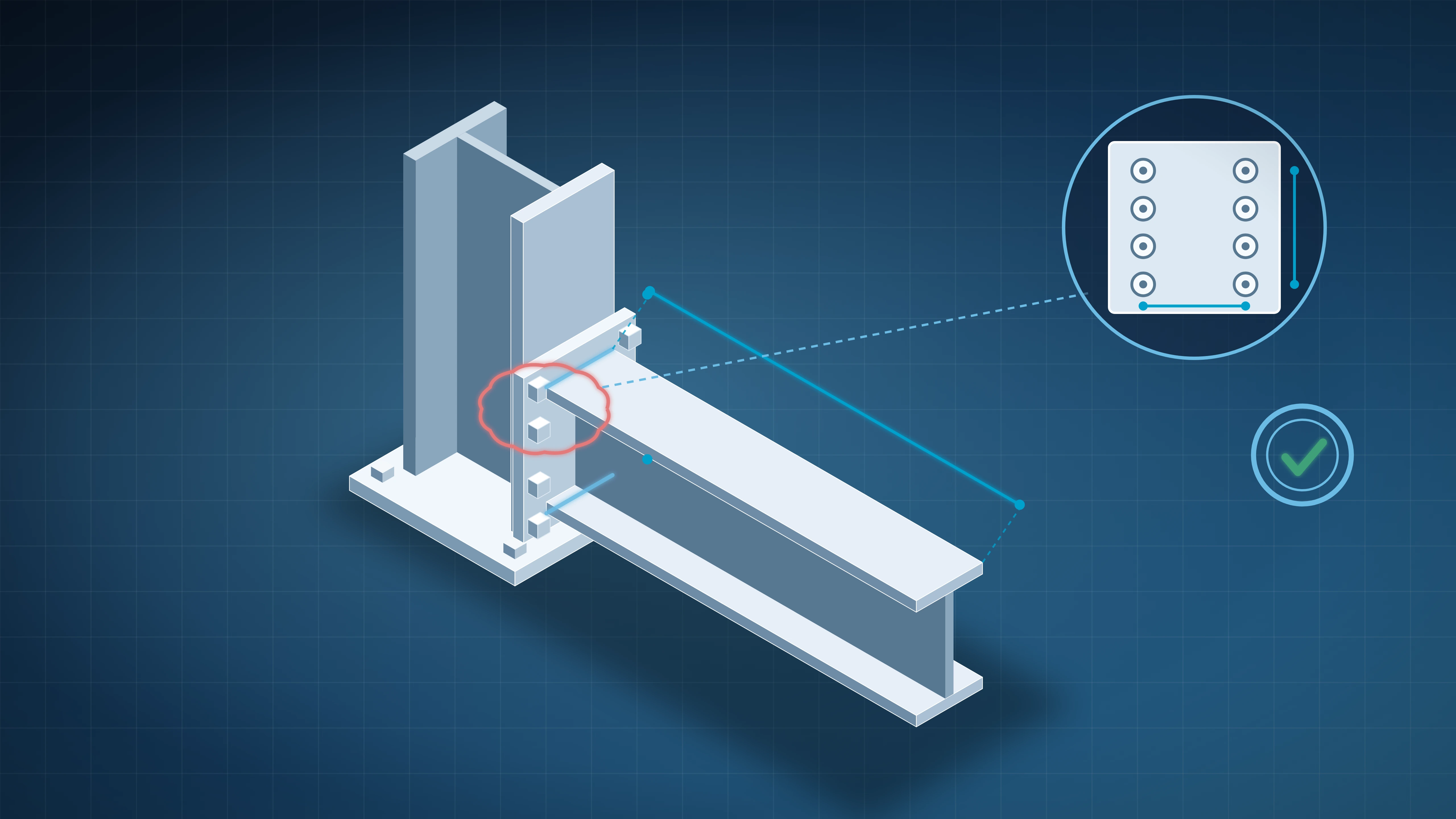
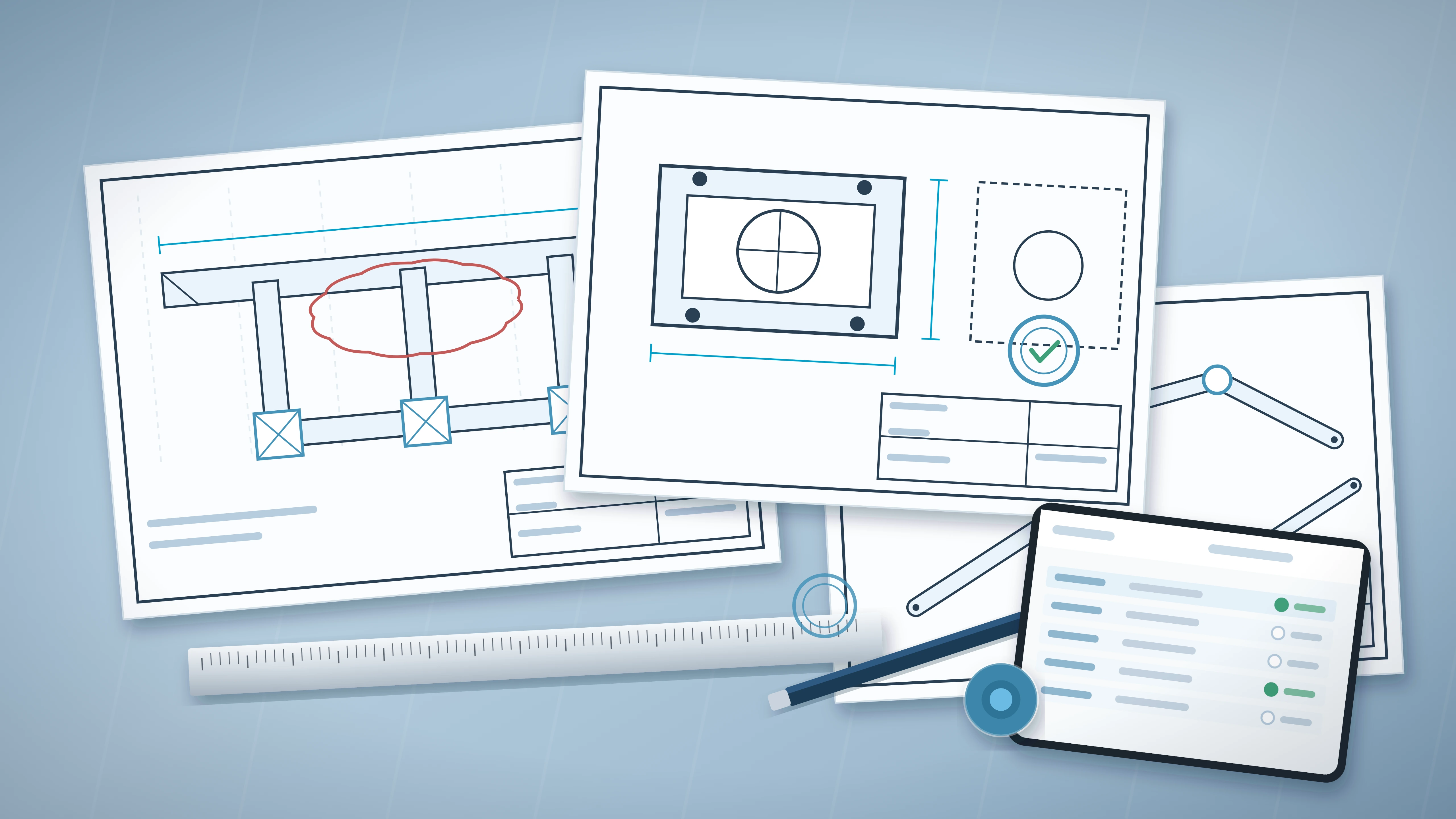
Drawings communicate location, dimensions, and relationships. Specifications provide written requirements for the materials and workmanship shown graphically.
2. CSI provides standards, formats, education, and credentials
CSI is a nonprofit association serving architecture, engineering, construction, and owner professionals. It maintains MasterFormat, UniFormat, and OmniClass.
CSI also publishes SectionFormat/PageFormat and practice guidance. Its credentials include the Construction Documents Technologist certificate and the Certified Construction Specifier certification.
3. Project specifications differ from codes and product data
Building codes establish minimum legal requirements adopted by a jurisdiction. Project specifications state contractual requirements for the particular work.
Manufacturer data describes one product. A project section may permit several products and add installation requirements. It can also require submittals, testing, or warranty terms.
Working rule: Read the drawing and its related specification section together. Each record answers different questions about the same construction requirement.
How MasterFormat Organizes CSI Specifications
MasterFormat classifies construction information by work result. CSI describes it as the North American standard for classifying construction project information.
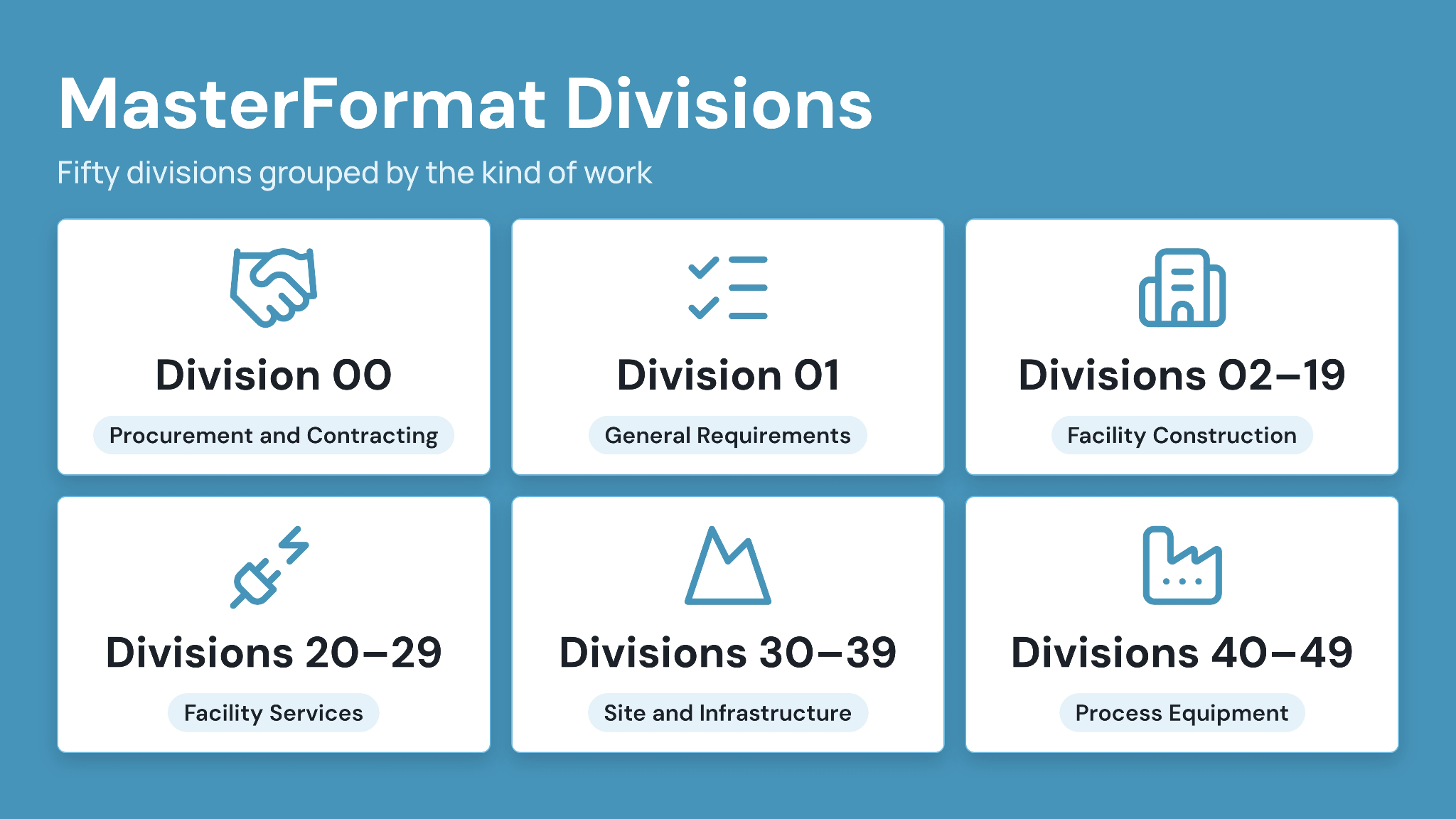
The system contains 50 top-level divisions and more than 8,000 detailed sections. A six-digit section number places each subject within a consistent hierarchy.
Teams use that structure across project manuals and estimates. Contractors also apply it to submittal logs, procurement packages, cost codes, and closeout records.
1. Division numbers identify broad work categories
Each MasterFormat division groups related work. Division 03 covers concrete, while Division 09 covers finishes. Mechanical work appears in Division 23, and electrical work appears in Division 26.
Division 00 covers procurement and contracting requirements. Division 01 addresses general requirements that apply across several technical sections.
2. Six-digit section numbers narrow the subject
A MasterFormat section number uses paired digits to move from division to a more specific work result. The official number and title come from CSI’s licensed standard.
Project teams should verify current numbers against their authorized MasterFormat resource. Copying an old project manual can preserve retired titles or place work under an outdated section.
3. Section titles create a shared project reference
A consistent number and title help participants identify the same requirement. The identifier can connect drawings and submittals with procurement records.
For example, a door hardware submittal should reference the applicable specification section. The reviewer can then check products and keying requirements against the controlled section revision.
The Three-Part CSI Specification Format
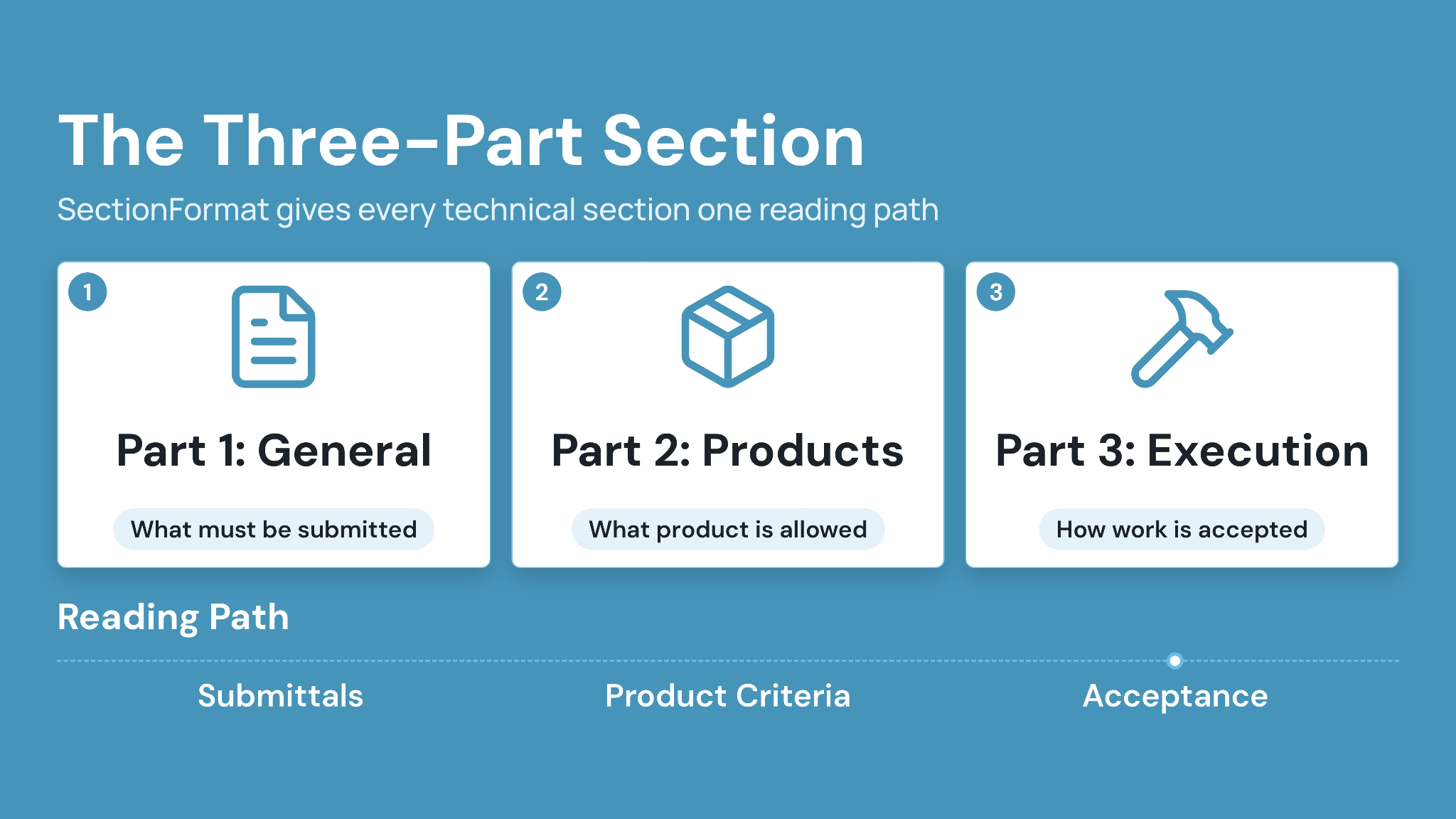
SectionFormat arranges technical specification content into three parts. Part 1 covers general administrative requirements. Part 2 addresses products, and Part 3 covers execution.
CSI states that the structure reduces omissions and duplication within sections. PageFormat provides a consistent approach to articles and paragraphs. It also addresses page presentation.
The three-part structure gives reviewers a predictable reading path. A subcontractor can locate product criteria before checking installation requirements. The design team can then review submittal obligations in Part 1.
Part 1: General defines administrative requirements
Part 1 establishes requirements that govern the section’s work. Content often includes references and submittals. It may also cover quality assurance and delivery.
Writers should avoid repeating project-wide Division 01 requirements. A technical section can reference the governing procedure and add only requirements specific to that work.
Typical Part 1 subjects include:
- Summary: Scope, related work, and section interfaces
- References: Standards directly used by the section
- Submittals: Product data, shop drawings, samples, and certificates
- Quality assurance: Qualifications, mockups, and preinstallation meetings
- Delivery and storage: Protection requirements before installation
- Warranty: Section-specific warranty obligations
Part 2: Products defines acceptable materials and systems
Part 2 states the required products and performance. It may name acceptable manufacturers or describe an open performance requirement.
Criteria should be measurable and coordinated with schedules. A roofing section might state membrane type and thickness. It can also define accessories and source-quality requirements.
Part 3: Execution defines field requirements
Part 3 addresses examination and preparation before installation. It then describes application, erection, adjustment, and cleaning requirements.
Field quality control also belongs here when it applies to the section. The text should identify required tests and acceptance criteria. It should also assign responsibility consistently with Division 01.
Coordination check:
Part 1 tells the team what must be submitted. Part 2 defines the product. Part 3 states how the completed work will be accepted.
Division 00, Division 01, and Technical Sections Serve Different Jobs
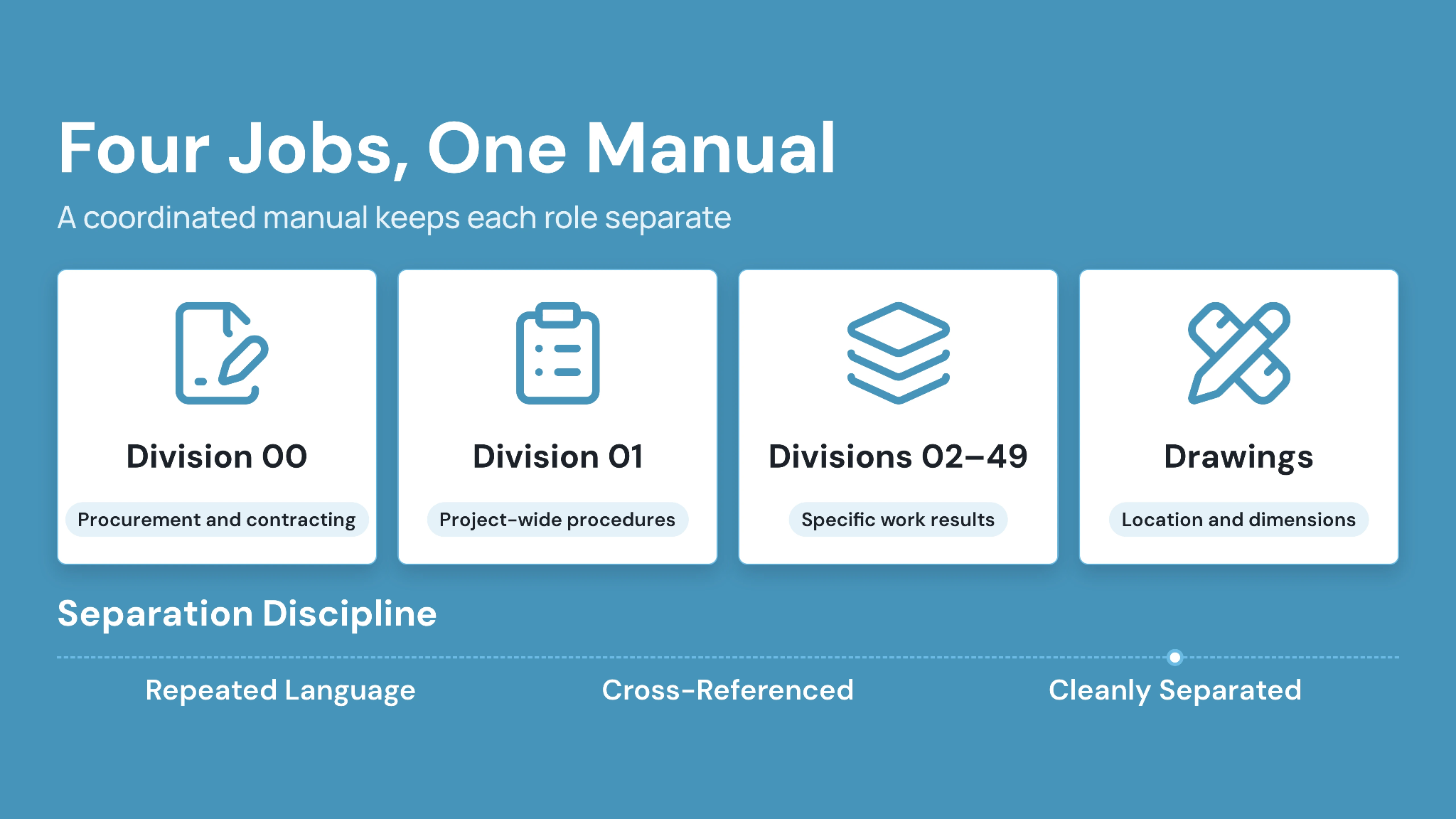
A coordinated project manual separates procurement documents from general requirements and technical work results. Combining those roles creates repeated or conflicting instructions.
Division 00 contains procurement and contracting requirements. Division 01 governs project-wide administrative procedures. Divisions 02 through 49 organize technical requirements by work result.
Contract teams should confirm which Division 00 documents become contract documents. The agreement and conditions establish that answer for each project.
1. Division 00 supports procurement and contracting
Division 00 can include bidding instructions and procurement forms. Agreements, bonds, and contract modifications may also appear there.
The exact contents depend on delivery method and owner requirements. Public procurement can add prescribed forms or statutory notices.
2. Division 01 coordinates project-wide procedures
Division 01 can govern submittal procedures and temporary facilities. It may also define quality controls, substitutions, progress documentation, and closeout requirements.
Technical sections should reference those common procedures. Section-specific duties belong in the relevant Part 1 article when they differ or need added detail.
3. Technical divisions define individual work results
Technical sections organize requirements for installed work. Each section should identify its interfaces with adjacent systems.
A curtain wall section may define the assembly and testing. Related sealants may appear in another section. Drawings should show locations and joint relationships.
How to Read a CSI Specification Section
Start by reading the section identifier and issue status. Then review all three parts before pricing, buying, or installing the work.
A product named in Part 2 may carry submittal requirements in Part 1. Its installation and testing criteria will usually appear in Part 3. Review related sections and drawings after reading the full section. A single assembly often crosses several work results and design disciplines.
1. Confirm the controlled section and revision
Match the section number and title with the project manual index. Confirm its revision against the current addendum or modification record.
An individual PDF may contain a later edit that remains unissued. Use the project’s designated register or Common Data Environment (CDE) to confirm its permitted use.
2. Read Part 1 before selecting a product
Part 1 can set qualification and submittal requirements that change the procurement decision. It may require samples, mockups, or installer experience.
A technically suitable product could still require supporting evidence before approval. Procurement teams should include those lead times in the submittal schedule.
3. Compare Part 2 with schedules and details
Check specified products against drawing schedules and keyed details. Product types and performance values should agree across both records.
A door schedule may state an opening rating. The related sections should coordinate the door and frame requirements. Hardware functions may appear in another section.
4. Convert Part 3 into a field quality plan
Part 3 requirements can guide preparatory meetings and inspection checklists. Superintendents should identify substrate checks and installation tolerances before work starts.
Testing obligations need an owner and a notice period. Acceptance criteria should appear in the onsite inspection plan.
How Specifications and Drawings Work Together
Specifications and drawings divide information by communication method. Drawings carry graphical requirements, while specifications carry detailed written requirements.
Coordination depends on consistent references and values. A conflict can affect pricing or installation. The contract should define precedence and the process for seeking clarification.
Project teams should raise a Request for Information (RFI) when the records appear inconsistent. Informal interpretation can create an undocumented change.
1. Drawings show where work occurs
Plans and details establish location and physical relationships. Schedules can list types and selected performance values. The graphical record should use consistent terminology. Keynotes and schedules should reference the correct specification sections.
2. Specifications define products and quality
Written sections state material requirements and execution standards. They also establish submittals and quality controls. Avoid placing the same requirement in several locations. Duplication increases the chance that one value changes while another remains unchanged.
3. Coordination matrices expose conflicts early
A coordination matrix can connect each drawing reference with its governing section. The reviewer then checks names and performance values. Use one row per system or assembly. Assign each discrepancy to the responsible discipline and record its resolution before issue.
Example:
If a drawing schedule requires a 90-minute door, the door and frame sections must support that rating. Hardware requirements must match the opening function.
MasterFormat, UniFormat, OmniClass and MasterSpec Compared
MasterFormat, UniFormat, and OmniClass classify information for different purposes. MasterSpec is a specification-writing product that follows MasterFormat. The right system depends on the project stage and information need. Early cost planning often uses assemblies. Detailed construction specifications use work results.
CSI owns the standards discussed here. Teams should use licensed, current resources when reproducing official numbers and titles.
1. MasterFormat classifies detailed work results
MasterFormat supports detailed project specifications and construction information. It organizes requirements by work result using divisions and sections. The structure fits bidding and procurement. It also supports construction administration and closeout records.
2. UniFormat organizes information by functional elements
UniFormat classifies building information by function instead of product or material. CSI identifies conceptual design and cost estimating as common applications.
An early estimate might group exterior enclosure costs as an assembly. Later, detailed specifications divide that enclosure into MasterFormat work results.
3. OmniClass supports multiple construction information views
OmniClass provides a broader classification system for built-environment information. Its tables can classify entities and spaces. Other tables cover elements, products, and work results.
Teams may use selected tables for digital information management. The project standard should identify which tables apply and how codes connect with other systems.
4. MasterSpec provides editable specification content
CSI states that MasterSpec is a proprietary specification software solution produced by the American Institute of Architects and ARCOM. It follows the MasterFormat standard.
MasterFormat supplies classification, while MasterSpec supplies editable content. Project authors must still edit sections and coordinate requirements with the design.
How CSI Specifications Change Across the Project Lifecycle
Specifications gain detail during design and become controlled contract information at issue. Later changes need formal documentation and coordinated distribution.
Early narratives may describe systems through performance goals. Detailed sections then identify products and execution requirements. Closeout confirms that required records reach the owner.
Document status matters throughout the process. A newer file can remain under review while the earlier issued section still governs the work.
1. Concept design uses outline specifications
Outline specifications record major systems and quality expectations. They often align with UniFormat assemblies and early estimates. Clear narratives help owners compare options. They also preserve decisions before detailed MasterFormat sections begin.
2. Design development adds product and performance criteria
Design development refines materials and system requirements. The specifier coordinates emerging sections with drawing schedules and consultant information.
Review should focus on interfaces and owner standards. Long-lead products need enough detail for procurement planning.
3. Construction documents create the coordinated project manual
The construction document phase develops detailed sections for bidding and construction. Quality control checks section references and terminology against the drawing set.
Consultant sections need the same review. A mechanical requirement can affect electrical work or architectural access provisions.
4. Addenda modify bidding requirements
An addendum changes procurement information before contract execution. It should identify every revised section and replacement page clearly.
Bidders need the same controlled package. The issue record should show recipients and acknowledgment requirements.
5. Modifications control changes after award
Post-award changes can revise specifications through the contract’s modification process. The change record should identify affected sections and drawings.
Field teams need the authorized requirement before installation. Updated project manuals should retain revision context and links to the governing modification.
6. Closeout verifies specified deliverables
Part 1 can require warranties and maintenance data. Division 01 then establishes project-wide submission and acceptance procedures.
Closeout managers should track those requirements before substantial completion. Each deliverable needs a named owner and due date.
Common Specification Problems and Practical Fixes
Specification problems often involve stale requirements and inconsistent drawing references. Vague performance language can also make acceptance difficult. A structured review catches these issues before bidding. The strongest checks follow assemblies across disciplines instead of reviewing each section alone.
1. Old project language survives into a new manual
Problem: A copied section retains an obsolete product or wrong climate requirement. The drawing set reflects a different design decision.
Fix: Validate every retained requirement against the current basis of design. Remove unused articles and references during project editing.
2. Drawings and specifications use different values
Problem: The drawing schedule shows one rating, while the specification states another. Bidders cannot determine the intended requirement.
Fix: Assign one authoritative location for each value. Run a cross-document check before every formal issue.
3. Proprietary wording limits competition unintentionally
Problem: A section names one product while the procurement strategy expects competitive bids. Equivalent performance criteria remain undefined.
Fix: Align the specification method with owner and procurement requirements. State measurable criteria and follow applicable public purchasing rules.
4. Submittal requirements lack a decision path
Problem: Part 1 requests product data without identifying timing or required reviewers. Procurement then waits while responsibilities are clarified.
Fix: Connect section submittals with the master submittal schedule. Assign reviewers and due dates under the project procedure.
5. Superseded sections remain easy to find
Problem: Participants retain earlier PDFs after an addendum or modification. A subcontractor then prices or installs against the replaced requirement.
Fix: Configure a "Superseded" status in Portal Settings and apply it to the replaced section, so the earlier revision stays retrievable in version history rather than in active use. Issue the replacement through a formal transmittal and update the specification register.
Field hold point:
Pause affected procurement or installation when a section conflicts with drawings or an issued change. Route the question through the contract’s clarification process.
How to Control Specification Revisions and Issues
Specification control links every section with its status and revision. Reviews and transmittals then show how an approved requirement reached project participants.
Shared folders can store a project manual but leave authority unclear. A CDE connects files with metadata, review history, permissions, and distribution records.
CUBE’s Common Data Environment centralizes project files and records a version automatically on every upload, alongside digital reviews, role-based permissions, transmittals, and a detailed file activity history. Revisions sit on top of that as markers applied to a chosen version, so a section's issued revision stays identifiable independently of how many times the file was uploaded.
1. Build a specification register
Create one row for every issued section, with the section number and title, plus status, author, reviewer, and issue date. In CUBE, the revision itself is configurable rather than free text — choose the revision series (A, B, C or 01, 02, 03) in Portal Settings, let it default at Folder level, and override it per file where a section follows a different pattern.
Link each entry to the current controlled file. Record the related addendum or modification when a revision changes contract information.
2. Route reviews by discipline and authority
Technical authors should review their own requirements before interdisciplinary coordination. Contractual approval follows the project’s authority matrix.
CUBE can keep digital review activity connected with the controlled document. The project procedure still determines who can approve or issue each section.
3. Issue revised sections through transmittals
A revision package should identify replaced sections and pages. It should also state the issue purpose and effective date.
CUBE’s Transmittals module supports formal issue and file-transfer history. Recipients can access the controlled package without relying on detached attachments.
4. Apply permissions to working and issued information
Authors need access to working sections, while bidders or subcontractors need released information. Permission groups should follow role and package responsibility.
Review CUBE’s guidance on data security in construction document management when planning external access. Contract requirements should guide retention and disclosure decisions.
How to Coordinate CSI Specifications With BIM and Project Data
Digital coordination works when model objects and specification sections share dependable references. Classification can connect elements with written requirements. A wall type in a Building Information Modeling (BIM) model may reference a MasterFormat section. Reviewers can then move from geometry to the relevant product and execution criteria.
Read CUBE’s guide to BIM-based construction document management for broader model-control practices. The same revision discipline applies to linked specifications.
1. Use section references as controlled metadata
Add the approved section reference to relevant model types or asset records. Keep the value aligned with the specification index. A reference supports retrieval but cannot replace the written requirement. Users should open the current controlled section before making a decision.
2. Connect submittals with sections and model elements
Submittal records should reference the governing section number. Model elements can carry the same identifier where the project information plan supports it. The connection helps reviewers locate criteria quickly. Acceptance still depends on the contract and review procedure.
3. Keep specification and model revisions synchronized
A design change may affect geometry and written requirements. The change workflow should identify every affected information container. CUBE can place models and documents within one controlled environment. Version tracking and activity records help teams trace coordinated updates across file types.
CSI Specifications Checklist for Project Teams
A practical checklist helps each role test specifications before issue and use. Apply the relevant checks during design, bidding, construction, and closeout.
The checklist complements professional review. It cannot replace the project’s contract or a qualified specifier’s judgment.
1. Before issuing the project manual
- Confirm every section number and title against the licensed MasterFormat resource.
- Remove unused options and editorial notes.
- Coordinate drawing keynotes with the specification index.
- Check ratings and dimensions across related records.
- Resolve consultant overlaps and missing scope.
- Verify references to Division 01 procedures.
- Record the review and issue status.
2. Before pricing or procurement
- Confirm the section revision against the bid package.
- Read all three parts of the section.
- Identify submittals and qualification requirements.
- Check named products and substitution procedures.
- Review related drawings and schedules.
- Raise conflicts through the defined clarification process.
3. Before installation
- Verify the approved submittal against the current section.
- Check substrate and preparation requirements.
- Confirm installer qualifications and mockups.
- Schedule required tests and inspections.
- Record accepted changes and field instructions.
- Keep superseded sections away from active use.
4. Before closeout
- Review warranty and maintenance-data requirements.
- Confirm training and demonstration obligations.
- Collect approved product records.
- Link changes with the final specification record.
- Verify acceptance under Division 01 procedures.
- Transfer retained information to the owner.
Manage CSI Specifications With CUBE
CUBE supports the document-control work surrounding CSI specifications. Its CDE centralizes project files and tracks versions. Digital reviews keep feedback associated with controlled information.
Role-based permissions help teams separate working sections from issued packages. Transmittals record formal distribution, while activity history preserves actions taken on project files.
A CDE supplies the operating environment, while MasterFormat supplies the classification structure.
1. Keep each section tied to its current status
Store the section with its number and title. Add revision and purpose according to the project’s document-control procedure. Users can then distinguish a working edit from an issued requirement. Earlier revisions remain available where retention requirements apply.
2. Preserve review and issue context
Route the document through the required review before release. Record comments and decisions against the relevant file version. Issue accepted sections through a transmittal. The record should identify recipients and purpose. It should also preserve the transfer date.
CSI Specifications and CUBE: Put MasterFormat Into a Controlled Workflow
CSI specifications give construction teams a shared method for organizing written requirements. MasterFormat classifies work results, while SectionFormat provides a consistent structure within each technical section.
Strong specifications still depend on project-specific editing and coordination. Authors need to align sections with drawings and Division 01. Contractors need the current issued revision before pricing or installation.
CUBE supports those controls through centralized project information and version tracking. Teams can manage digital reviews and permissions. They can also distribute accepted sections through traceable transmittals.
Start with the specification register for one active package. Match every section to its drawing references and current issue. Then test the complete review and distribution path before the next project milestone.
Ready to manage CSI specifications and related project records in one controlled environment? Start free with CUBE today.
Frequently Asked Questions
1. Can a project use custom section numbers outside MasterFormat?
A project can create identifiers, but custom numbering may hinder coordination with estimators, subcontractors, and product data. Teams should use current licensed MasterFormat numbers where practical, then document any project-specific departures clearly in the specification index and procurement requirements.
2. Who owns the copyright to a project specification?
Copyright depends on authorship, employment agreements, consultant contracts, and licensed source content. Project teams should review applicable agreements before reuse. CSI standards and commercial master specifications carry separate license terms that govern copying, editing, and distribution.
3. Can CUBE store manufacturer guide specifications with project sections?
CUBE can centralize document files and apply permissions, version tracking, reviews, and activity history. Teams should label manufacturer guide specifications as reference material, keep them separate from issued project sections, and follow the source publisher’s license requirements.
4. Should specifications include sustainability documentation requirements?
Project sections can require environmental product declarations, sourcing records, or emissions data when those items support owner goals and applicable programs. Writers should define the required document, submission stage, reviewer, and acceptance criteria instead of requesting broad sustainability evidence.
5. How can CUBE support specification access after project handover?
CUBE can retain controlled specification files with version and activity history inside the project environment. Owners should define final access, retention periods, permissions, and accepted handover records before closeout, then verify that operational users can retrieve the governing sections.