.svg)


.png)
.png)


.svg)





.png)


.png)

Construction Transmittals: How to Track Formal Document Submissions
Track construction transmittals from issue to response. Learn which records to retain and how CUBE supports controlled document sharing across project spaces.


TL;DR
- Assign every formal issue a unique transmittal ID and identify each document’s revision, so later questions lead to the exact package distributed.
- Preserve the issued files alongside the recipient record; a link to the newest drawing may obscure what an earlier recipient actually received.
- Separate acknowledgment from technical approval, and connect each response to the relevant issue before deciding whether its required follow-up is complete.
- Correct an issued package through a linked replacement record, retaining the earlier exchange so colleagues can understand why the document history changed.
- CUBE supports controlled transmittal sharing and saved grid views, helping document controllers locate exchanges and organize the information needed for follow-up.
Sending a drawing package takes a few clicks, but explaining that exchange weeks later can require considerably more work. A team member reviewing the history needs the issued revision and evidence of what happened after it left your team.
Keeping those records may feel like extra administration when a project engineer is waiting for the drawings. However, the alternative is asking several people to reconstruct an exchange after newer files have replaced their working copies.
Document controllers can avoid that investigation by recording each formal issue as it happens. Start with the package’s identity, then connect subsequent correspondence to the same record so another colleague can follow the history.
How Do You Manage Construction Transmittals With an Audit Trail?
Give each issue a unique reference and record the exact revisions sent to its recipients. Retain the issued package, then connect acknowledgment and subsequent responses to that reference. Keep correction records linked to earlier issues so another person can reconstruct the exchange.
A construction transmittal records the formal exchange of project information and states the purpose of that exchange. Its audit trail develops as evidence of subsequent actions becomes associated with the original issue.
1. Agree on the procedure before issuing files
Set the required delivery channel and identify who will maintain the register. Establish acknowledgment expectations with the receiving organization, including the response period and escalation contact appropriate to the project.
FMI's 2025 Project Management Study found that while almost 90% of contractors have a formal project-management playbook, only 24% apply it consistently. That speaks to execution discipline more broadly than transmittals, but it raises a practical question: will everyone follow the transmittal procedure during a busy week?
2. Distinguish the exchange from its review
Delivery records answer questions about the transfer; review records explain the recipient’s assessment of the submitted information. According to AIA’s submittal guidance, submittals provide information required to perform the work, with review responsibilities governed by project agreements.
Treat a transmittal carrying shop drawings as the issue record accompanying that submission. Technical acceptance requires the applicable review response and conditions, even when the receiving team has already acknowledged delivery.
CUBE brings structure to this distinction. Issuing via Transmittal is enabled per Review level, so a package can only be sent formally from a stage the flow permits, and sending approved files onward becomes available once the Review closes. The transmittal still records the delivery, and the Review still records the assessment.
What Must a Drawing Transmittal Record Contain?
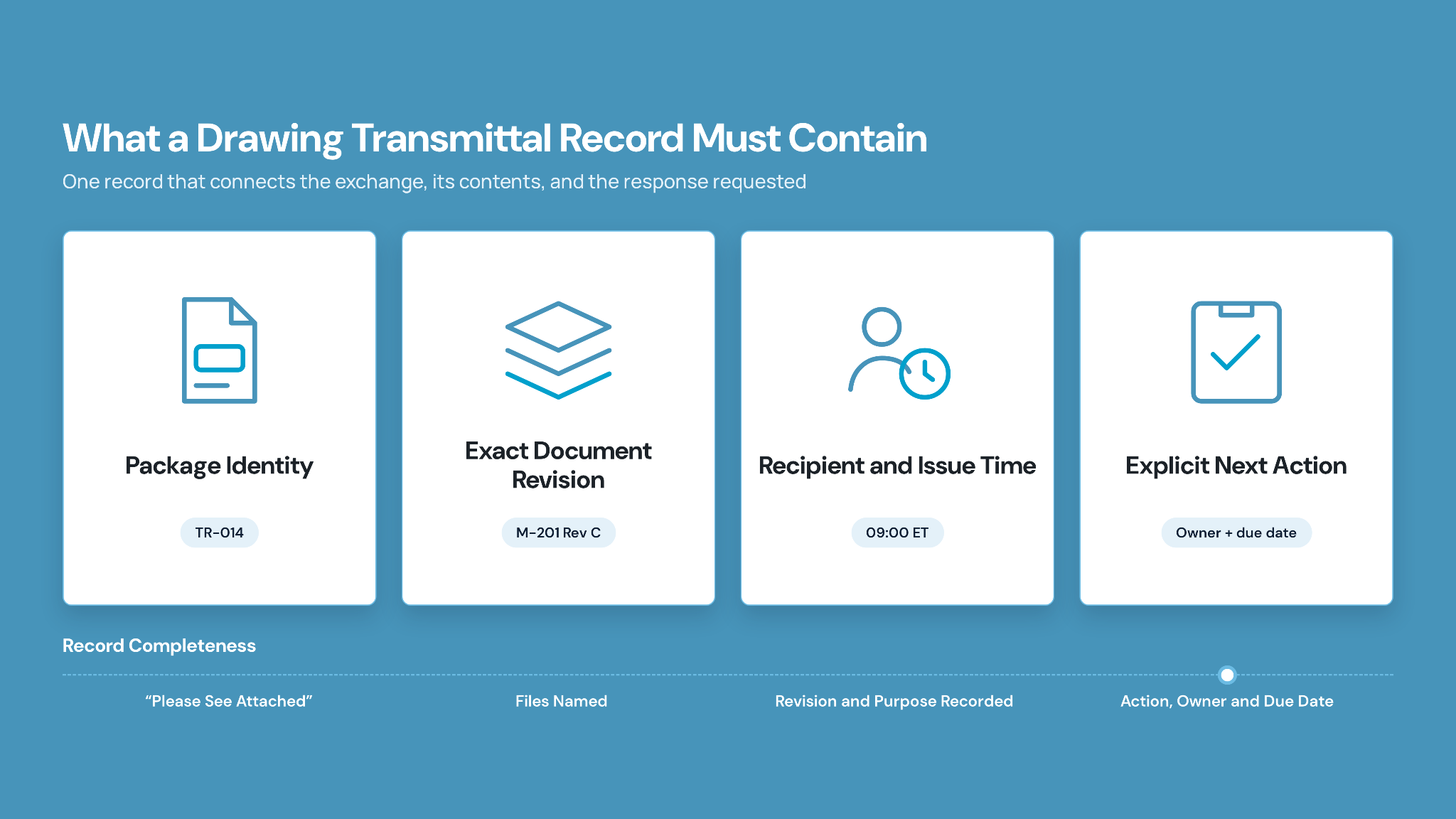
Package identifiers and document revisions establish what was issued, while recipient details establish the intended distribution. Clear instructions then give the receiving team an action to take against that particular package.
1. Identify the package and its contents
Use a transmittal number for the exchange and retain each drawing’s own revision identifier. Otherwise, a reference such as “revision C” leaves the reader guessing which sheet or package it describes.
Record the actual issue time with its time zone when timing matters to the project. Distinguish the sender’s issue event from any later delivery or acknowledgment event recorded by the receiving organization.
2. Make the next action explicit
Write the instruction as something the recipient can complete, such as returning coordination comments by an agreed date. “Please see attached” provides little help when another team member later needs to determine whether the exchange remains open.
Include the responsible follow-up owner in your tracking process, even if that information stays within your organization. Reassign that responsibility explicitly when the issuer leaves the project or changes roles.
Follow the Package From Issue to Recorded Response
Prepare the outgoing files against the agreed issue purpose, then retain evidence as the exchange progresses. Separating preparation from follow-up makes it easier to spot where an otherwise complete package has stalled.
1. Check the files before sending
Compare the package contents with the drawing register and verify the revision shown on each sheet. Check supporting documents against the same issue instruction so recipients receive the information needed for their assigned action.
Pre-issue checkpoint: Open the package through the intended delivery route before releasing it to recipients. Confirm that its contents match the issue record and that access follows the agreed distribution rules.
2. Preserve the issued version
Retaining a link requires understanding what that link will open after the next revision arrives. If it always resolves to the newest file, preserve a separate reference to the version included in the original issue.
Ask your administrator how historical versions remain retrievable within the project’s common data environment. Test the arrangement with a sample package before relying on it for formal exchanges across organizations.
3. Check access and record acknowledgment
Recipient notifications help direct attention to an incoming package, while an explicit acknowledgment records the response requested by your procedure. Download events, where available, provide evidence of a different action and should retain their own labels.
In CUBE, a transmittal separates the two roles that matter here. Recipients are selected by Space and receive access to the files; users added to the notification list are told the transmittal was sent but cannot open its contents. Set recipients around the intended receiving team, use notifications for awareness, and confirm the agreed acknowledgment through your project process.
4. Attach the response to the right issue
Connect returned comments to the transmittal reference and the revisions the reviewer actually assessed. Mark the required follow-up complete only when the recorded response satisfies the instruction attached to that issue.
An exchange becomes useful evidence when its events support a clear conclusion about what occurred. Recording a status without its supporting response leaves the next controller dependent on someone else’s interpretation.
Handle Missing Responses and Incorrect Issues Without Losing History
Unconfirmed receipt and incorrect revisions require different responses because they leave different questions unresolved. Investigate the actual problem before issuing another package or changing the original record’s status.
1. Resolve access problems before escalating silence
Contact the designated recipient and confirm that the notification reached the right person. Verify that their account can open the files, particularly when distribution crosses company boundaries or project spaces.
Once access is established, restate the requested action and confirm the next response date. Log the follow-up outcome against the original issue so a covering colleague can continue from the last documented step.
2. Issue corrections with a clear relationship to earlier records
When an incorrect revision has been distributed, follow the project’s correction procedure and identify the affected recipients. Send a corrective notice that names the earlier transmittal and explains which document is being replaced.
Retain the original exchange with the correction linked to it, keeping the reason for reissue visible. Recipients should also confirm the agreed action for copies already downloaded or circulated within their teams.
Correction checkpoint: Treat downloaded copies as a separate follow-up responsibility when replacing an issued drawing. Confirm how the receiving team will remove affected copies from active use under the project’s procedure.
Test the Audit Trail With One Drawing-Package Example
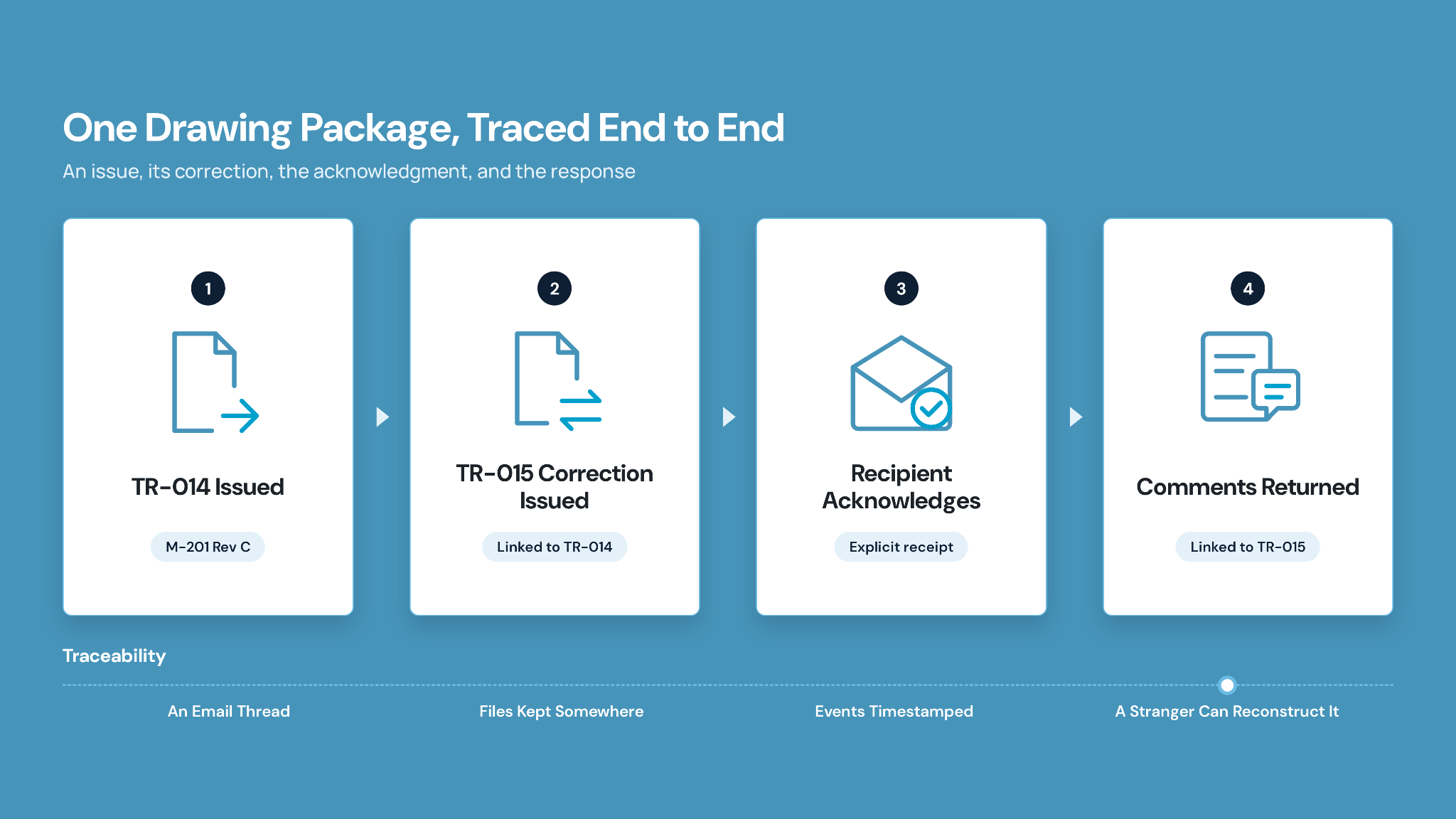
The following example uses invented identifiers to demonstrate how an issue and its correction remain connected. It represents a recommended record structure, independent of any particular software interface.
1. Trace the original issue and correction
Suppose a mechanical contractor issues drawing M-201 revision C for coordination review under transmittal TR-014. The same morning, the controller identifies revision D as the intended submission and follows the agreed correction procedure.
Correction TR-015 references TR-014 and explains that revision D replaces the earlier sheet for this review. Both exchanges remain in the history, while the receiving team confirms which revision it will assess.
2. Read each event according to its evidence
Below, the acknowledgment confirms receipt of the corrected package, while the later response records the coordination comments. Illustrative timestamps show the sequence without implying any contractual response period.
Where CUBE Supports Formal Document Transmittals
Controlled sharing helps teams manage exchanges, while consistent views help controllers find the information needed for follow-up. Apply those capabilities to the agreed process, with technical decisions remaining assigned to the responsible project participants.
1. Make the tracking view useful to the next controller
CUBE’s customizable Transmittals grid includes a column chooser and saved filtered views. Users can create personal views or share them across the team to maintain a consistent tracking layout.
Build a shared view from the available columns your controller uses when checking incoming exchanges. Explain its purpose during handover so the next person understands which records need attention and where supporting responses are retained.
2. Manage received files in the destination space
Receiving teams work on the transmittal page itself: select the files, then either consume them into a folder in your Destination Space or create a shortcut to them there. Teams can choose the destination according to the package's intended use, keeping received information separate from the files authorized for field work.
After the appropriate review and release decisions, extend that control to the copies used on site. Follow CUBE’s construction drawing revision control guide for the wider field-distribution process and checks on superseded drawings.
Keep Construction Transmittals Traceable With CUBE
Choose one recent issue and ask a colleague to reconstruct it without consulting the original sender. Any missing evidence gives you a specific improvement to make before the next package leaves the project team.
Combine that check with a shared tracking view and an agreed process for recording responses. With CUBE supporting document exchange, your team can concentrate on maintaining the records needed to explain each formal issue.
Put the next package through a controlled exchange. Start free with CUBE and set up your transmittal register today.
Frequently Asked Questions (FAQs)
1. Can one transmittal contain drawings and specifications?
A package can contain drawings and specifications when they share an issue purpose and recipient group. List each document separately with its own revision reference, and split packages when their required actions or distribution rules differ.
2. How long should a project retain transmittal records?
Retention requirements follow the applicable contract and organizational records policy, so confirm them with your legal or records adviser. Include any preservation duties arising from disputes before authorizing deletion of records under documented project closeout procedures.
3. Can paper-delivery records be added to a digital register?
Paper deliveries can be indexed in a digital register using the original receipt as supporting evidence. Preserve a readable scan and record when it was entered, keeping the original delivery date separate from the later transcription.
4. How can CUBE help organize recurring access to shared files?
CUBE supports shortcuts for accessing and managing files shared through transmittals across a project. Use them to organize recurring access points, then check that the intended users retain appropriate permissions within the relevant project space.
5. Can CUBE support separate checks during document review?
Review checklists in CUBE can be assigned to particular files at specific review levels. Reviewers can use separate checks for contractor coordination and subsequent design review, aligning each checklist with their responsibilities under project agreements.