.svg)


.png)
.png)


.svg)





.png)


.png)
Shop Drawing Approval Workflow Guide (2026)
Learn how specialty subcontractors can track shop drawing revisions, coordinate internal reviews, record approval status, and keep current drawings in fabrication and field use.


Key Takeaways
- Give every shop drawing a stable identifier, revision, status, and responsible owner so teams can distinguish working files from approved records.
- Complete internal coordination before external review, recording specification references, drawing interfaces, field dimensions, and known deviations on the submitted revision.
- Treat reviewer responses as controlled decisions, then link every comment and correction to the exact shop drawing revision that received it.
- Release drawings for fabrication only after the required response, internal disposition, and current issue reach procurement, fabrication, and field teams.
- CUBE connects shop drawing versions, reviews, metadata, transmittals, and activity history, helping specialty subcontractors maintain one traceable revision record.
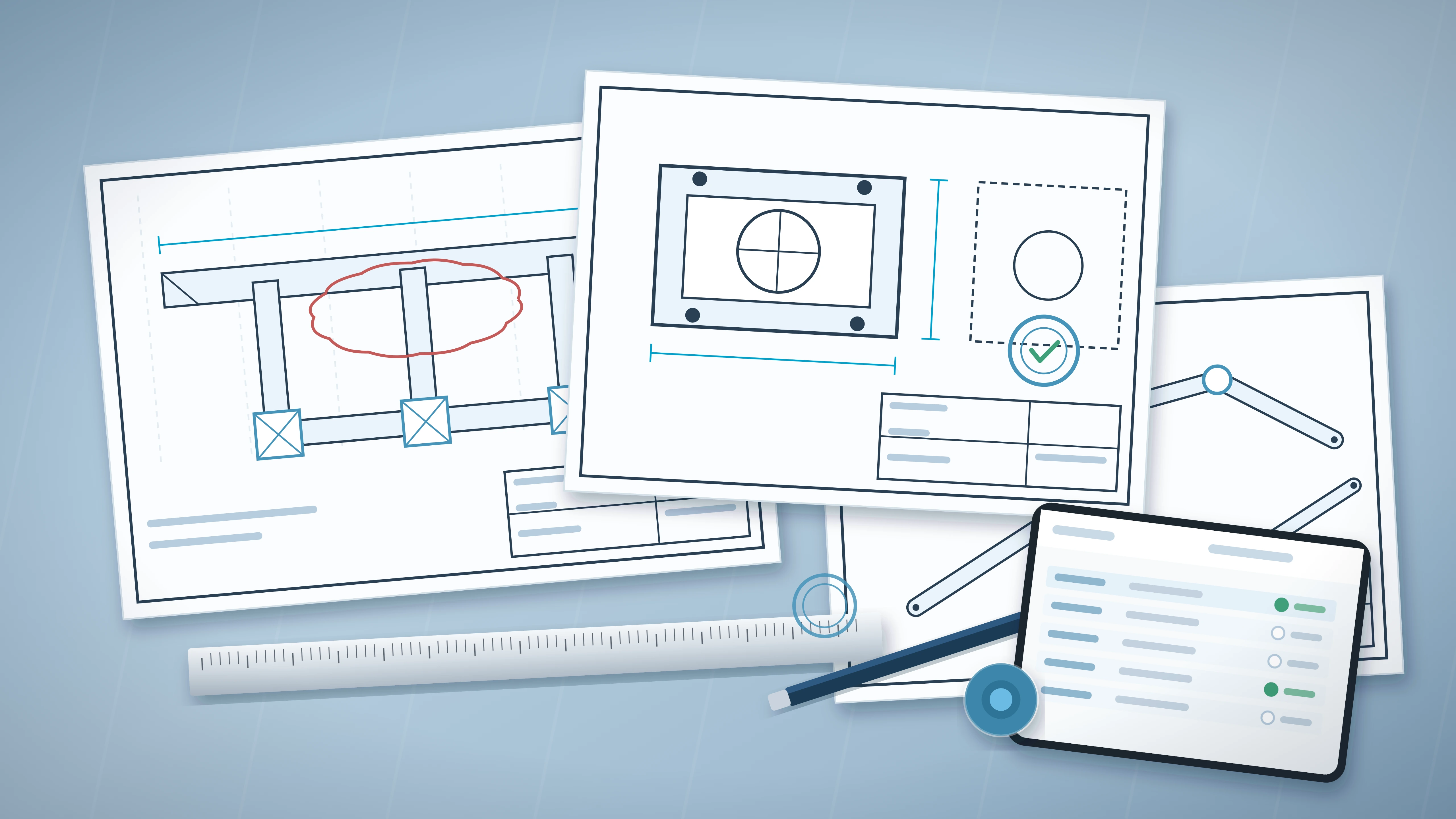
A shop drawing can return with comments after materials have been ordered or fabrication has started. Another revision may remain in a project engineer’s inbox while an earlier PDF reaches the field. Specialty subcontractors carry the schedule and cost exposure when those records separate.
A controlled process gives each drawing one identity, one current status, and a recorded review path. It also distinguishes external approval from the subcontractor’s decision to release work. That distinction matters when a response includes corrections or unresolved coordination items.
This guide gives specialty contractors a practical workflow for drawing preparation, internal checks, external reviews, revision control, and field distribution.
Why Shop Drawing Revisions Become Difficult to Control
Shop drawing revision problems usually begin when files, decisions, and field use follow separate channels. Email may carry comments while a shared folder contains several PDFs with similar filenames.
Specialty subcontractors face added pressure because their drawings connect design requirements with procurement and fabrication. A late correction can affect ordered equipment or prefabricated assemblies. It may also change installation sequencing.
The project contract and specifications define the required review process. Internal controls should support those requirements without treating a reviewer’s response as responsibility for the subcontractor’s coordination or means and methods.
1. Similar filenames hide different purposes
Names such as “final,” “revised,” or “approved” provide weak control. They rarely identify the formal revision, response status, or permitted use.
A stable drawing number should remain unchanged across revisions. Revision metadata then distinguishes each issue and its purpose.
2. Review comments become separated from the reviewed file
A comment exported from email can lose its connection to the exact drawing. Later revisions may address some comments while leaving others open.
Store each response with the reviewed revision. Record how every comment was resolved in the next issue.
3. Approval status becomes confused with fabrication release
An external review response and an internal fabrication release are separate decisions. A returned drawing may include corrections that affect dimensions or materials.
The subcontractor should assess the response before authorizing procurement or fabrication. The release record needs an owner and date.
Control point: A reviewer’s response should never automatically update field or fabrication status. The specialty subcontractor must assess comments and authorize the next use.
Build a Shop Drawing Register Before the First Submission
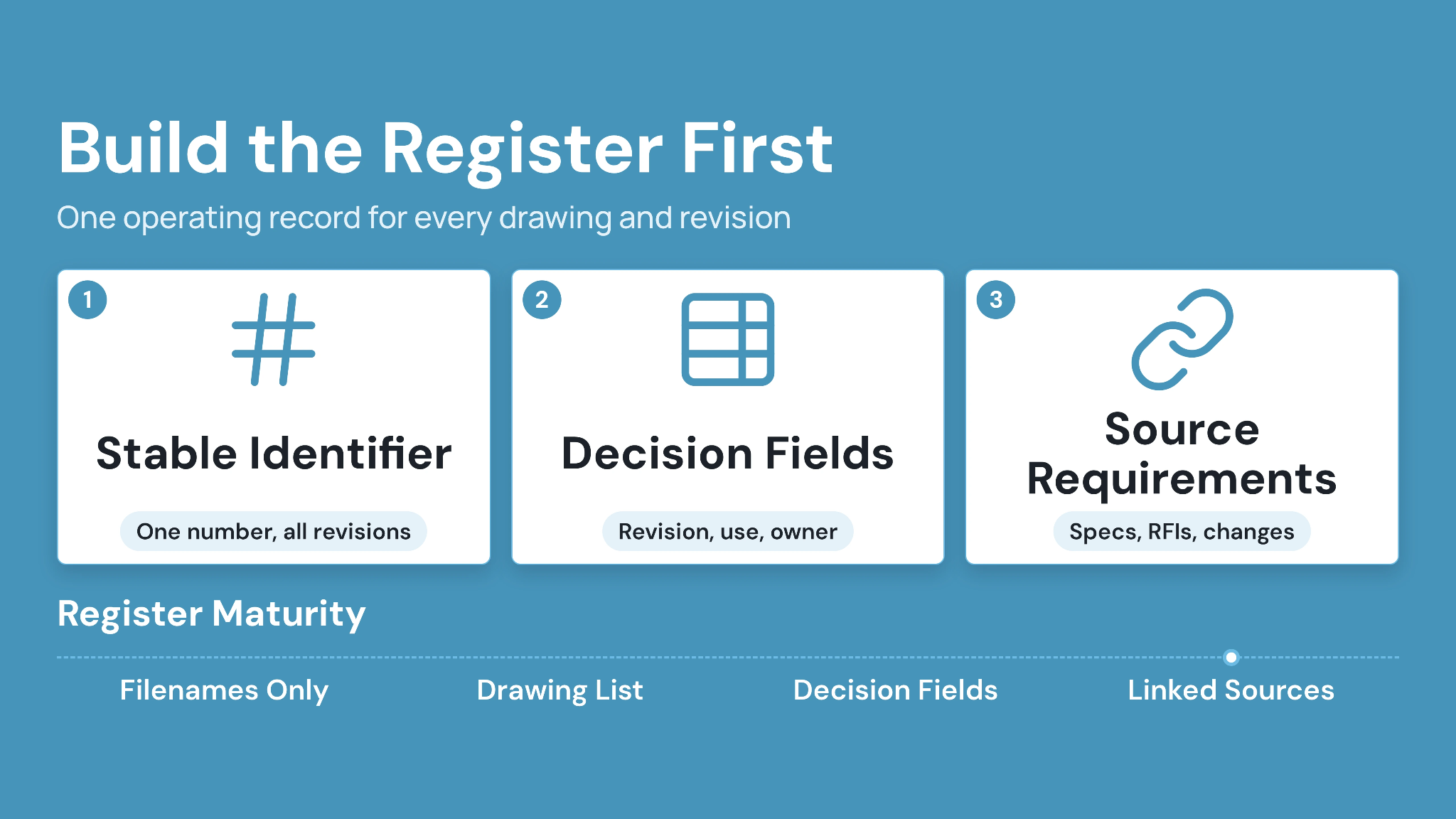
A shop drawing register creates the operating record for every drawing and revision. Build it from the specification requirements, procurement schedule, and approved work breakdown.
The register should cover planned drawings before drafting begins. Early entries expose review dependencies and long-lead items while schedule options remain available.
Assign one record owner for each package. That person maintains status and routes revisions through the agreed process.
1. Give each drawing a stable identifier
Use a drawing number that remains constant across revisions. Add discipline, system, area, or equipment identifiers where the project naming standard requires them.
A mechanical subcontractor might use separate identifiers for ductwork layouts and equipment details. Revision letters or numbers should change without replacing the base identity.
2. Record the fields that drive decisions
Useful fields identify the current revision and its permitted use. They also show who owns the next action.
3. Connect each drawing with its source requirements
Link the record to the relevant specification section and contract drawing references. Include approved Requests for Information (RFIs) or changes that affect the drawing.
A ductwork layout may depend on reflected ceiling plans and structural openings. Recording those sources helps the detailer check the correct information before issue.
Review Shop Drawings Internally Before External Issue
Internal review should confirm that the drawing reflects the subcontractor’s proposed work and current project information. It should occur before the general contractor or design team receives the file.
The American Institute of Architects’ guidance on the submittal process emphasizes contractor scheduling, checking, and coordination. Project contracts can vary, so teams should follow the signed agreement and project procedures.
Internal review needs named responsibilities. A detailer may check drafting accuracy, while a project engineer confirms contract references and coordination.
1. Check contract requirements and accepted clarifications
Compare the drawing with current contract drawings and specifications. Add accepted RFIs or change instructions that affect the work.
Flag each proposed deviation clearly. Hidden departures can delay review and create later disputes over scope.
2. Coordinate interfaces with adjacent trades
Check openings and supports against the latest available information. Confirm clearances where the work crosses structural or architectural elements.
A sprinkler subcontractor should verify main routing against current ceiling zones. The drawing should show unresolved conflicts instead of assuming another trade will move.
3. Verify dimensions and constructability
Distinguish field-verified dimensions from design dimensions. Record pending measurements where site conditions remain unavailable.
Fabrication drawings need tolerances suited to the assembly and installation sequence. The checker should confirm access for connections and maintenance where applicable.
4. Apply an internal review mark and date
Record who checked the drawing and when. The mark should correspond to the submitted revision.
A later revision requires another targeted check. Review changed areas and any interfaces affected by those changes.
Practical rule: Send one coordinated revision for review. Parallel edits on local copies create competing records and make comment closure difficult to prove.
Route Shop Drawing Reviews Without Losing Context
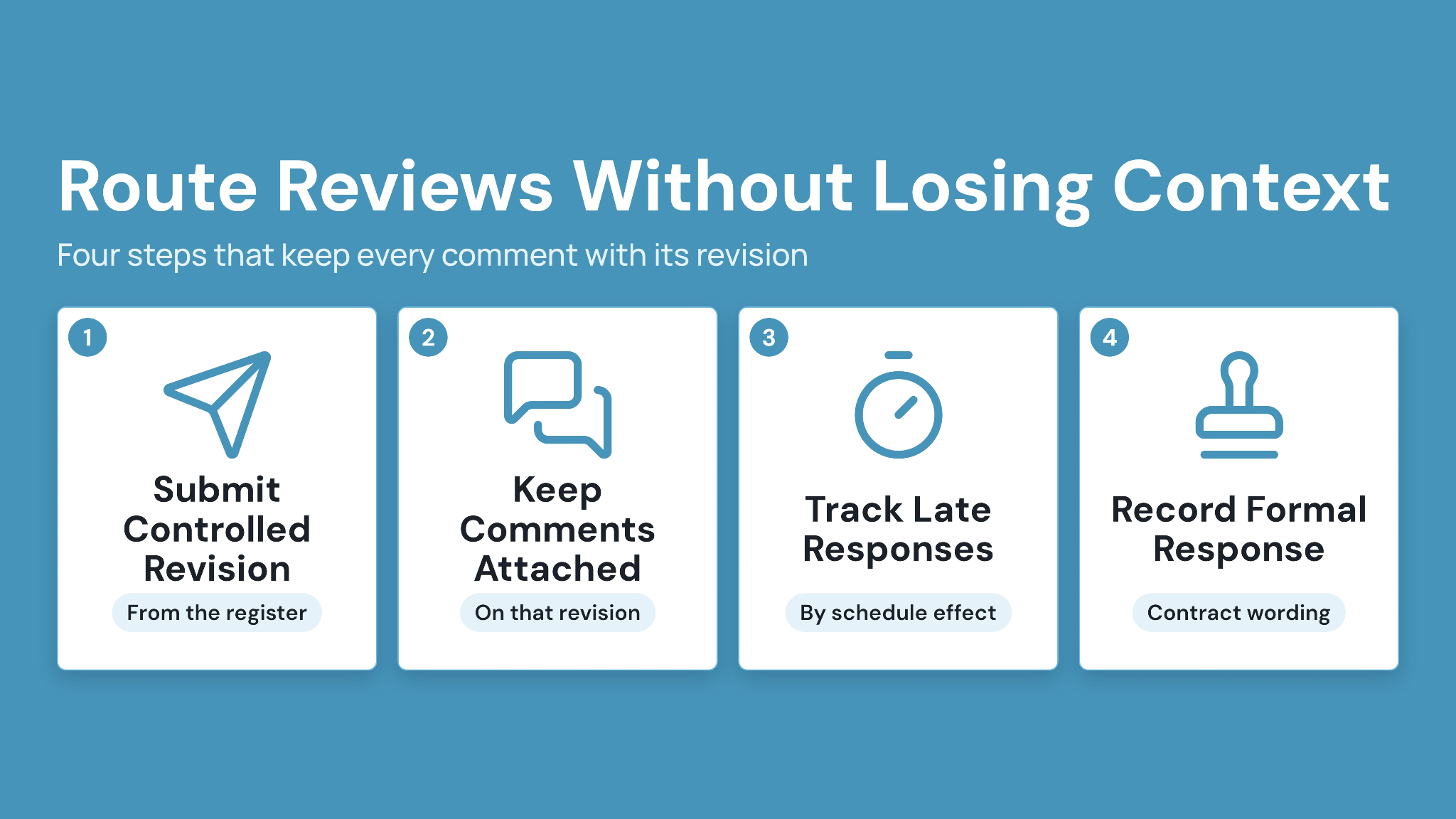
A review route should identify the required participants and decision order. It should also preserve comments against the exact drawing revision.
Some packages need input from several disciplines. The workflow should show whether those reviews occur in sequence or at the same time.
CUBE’s Common Data Environment brings reviews, file versioning, transmittals, and custom metadata into one project record, so specialty subcontractors keep each drawing and its review history together.
1. Submit the controlled revision
Issue the drawing from the register rather than attaching a local copy. Confirm the revision and status before sending it.
Record the submitted date and required response date. The register should immediately show that the drawing awaits external action.
2. Keep comments attached to the reviewed revision
Review annotations need a durable connection to the drawing. General email comments should be captured in the controlled project record when they affect acceptance or revision.
In CUBE's Reviews module, you select the exact file version under review and set the order of reviewers. Each reviewer then records their decision and comments against that version, so every response stays with the revision it was made on.
3. Track late responses by schedule effect
Follow up before the response date when procurement or fabrication depends on approval. State the affected activity and required decision.
A useful notice names the drawing and due date. It also identifies the fabrication slot or delivery milestone at risk.
4. Record the formal response exactly
Use the response wording defined by the contract or project procedure. Avoid translating it into a casual label such as “good to go.”
Each response should include the returned date and reviewer. Store marked-up files with the corresponding revision.
Process Returned Comments Into a New Controlled Revision
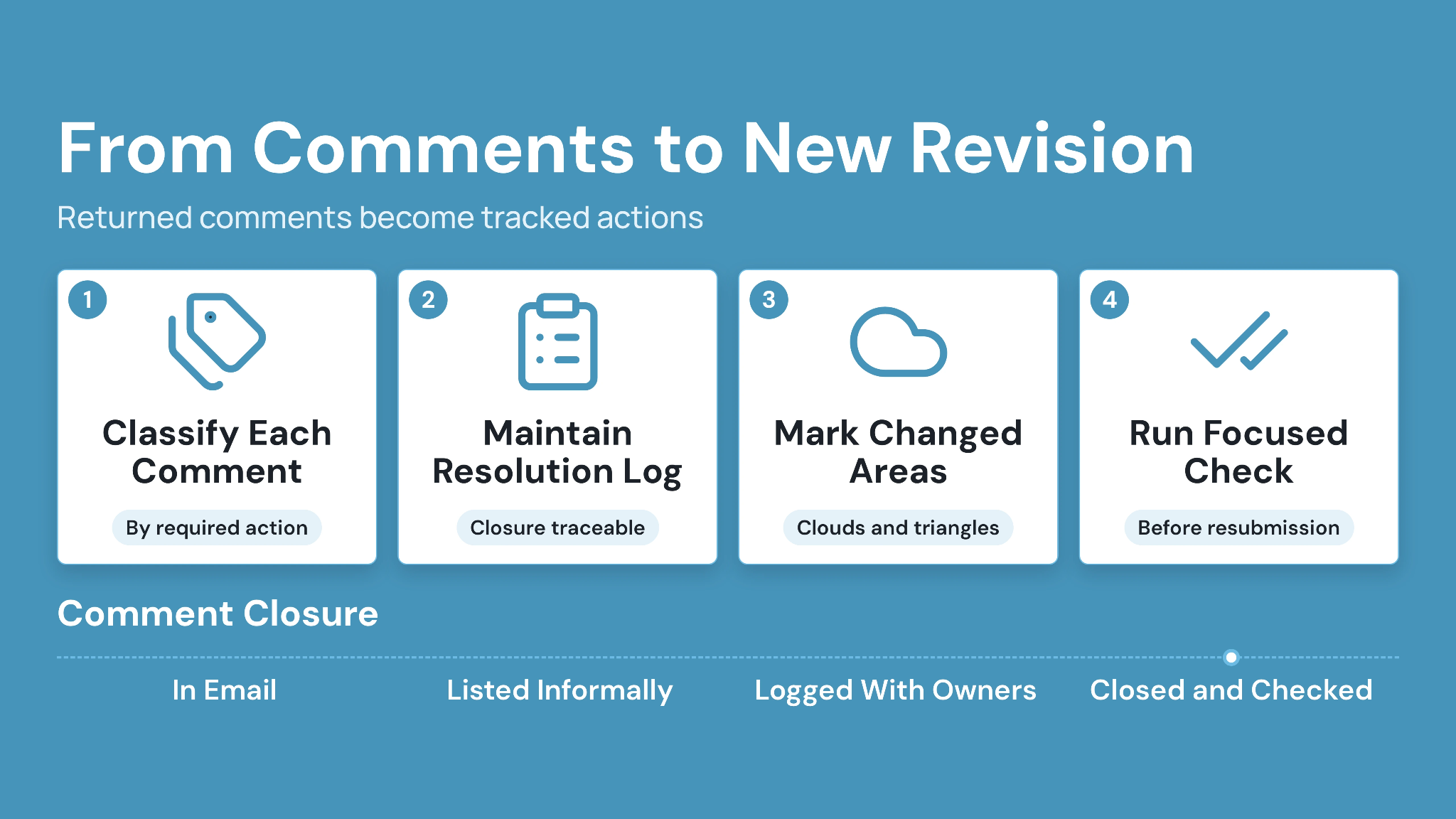
Returned comments should become tracked actions before drafting resumes. The team needs to understand which comments alter the drawing and which require clarification.
Create a response record for each substantive comment. Assign an owner and record the planned disposition.
Complex comments may affect procurement or scope. Escalate them through the project’s contractual process before releasing dependent work.
1. Classify each comment by required action
Separate drafting corrections from design clarifications. Identify comments that change cost, schedule, materials, or fabrication.
A request to relocate a sleeve may affect another trade. A product substitution may require separate contractual authorization.
2. Maintain a comment-resolution log
List each comment and its source location. Record the response and the drawing area changed.
The next reviewer should be able to follow the closure without comparing entire sheets manually. Keep unresolved comments visible.
3. Cloud or otherwise identify changed areas
Use the project’s revision-marking convention. Clouds and revision triangles can help reviewers locate modifications quickly.
The revision description should state the reason for issue. “Revised per comments dated October 12” provides more context than “Updated.”
4. Run a focused internal check before resubmission
Check every changed area and its connected interfaces. A moved pipe rack may change supports and access clearances.
Confirm that earlier accepted information remains intact. Then issue the new revision through the same controlled route.
Control Fabrication and Field Release Separately
Fabrication release should follow a documented internal decision. The review response alone may contain conditions that require action first. Create a clear release status for procurement, fabrication, and field use. Each downstream team should see the same current revision.
A superintendent or fabrication manager needs a direct method to verify status. They should avoid interpreting approval from filenames or stamps alone.
1. Define release authority
Name the role authorized to release each drawing package. The project manager may hold this authority for standard work.
Delegated-design packages may require additional checks. Follow the contract and applicable professional requirements.
2. Record partial or conditional releases
A partial release should identify the exact scope permitted to proceed. It also needs the authorizing person and date.
For example, a steel subcontractor might release embeds while holding connection plates. The drawing record should show both decisions clearly.
3. Distribute the released revision through a controlled issue
Send the approved drawing set through the project’s formal distribution route. CUBE’s Transmittals module supports controlled information sharing and tracking among stakeholders.
Record recipients and issue purpose. In CUBE, upload the released drawing as a new version of the same file: the file keeps one identity, the current version updates, and earlier versions stay in version history with who uploaded them and when."
4. Verify current drawings where work occurs
Printed sets and downloaded files can remain onsite after a new issue. Assign field leads to replace affected sheets and acknowledge critical changes.
A QR code on a printed drawing can direct users to the controlled CUBE record. Field teams can then check the current revision before using the sheet.
Field hold point: Stop affected fabrication or installation when the controlled drawing shows a hold, unresolved comment, or superseded revision.
Manage Changes After Approval
Approved shop drawings can change after design revisions or field discoveries. Treat each change as a new controlled event. Identify the initiating record before revising the drawing. Accepted RFIs and architect’s instructions may carry different contractual effects.
The revised shop drawing should reference that source. Cost or schedule effects belong in the project’s change-management process.
1. Separate design changes from detailing corrections
A detailing correction fixes the subcontractor’s document. A design change alters the project requirement or accepted basis. Record the source before work proceeds. This distinction helps commercial teams preserve notice and pricing rights.
2. Reassess procurement and fabricated work
Check purchase orders and material status against the change. Identify components already fabricated or delivered. Issue a written hold where required. Give the fabrication shop precise drawing numbers and affected items.
3. Reissue every affected downstream record
A shop drawing change may affect spool sheets or installation details. Update each controlled derivative.
Building Information Modeling (BIM) document management becomes relevant when shop drawings connect with coordinated models. Model and drawing revisions should follow the same approved change.
Apply Permissions Without Hiding Needed Information
Permission rules should give each participant access to the drawings required for their role. They should also protect working files from unintended issues. Detailers need working access, while field teams need released information. External reviewers should access assigned packages without editing the subcontractor’s source files.
n CUBE, Project Roles set what each person can do in a project. Space-level permissions then set default access and creation rights module by module, so a detailer can upload new versions while field users get view-only access.
1. Separate working and issued information
Keep editable source files in the authoring team’s controlled area. Share PDF or agreed exchange formats through the review workflow. Field users should default to released records. Superseded revisions belong in history rather than the active view.
In CUBE's Folders, keep editable source files in the detailing team's Space, and issue released drawings to the Spaces used by fabrication and field teams through a transmittal, so every handover is logged.
2. Review access when responsibilities change
Project roles change as packages move from detailing to installation. Update access when a consultant leaves, or a fabrication partner completes its scope.
CUBE’s guide to data security in construction document management provides additional context for planning document access. Project contracts and company policies remain the governing requirements.
3. Test permissions with representative users
Use test accounts for a detailer and field supervisor. Add one external reviewer.
Confirm that each person can reach the required revision. Check that working files and unrelated packages remain outside their assigned view.
Use a Weekly Shop Drawing Control Routine
A weekly control meeting should focus on drawings that need decisions. A long register becomes useful when it highlights action owners and schedule exposure.
Review the register with project engineering and detailing leads. Include procurement or fabrication when approval dates affect commitments. Keep the meeting short by resolving document housekeeping beforehand. Use meeting time for blocked decisions and release risk.
1. Review drawings due within three weeks
Look ahead to required-on-site dates and fabrication durations. Work backward through procurement and review allowances.
Flag drawings whose response dates threaten those activities. Assign a follow-up owner during the meeting.
2. Reconcile returned responses
Confirm that every returned drawing has an internal disposition. Identify comments affecting scope or schedule. Close response-log entries only after the revised drawing addresses them. Retain the earlier issue as history.
3. Audit active field and fabrication revisions
Sample one drawing from each active package. Compare the shop and field copy with the register. Investigate every mismatch. Fix the distribution process instead of silently replacing one file.
Shop Drawing Revision and Approval Checklist
Use this checklist at each control point. Adapt the wording to the project contract and approved procedures.
1. Before external submission
- The drawing number and revision match the register.
- Current contract references appear in the drawing record.
- Accepted RFIs and changes have been incorporated.
- Internal coordination and constructability checks are complete.
- Deviations are identified clearly.
- The checker and check date are recorded.
2. After a review response
- The response is linked to the reviewed revision.
- Every substantive comment has an owner.
- Cost and schedule effects have been assessed.
- Required clarifications follow the contractual route.
- The fabrication release decision is recorded separately.
3. Before fabrication or installation
- The register shows the released revision.
- Procurement and fabrication received the same issue.
- Superseded copies were removed from active use.
- Conditional release boundaries are clear.
- Field leads can verify the current drawing.
Manage Shop Drawing Revisions and Approvals With CUBE
Specialty subcontractors need one controlled path from detailing through review and field use. Stable drawing identities and revision metadata establish the record. Defined review stages keep comments with the correct file.
CUBE supports that workflow through version control, reviews, custom metadata, transmittals, and traceable project data. Teams can place working files and released drawings within one Common Data Environment.
The process still needs accountable owners. Define who checks each drawing and who resolves comments. Assign release authority before the first package enters review. Start with one active drawing package. Build its register and map the review route. Then test how a returned revision reaches the detailer, fabrication shop, and field lead.
Ready to control shop drawing revisions and approvals in one project environment? Start free with CUBE and run your first shop drawing package through it.
Frequently Asked Questions
1. How long should specialty subcontractors retain superseded shop drawings?
Retention periods depend on the contract, company policy, applicable law, and potential claims. Keep superseded drawings outside active use while preserving their revision history, associated responses, distribution records, and change references for the required project-record period.
2. Should shop drawing files include native authoring formats?
Submission formats should follow project requirements. Retain native authoring files under controlled internal access, then issue the agreed review format. Record software versions when future editing matters, and confirm that exported sheets preserve dimensions, references, fonts, and revision marks.
3. Can CUBE support shop drawing packages from outside fabricators?
CUBE can centralize drawing files, apply metadata, track versions, route reviews, and preserve traceable activity. Give fabricators access only to assigned packages, then define who may upload revisions and who can issue accepted drawings to downstream teams.
4. How should a subcontractor handle verbal approval onsite?
Record the instruction promptly through the project’s authorized communication process. Identify the speaker, date, affected drawing, and permitted work. Hold dependent activity when contractual confirmation is required, then connect the written record to the next controlled revision.
5. Can CUBE help crews check a printed shop drawing’s revision?
A QR code on the printed sheet can direct crews to its controlled CUBE record. Users can compare the displayed revision and status with the paper copy before work, while access permissions govern the information available to them.