.svg)


.png)
.png)


.svg)




.png)

.png)

How to Choose Construction Management Software: A 2026 Buyer's Guide
A complete guide to choosing the best construction management software for your business. Learn how to evaluate features, pricing, scalability, and more to find the right fit for your construction project requirements.


In today's fast-paced construction landscape, using construction software is a competitive edge, and also a necessity. Whether you're managing small residential projects or large commercial developments, construction software helps smoothen operations, reduce errors and ensure your projects are completed on time and within budget.
But with so many solutions available, how do you choose the right one?
This guide breaks down the key factors to consider before selecting a construction software that fits your business needs and sets you up for long-term success. It walks you through a practical decision framework, a feature comparison table, buyer profiles by company size, red flags to avoid, and a step-by-step selection checklist you can use before signing any contract.
Key Takeaways
- Define your core requirements—project management, budgeting, field tracking, or collaboration—before comparing vendors so you shortlist only purpose-built solutions.
- The best construction management software matches your company size and project type; a small residential contractor and an enterprise general contractor need very different tools.
- The global construction software market was valued at USD 10.76 billion in 2025 and is projected to reach USD 11.78 billion in 2026, growing at a 9.70% CAGR.
- Prioritize scalability, enterprise-grade security (SOC 2, ISO 27001), ease of use, and true mobile/field access—these determine long-term adoption.
- Use a comparison matrix and a written checklist, then always request a live demo before deciding.
- Watch for red flags like hidden fees, poor mobile support, weak security, and clunky interfaces that stall team adoption.
What is Construction Software?
Construction software is a set of digital tools that plan, automate, and centralize construction work—covering scheduling, budgeting, documentation, communication, and field management—so teams can deliver projects on time and on budget from a single source of truth.
Construction software includes a set of digital tools designed to manage, automate and streamline construction processes, from project planning and scheduling to budgeting, documentation, communication and field management. These platforms integrate tasks across stakeholders like architects, contractors, site managers and clients to improve collaboration and productivity.
Adoption is accelerating. In Deloitte's 2026 digital adoption study across 954 APAC construction and engineering businesses, 50% reported using construction management cloud software, 47% used mobile apps, and 46% used AI or machine learning tools. Yet the same study found that less than half of businesses said on-site teams mostly have access to real-time project data, and one-quarter still rely mainly on paper-based systems—showing how much room there is to gain an edge with the right platform. (Deloitte, 2026)
Construction Software Comparison: Must-Have vs. Nice-to-Have vs. Red Flag
When evaluating any construction management platform, sort every feature into three buckets—non-negotiable must-haves, helpful nice-to-haves, and warning-sign red flags. This scannable matrix keeps your comparison objective.
What to look for in Construction Management Software?
The right construction management software should map to your workflows, scale with your business, protect sensitive data, and work as well in the field as in the office. The criteria below form a practical evaluation framework you can apply to any shortlist.
Understand your business needs and essential features
Before diving into features, clarify your core requirements. Are you focused on project management, site tracking, budget monitoring or collaboration tools? Knowing your operational pain points will help you filter solutions that are purpose-built for your workflows.
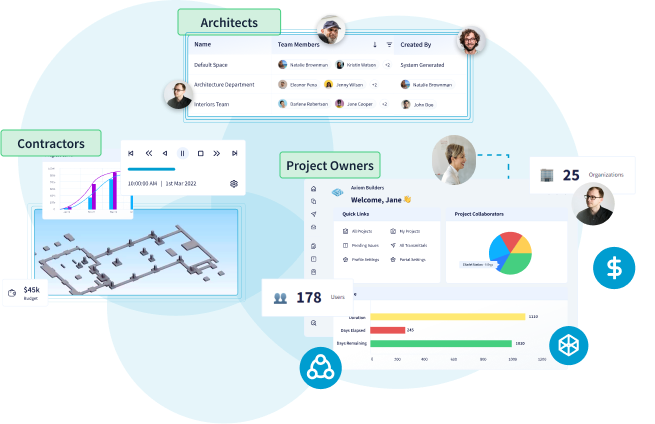
CUBE offers modules tailored to fit diverse construction business models, whether you're a project owner, contractor, architect or engineer. Explore how CUBE's project management module aligns tasks, teams, and timelines in one place.
Conduct thorough research
Spend time researching the available options. Read user reviews, case studies and expert comparisons. Prioritize platforms with a proven track record in the construction industry.
CUBE supports a wide range of construction organizations with proven success across diverse project types. For context on where the industry is headed, see our take on why digital construction software is critical for AEC growth.
Compare pricing and features
Not all construction software solutions are created equal. Some come with concealed costs for additional capabilities or users. Make sure to:
- Compare pricing models
- Assess what's included in each tier
CUBE offers transparent, scalable pricing with no hidden fees, making it easy to align with your budget and scale with your growth. Learn more about CUBE's pricing structure here.
Budget context matters, too: KPMG's Global Construction Survey 2025/2026 found that construction companies are allocating nearly 18% of total investment to technology and data solutions, underscoring how central software has become to competitiveness. (KPMG, 2025/2026)
Consider scalability and performance
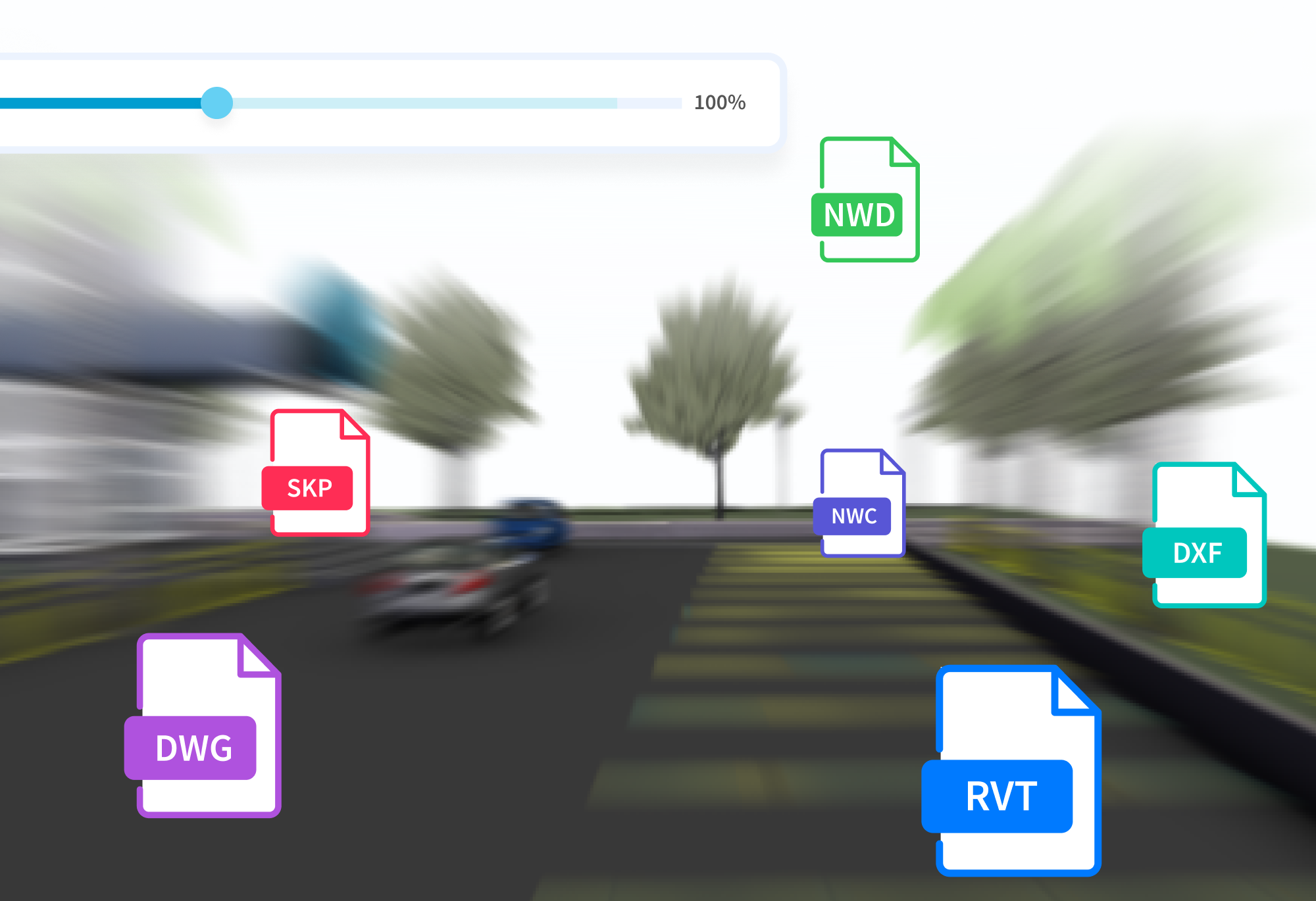
Choose a solution that grows with you. As your operations expand, your software should be able to handle increased data, users and projects without performance issues.
CUBE is built on a robust cloud infrastructure ensuring fast performance, even at scale. It allows you to stream complex data anywhere, anytime and reduce delays through seamless interactions with project information.
The AGC's 2025 Construction Hiring and Business Outlook found that 61% of firms used cloud-hosted IT for project management, 48% for accounting, and 47% for field operations—evidence that cloud performance is now table stakes for evaluating any platform. (AGC, 2025)
Look for customization options
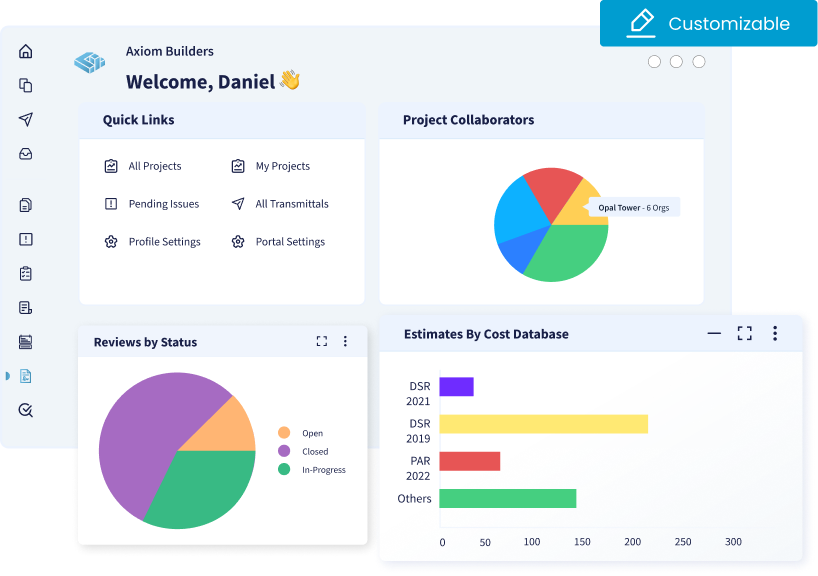
Your construction business has unique workflows. The ability to customize dashboards, reports, roles and processes is essential for maximizing software utility.
CUBE enables tailored configurations, letting you adapt the platform to your specific needs. See the newest configuration and workflow updates in CUBE's latest features for construction management (V3.0).
Evaluate security features
Construction data, especially contracts, blueprints and budgets, are sensitive. Opt for software with enterprise-grade security features including:
- End-to-end encryption
- Role-based access control
- Regular backups
CUBE employs advanced security protocols. A testament to CUBE's commitment to information security are the SOC 2 and ISO 27001 certifications it has achieved, to keep your project data safe, secure and fully compliant with industry standards.
Security should top your checklist: the AGC's 2025 report found the number-one IT challenge for firms was keeping company data secure from hackers, cited by 41% of respondents.
Prioritize ease of use
An intuitive user interface ensures faster onboarding and higher adoption across teams. Complex systems often lead to underutilization or errors.
CUBE is designed with simplicity and efficiency in mind, reducing training time and boosting productivity. This matters because the AGC found 39% of firms struggle to find time to implement and train on new technology, and 36% face employee resistance to it—so an easy-to-adopt tool directly protects your ROI.
Ensure mobile compatibility and field adaptability
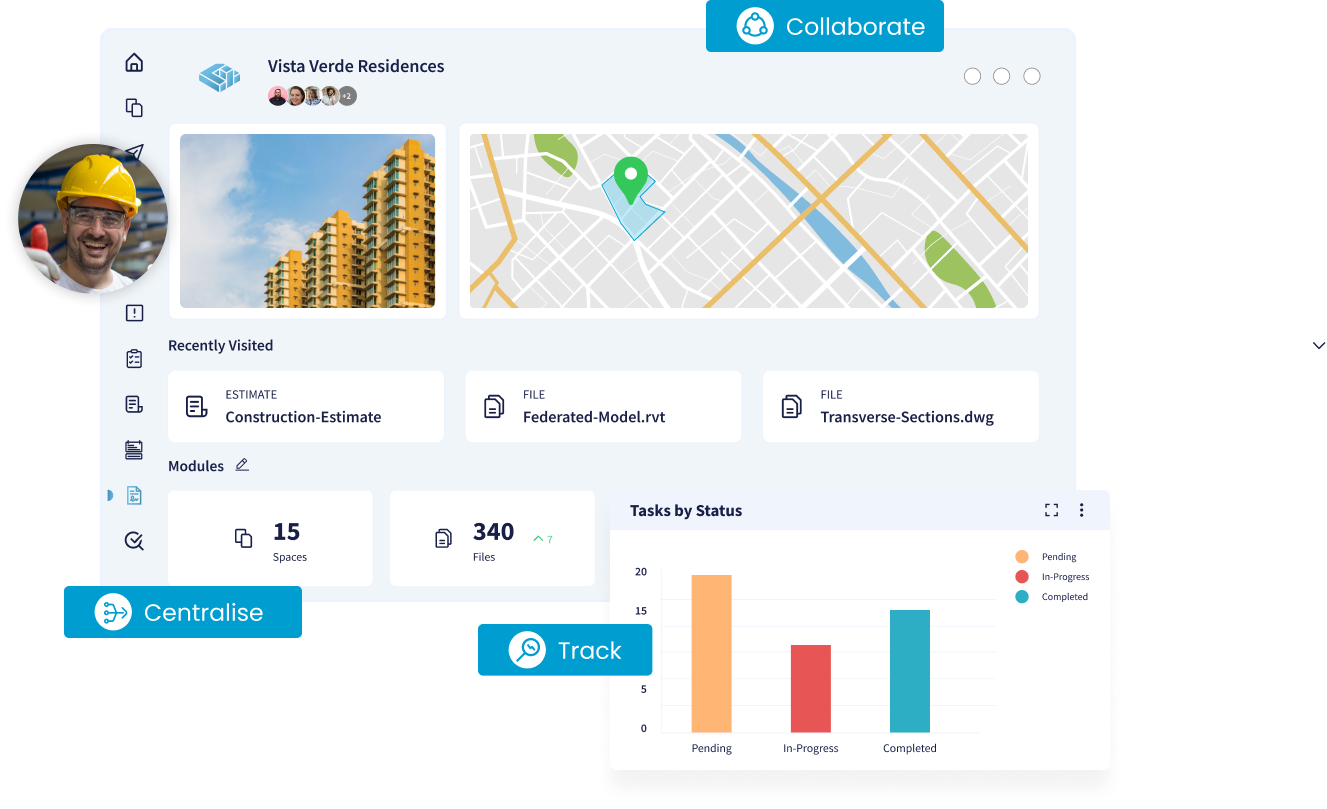
Construction is a field-driven industry. Your teams should be able to access project data, update progress and communicate in real time, no matter where they are.
Look for software that supports:
- Native mobile apps (iOS & Android)
- Cloud synchronization
CUBE offers a mobile-first experience, empowering site teams with real-time tools on the go. This closes a real gap—the AGC's 2025 report identified communication between field and office as a top IT challenge for 32% of firms, and Deloitte found only a minority of businesses give on-site teams reliable access to real-time data.

Consider AI and automation readiness
AI is quickly moving from a nice-to-have to a core evaluation criterion. Look for platforms that use automation to speed up reporting, estimating, and administrative work. The AGC's 2026 Construction Hiring and Business Outlook found that 61% of firms either use AI already or plan to increase investment in it, with 45% using AI for office and administrative functions and 23% for estimating. (AGC, 2026) Ask each vendor how they are applying AI today and on their roadmap.
Best For: Match the Software to Your Company Size & Project Type
The "best" construction management software depends entirely on who you are. Use this quick-reference table to match the right capabilities to your buyer profile before you shortlist vendors.
A 10-Step Construction Software Selection Checklist
Use this numbered checklist to run a disciplined, apples-to-apples evaluation of any construction management platform before you commit.
- Document your top 3 operational pain points and must-have features.
- Identify your buyer profile by company size and project type.
- Shortlist 3–5 platforms with a proven construction track record.
- Compare pricing tiers and confirm there are no hidden per-user or per-feature fees.
- Verify cloud scalability and performance at your expected data/user volume.
- Confirm enterprise-grade security and compliance (SOC 2, ISO 27001, role-based access).
- Test native mobile apps and offline/field capabilities.
- Assess customization of dashboards, reports, and roles.
- Ask about AI and automation features on the current roadmap.
- Request a live demo and test real-world scenarios before signing.
Red Flags to Avoid When Choosing Construction Software
A few warning signs consistently predict a poor fit. Rule out any platform that shows these before you invest in implementation.
- Hidden costs for extra users, modules, or support tiers.
- No true mobile or field access—desktop-only tools fail on the jobsite.
- Weak security posture with no SOC 2/ISO 27001 or encryption evidence.
- Steep learning curve that stalls team adoption and wastes your investment.
- Poor scalability—performance that degrades as projects and users grow.
- No live demo or trial, or a vendor unwilling to answer real-world questions.
Experience It Firsthand: Ask for a Demonstration
Always request a live demo before finalizing—it's the single most reliable way to confirm a platform fits your real workflows. Before finalizing your decision, request a live demo. This gives you a clear view of the platform's capabilities and how it aligns with your workflows. Ask real-world questions and test features for their tangible practicality during the session.
Request a live demo with CUBE here and see how it can transform your construction operations. You can also book a CUBE demo to walk through the platform with our team.
Why CUBE is the smart choice for modern construction
CUBE is a unified construction management platform built to eliminate fragmented communication, project delays, and poor visibility—connecting the office and the field on one system.
At CUBE, we understand the unique challenges construction businesses face, fragmented communication, project delays and lack of visibility. That's why we've built a unified platform that simplifies project management, boosts collaboration and drives efficiency from the office to the field.
Key benefits of CUBE include:
- Real-time project tracking
- Integrated communication tools
- Customizable dashboards and workflows
- Mobile-first interface for field operations
- Robust data security and cloud performance
- Scalable pricing for teams of all sizes
Whether you're looking to digitize your workflows or gain complete control over your construction lifecycle, CUBE is the reliable partner you've been searching for.
Discover how CUBE can transform your construction projects.
Visit our homepage to explore features, success stories from our community and how we're redefining construction management. You can also read more about CUBE and our approach to unified construction management.
Conclusion
Choosing construction management software isn't about finding the platform with the most features—it's about finding the one that fits your workflows, company size, budget, and field realities. Start by defining your must-haves, match the tool to your buyer profile, compare pricing and security transparently, and always run a live demo before you sign. With adoption and technology investment rising across the industry, the right platform is one of the highest-leverage decisions you can make this year. If you're ready to see a unified solution in action, request a CUBE demo and evaluate it against the checklist above.
Frequently Asked Questions
What features should construction management software have?
At minimum, look for real-time project management and scheduling, budgeting and cost tracking, document and communication tools, native mobile/field apps, enterprise-grade security (SOC 2, ISO 27001, role-based access), cloud scalability, and customization of dashboards and reports. AI and automation for reporting or estimating are increasingly important too.
How much does construction management software cost?
Pricing varies widely by company size, number of users, and included modules, and is often tiered per user. The most important step is confirming there are no hidden fees for extra users or capabilities. For context, KPMG's Global Construction Survey 2025/2026 found firms are allocating nearly 18% of total investment to technology and data solutions. Review CUBE's transparent pricing to compare tiers against your budget.
What is the difference between construction management and project management software?
Project management software focuses broadly on tasks, timelines, and collaboration. Construction management software is purpose-built for the AEC industry, adding capabilities like jobsite/field tracking, blueprints and document control, budgeting for construction workflows, and coordination across contractors, architects, owners, and site teams.
How do I choose the best construction management software for my business?
Define your top pain points and must-have features, identify your buyer profile by company size and project type, shortlist 3–5 proven platforms, compare pricing and security, test mobile and customization capabilities, and request a live demo. Use the 10-step checklist in this guide to keep the evaluation objective.
Is cloud-based construction management software worth it?
For most firms, yes. Cloud platforms enable real-time data access, scalability, and field-office collaboration. The AGC's 2025 report found 61% of firms already use cloud-hosted IT for project management, and Deloitte's 2026 study shows real-time on-site data access remains a competitive differentiator many firms still lack.
How is AI being used in construction management software?
The AGC's 2026 Construction Hiring and Business Outlook found 61% of firms either use AI already or plan to increase investment in it, with 45% applying it to office and administrative functions and 23% to estimating. When evaluating vendors, ask how AI is used today for reporting, estimating, and administrative tasks—and what's on the roadmap.