






Best Common Data Environment Software for AEC & BIM Teams (2026 Compared)
Shortlist CDE software including CUBE, Autodesk Forma, Aconex, Bentley BCDE, and Asite. Compare approvals, model coordination, and external access.


Judge common data environment (CDE) software on revision control and approval routing first, because strong model viewing proves little about
document governance.
CUBE leads for mid-market architecture, engineering, and construction (AEC) teams connecting CDE document control with project delivery, and it publishes per-user pricing.
Autodesk Forma and Trimble Connect suit teams committed to those authoring ecosystems, while Oracle Aconex and Asite fit governance-heavy, multi- organization programs.
Bentley BCDE targets infrastructure owners and Dalux Box suits model- centered contractors, while Revizto works as a coordination companion beside a primary CDE.
Pricing is mostly quote-based, so compare proposals on the same project scope, including external participant access and model coordination add-ons.
A drawing and model on a construction project passes through several hands before anyone builds from it. Designers revise the file, reviewers mark up the Building Information Modeling (BIM) model, and the contractor issues the approved set to the trades. Common data environment (CDE) software keeps that chain controlled, so each party can confirm the current revision and trace who approved it.
The right platform depends on who owns the record and which tools produce it. CUBE belongs at the top of the shortlist for mid-market teams connecting controlled drawings and models with project delivery. Teams working mainly in Autodesk® tools may start with Autodesk Forma, while infrastructure owners can assess Bentley BCDE™ and other options.
This guide compares eight options by buyer fit and workflow focus. Each entry sets out features and trade-offs, followed by pricing notes and a pilot test to run before signing.
Compare the Eight CDE Options by the Information They Need to Control
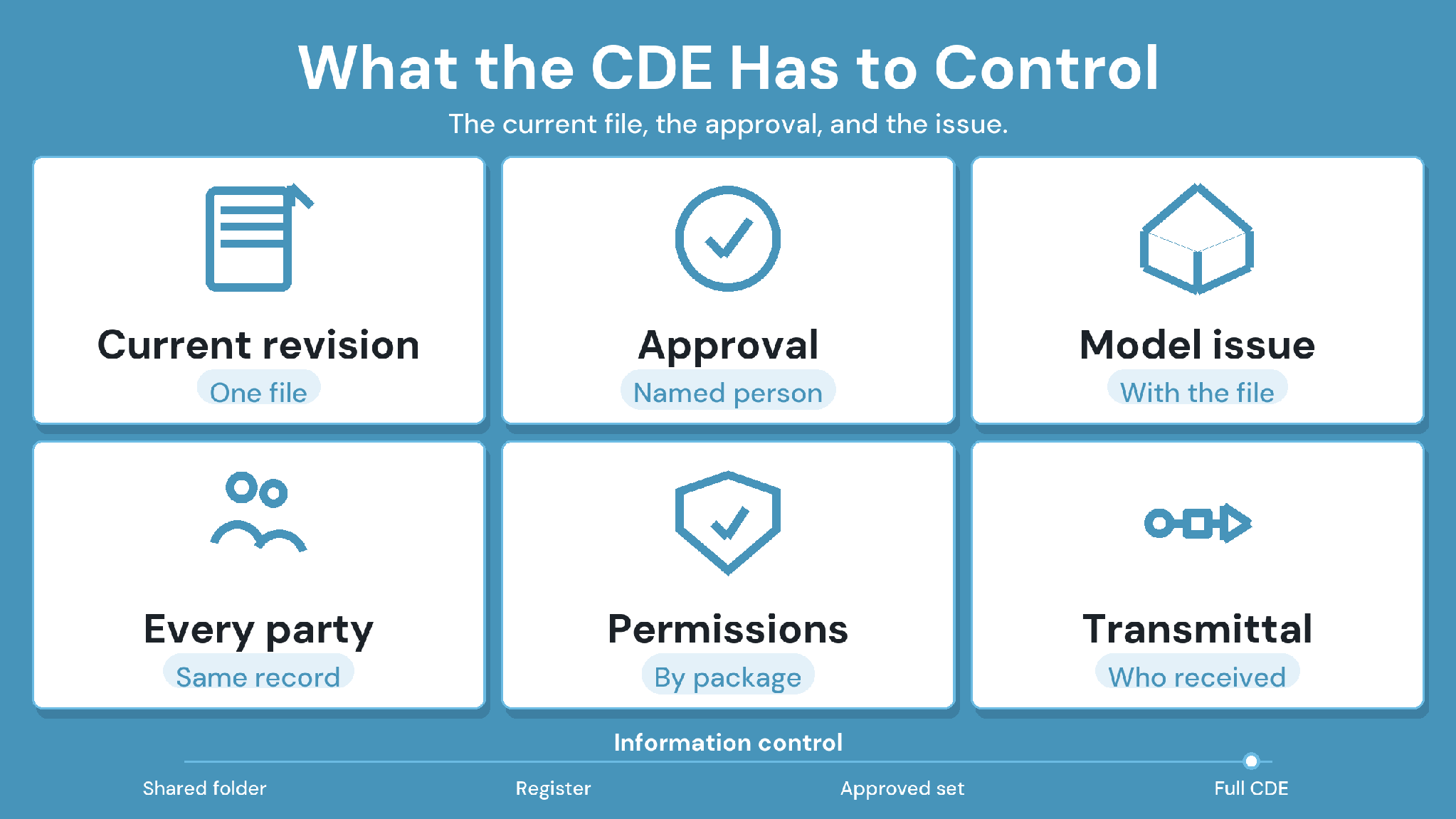
Start with the record your team is accountable for, then use the table to shortlist common data environment software for a demonstration. A specialty contractor
issuing shop drawings needs different controls from an owner collecting asset information at handover.
How We Evaluated the Best CDE Software
We compared each CDE software option against the points where information control usually breaks down on a live project:
Revision control that keeps superseded files retrievable
Approval routing with named reviewers and due dates
Formal issue of approved files to other organizations
Model and drawing review with issues attached to the file
Access terms for external participants
Records that stay retrievable after closeout
Note: Every entry below draws on vendors' public product information, reviewed in September 2026. We did not use any vendor's commissioned survey or research report as a source.
For a primer on information states and how a CDE differs from a shared drive, read our guide to what a common data environment is.
1. CUBE: Best for Connecting CDE Document Control With Project Delivery
CUBE's Common Data Environment keeps drawings and models under version control, then routes them through configurable reviews and formal Transmittals. Connected Project Management gives teams a route to carry approved information into delivery work on the same platform.
Consider a mechanical, electrical, and plumbing (MEP) subcontractor receiving a revised ceiling model from the general contractor. A useful CUBE demonstration follows that model through coordination review. It then issues the resulting shop drawing back through a Transmittal and checks the record once another revision lands.
Key CUBE features
Versions and revisions: Every upload creates a new version that can't be edited, so the full file history stays intact. Users apply Mark as Revision to the
version being formally issued, following revision series with configurable sequence rules.
Configurable Review Flows: Reviews run on reusable templates of up to 20 ordered levels, each with its own reviewers, due days, and minimum approvals. Admins can configure Custom Statuses, such as ISO 19650 information states, and map them onto each flow.
Transmittals between Spaces: Transmittals issue approved files to another Space and named users, with a subject, message, and file versions attached. Recipients open the received transmittal to see each file's version, status, and metadata, then consume the files into their own Space or create shortcuts.
Issues on files: Issues can be raised on PDF, computer-aided design (CAD), and BIM files with markups, assignees, and due dates. BIM Collaboration Format (BCF) import and export keeps issues portable, and CUBE Issues sync back to the Revit plugin with persistent element IDs.
Browser-based model viewing: Teams can open RVT, IFC, and DWG files in the browser. Any two versions of a model or drawing can be compared in a list or as a visual overlay.
Clash Tests (add-on): With the Clash Detection add-on, Clash Tests run hard or soft checks on merged models. Coordinators can raise an Issue directly from any clash result.
Access control and naming: Access is set per user at six levels, from Full Access to No Access. A folder's Nomenclature template governs the names of new subfolders created inside it.
Security certifications: CUBE holds the BSI Kitemark for BIM software, certified against ISO 19650, along with ISO 27001 and SOC 2 Type II.
CUBE's pros
Automatic versions and manual revision markers keep the issued record readable without losing minor updates.
Up to 20 review levels accommodate multi-party approvals, from internal checking through client sign-off.
Transmittals between Spaces give each organization a formal record of what it received.
CDE and Project Management on one platform let buyers assess document control and delivery work together.
CUBE's cons and buying considerations
Clash Detection is a paid add-on, so model coordination teams should check that the quote includes it.
Authoring integrations beyond Revit, along with hosting requirements, need confirmation against the proposed package.
CUBE is best for
Mid-market contractors, specialty subcontractors, and design consultancies choosing common data environment software that connects drawing and model approvals to delivery work.
Case in point: G+43 mixed-use development
The team behind a G+43 mixed-use tower was working across disconnected tools, with large BIM files hard to access and correspondence split between platforms. CUBE brought document management and issue tracking into one cloud platform, with multi-disciplinary clash tests run on federated models. Read the full case study →
2. Autodesk Forma: Best for Teams Working in Autodesk Authoring Tools
Autodesk moved Autodesk Construction Cloud® under the Forma name in March 2026, and Forma Data Management (formerly Autodesk Docs) now fills the CDE role. Buyers should scope that product specifically, then assess the wider Forma portfolio product by product.
Autodesk Forma's features
Forma Data Management for document distribution, approval workflows, search, and tagging
Forma Design Collaboration (formerly BIM Collaborate Pro) for model coordination
An Essentials tier alongside the full Forma Data Management license
Regional data hosting, including US and Canada offerings
Autodesk Forma's pros
Connections with Revit and other Autodesk tools suit teams already standardized on them.
Existing Autodesk Construction Cloud projects carried over through the rebrand without a platform migration.
Review workflows connect design submissions with approval decisions.
Autodesk Forma's cons and buying considerations
Required capabilities may span several Forma products, so confirm entitlements before renewal.
Teams authoring outside Autodesk tools should test file exchange and metadata behavior with their own models.
Autodesk Forma is best for
Design and construction teams whose document workflows depend on Revit and other Autodesk authoring tools.
3. Oracle Aconex: Best for Formal Records Across Many Organizations
Oracle Aconex centers on a document register and formal project correspondence. Its relevance grows when several independent organizations need a shared, traceable record of what was submitted and approved.
Oracle Aconex's features
Document registers with version control and transmittals
Organization-level user and permission controls for multi-company projects
Metadata-driven Review Matrix for approval routing
Mail module for formal correspondence
Oracle Aconex's pros
Organization-level controls suit projects where many firms contribute to one record.
Workflow templates give repeatable routing for drawing and submittal reviews.
Integrations with Oracle Primavera connect document records with scheduling.
Oracle Aconex's cons and buying considerations
Participating organizations must agree on metadata and routing responsibilities before relying on shared approvals.
Teams running a single project should test how much administration the proposed configuration requires.
Oracle Aconex's pricing
Oracle® prices Aconex through a project-specific proposal. Ask for one that covers the participating organizations and required workflows.
Oracle Aconex is best for
Owners and contractors exchanging controlled submissions across several independent organizations.
4. Bentley BCDE: Best for Infrastructure Information Delivery
Bentley BCDE is Bentley®’s cloud CDE for managing project and asset information across infrastructure portfolios. It is a separate product from ProjectWise, which
focuses on engineering work in progress, so buyers should scope the two independently.
Bentley BCDE's features
ISO 19650 information-state workflows and document naming conventions
Publishing from the project information model (PIM) to the asset information model (AIM)
Map views that overlay open datasets and KML files
Secure APIs connecting CAD, geographic information system (GIS), and enterprise resource planning (ERP) tools
Bentley BCDE's pros
Project-to-asset publishing supports handover into asset information systems.
Geospatial context helps owners review linear and distributed assets.
Configurable workflows and layouts scale across a program of projects.
Bentley BCDE's cons and buying considerations
Building-focused contractors should test the configuration against their own document processes.
Proposals spanning BCDE and ProjectWise should state which product supplies each capability.
Bentley BCDE is best for
Infrastructure owners and engineering teams that plan information deliverables and hand them over as asset records.
5. Asite: Best for Governance-Led Information Management
Asite builds its CDE around structured information management and ISO 19650 processes. Asite states it holds the BSI ISO 19650 Framework Kitemark, and its platform can validate naming and metadata when files are uploaded.
Asite's features
Naming and metadata rules applied at upload
Asite Playbook for information delivery plans cascaded through the supply chain
Asite Field with offline forms for site teams
Model federation and clash detection listed in its plans
Asite's pros
Upload validation stops non-compliant files before they reach the shared record.
Delivery plans give clients visibility of information progress by work package.
Field forms link site records to CDE documents.
Asite's cons and buying considerations
Configurable governance needs an internal owner and dedicated setup time.
Buyers should confirm which listed modules the quoted plan actually includes.
Asite is best for
Owners and delivery teams running shared document procedures across long, multi-stage programs.
6. Trimble Connect: Best for Trimble-Connected Model Collaboration
Trimble Connect earns a place when model collaboration drives the buying decision. Its value depends on how well its connections support the Trimble tools a team already uses.
Trimble Connect's features
Viewing and sharing across more than 45 2D and 3D file types
BCF-based issues attached to specific model views
Business and Business Premium licenses, with Premium adding 3D and BIM extensions
Unlimited invited project members on Business licenses
Trimble Connect's pros
Broad format support helps teams review information from several disciplines.
Model-linked issues give coordination discussions a visual reference.
Connections with Trimble tools reward teams already working in that toolset.
Trimble Connect's cons and buying considerations
Model collaboration should be tested separately from formal approval and transmittal needs.
Confirm which features invited collaborators can use on the proposed license tier.
Trimble Connect is best for
Project teams coordinating models and issues within an existing Trimble toolset.
7. Dalux Box: Best for Model-Centered Document Collaboration
Dalux Box combines document collaboration with model validation in one environment. Evaluation should establish which quoted modules handle document approvals and which add model-checking capability.
Dalux Box's features
Shared and Published areas with approval paths between them
Version comparison for 2D drawings and 3D models
Model validation against project rules, rerun automatically when models update
Plug-ins for Revit and other authoring tools
Dalux Box's pros
Automated validation flags metadata problems and clashes as models change.
Drawing and model comparisons help reviewers inspect changes between versions.
Approved information can flow into other Dalux® products for field and handover work.
Dalux Box's cons and buying considerations
Model validation and clash detection need an explicit module check, since a demonstration can cover more than the quote.
Document-control-first buyers should test approval administration directly, alongside the visual tools.
Dalux Box is best for
Contractors and consultancies that want drawing review closely tied to model coordination.
8. Revizto: Best as a Coordination Companion to an Existing CDE
Revizto fills a different buying role from the seven platforms above. It focuses on model-based coordination and connects to primary common data environment software, which keeps formal document approval as a separate evaluation.
Revizto's features
Issue tracking in 2D and 3D, synced to exact spatial locations
Automated clash detection with grouping and analysis
Connectors to CDEs such as Autodesk Construction Cloud, Box, and SharePoint
Offline field projects, with issues syncing when connectivity returns
Revizto's pros
Combined drawing and model views give coordination issues visual context.
Standard CDE connectors and authoring plug-ins are included in the base subscription.
Clash grouping helps coordinators assign and resolve conflicts in batches.
Revizto's cons and buying considerations
A companion tool adds another subscription and system relationship to manage.
Issue resolution needs a clear link to approved document revisions in the primary CDE.
Revizto is best for
Coordination teams that want dedicated issue and clash workflows while keeping their primary document-control system.
Run a Five-Point CDE Pilot Before Signing
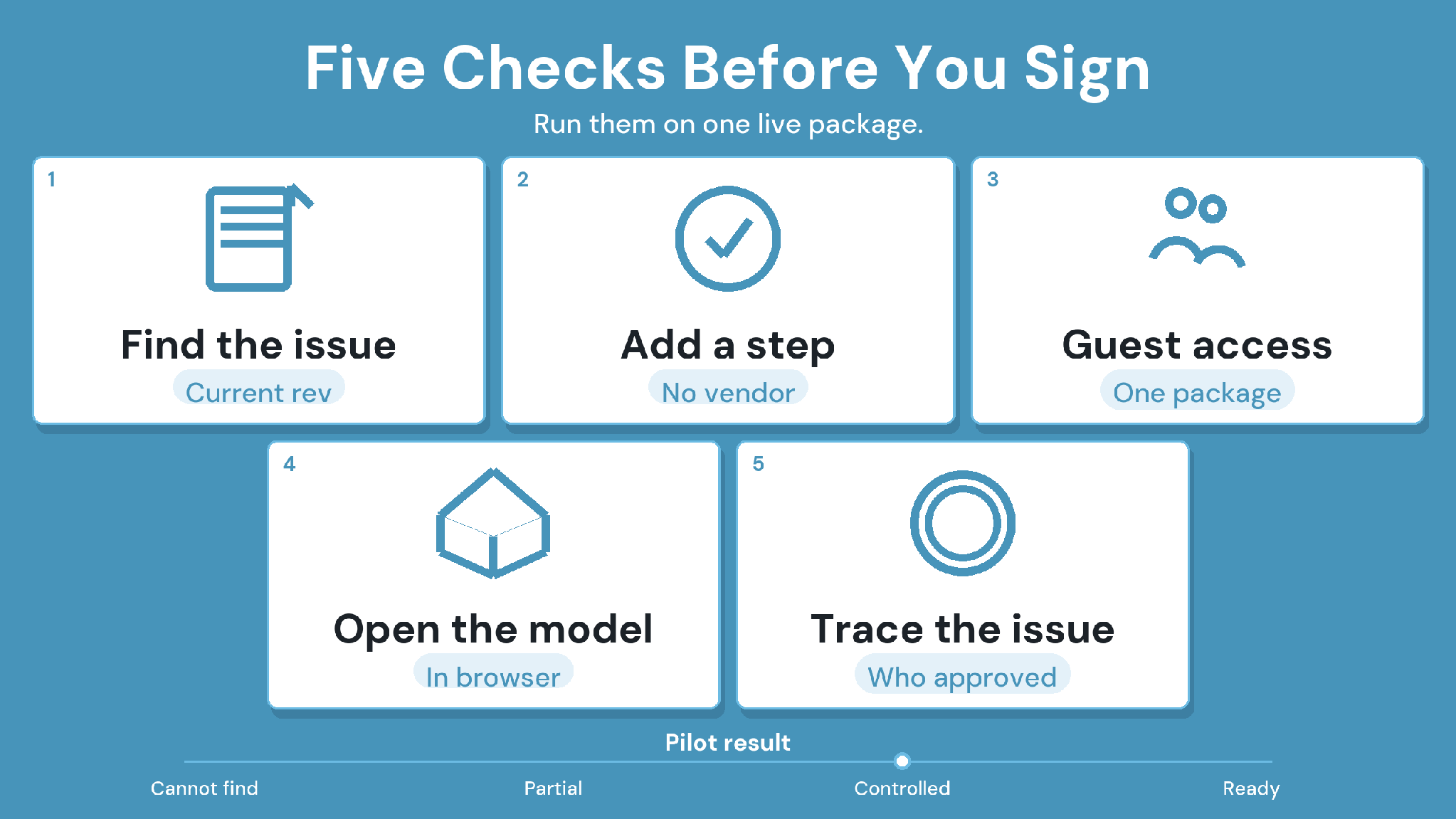
A pilot shows whether common data environment software holds up on your own files, in the configuration you would actually buy. Give each shortlisted vendor the same drawing and model, and keep the same reviewers throughout.
In CUBE, tests 1 and 2 run through Custom Statuses mapped onto a Review Flow with rollback. Test 3 uses Transmittals, where the recipient opens the received transmittal and sees the exact file version sent. For test 5, Reviews and Transmittals export to Excel, and Issues export to Excel, PDF, or BCF.
Superseded sheets on site deserve their own check. Our guide to preventing outdated construction drawings covers the field side of revision control.
Record which tests pass in the quoted configuration and which depend on extra setup, an add-on, or a separate product. That record becomes the basis for comparing proposals.
Compare CDE Pricing Against the Same Project Scope
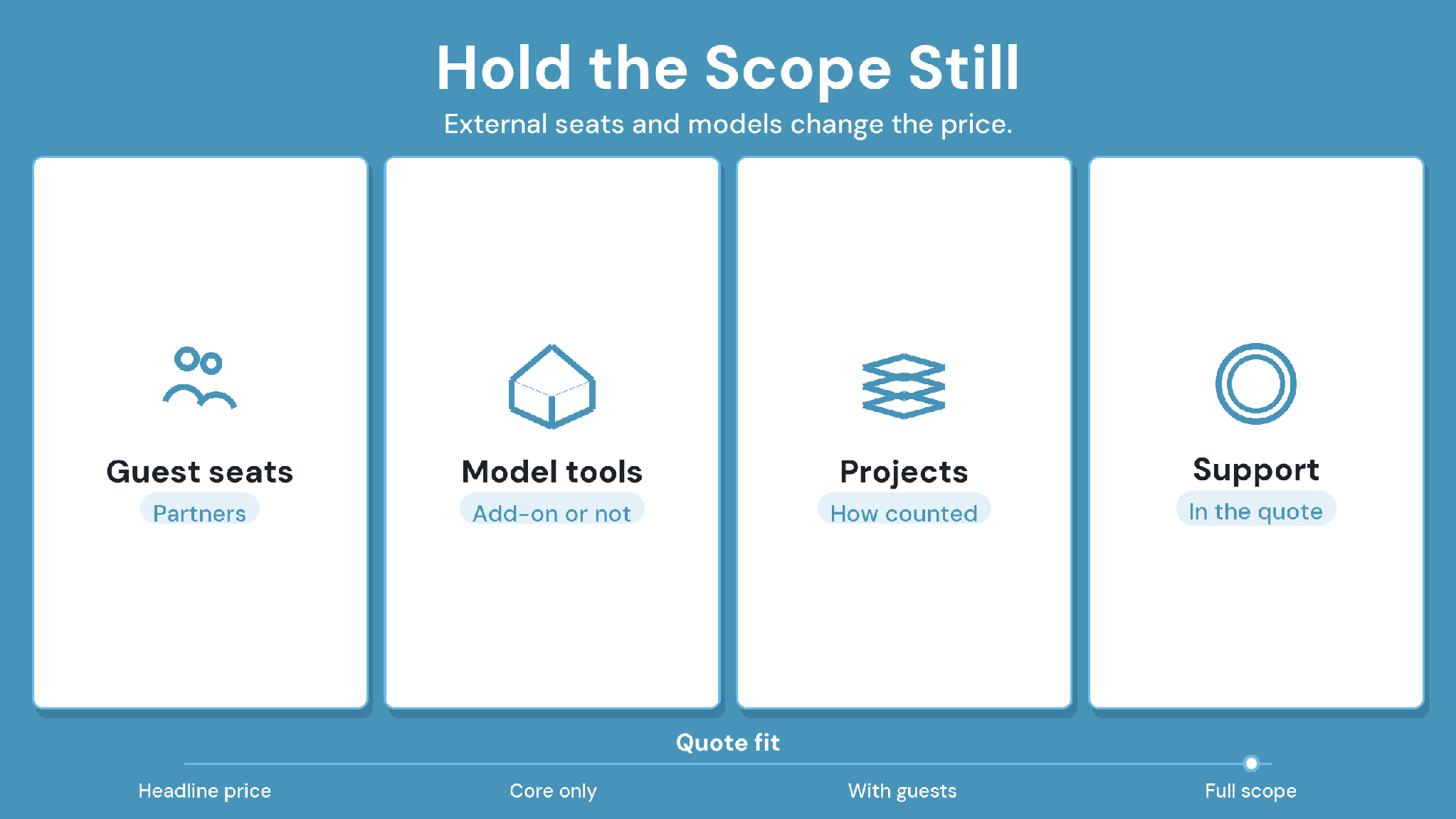
Published pricing is the exception among common data environment software vendors. CUBE lists per-user CDE pricing publicly, and Trimble publishes tiered Trimble Connect plans. Dalux offers a free version, and Autodesk sells Forma on user, project, or account terms.
Oracle Aconex, Asite, Bentley BCDE, and Revizto price through a quote. Those proposals become comparable once they cover the same participants and workflows.
Ask every vendor to state:
The named product, edition, and included modules.
Which external participants need a paid seat, and at what access level.
Charges for model coordination and clash detection.
Storage limits and regional hosting options.
Archive access and export assistance after closeout.
Renewal terms and any minimum commitment.
Public starting prices can use different units, such as per user, per project, or per portal. Convert each quote into a cost for the same project before comparing CDE software proposals.
Buying check:
A demonstration proves the demonstrated configuration only. Ask each vendor to list, in writing, every pilot step that needs extra setup or an add-on.
Shortlist Common Data Environment Software With CUBE on a Live Revision
Common data environment software earns its place when an approved revision reaches the right people with its decision trail intact. Test that with one live package before moving active records.
CUBE runs that test inside one CDE, from version history and Review Flows through to Transmittals. Project Management sits alongside it when approvals need to feed delivery work.
SIGN UP to test CUBE against your project's revision workflow.
Questions to Resolve Before a CDE Rollout (FAQs)
1. How should subcontractor access be evaluated?
Include a real subcontractor in the pilot, working on their actual scope. Settle who pays for external seats and what each role can see. In CUBE, Guest seats give external participants access to CDE modules within one Space in one project.
2. Does CDE software need certification against ISO 19650?
Check the project's BIM execution plan first, since some clients ask for evidence of ISO 19650 alignment. Ask each vendor exactly what its certification covers. CUBE holds the BSI Kitemark for BIM software, certified against ISO 19650.
3. How should existing revision history move into a new CDE?
Migrate one closed package first and compare its revision history against the source system. Keep the old system read-only until that check passes. CUBE's
Excel import can bulk-upload files, plus later versions, with their metadata.
4. Which records should remain accessible after project completion?
Closeout requirements should name the approved files and their revision histories, with approval and transmittal evidence attached. Test a sample archive before signing, and agree the retention period with any fees for continued access after the contract ends.
5. Who should set the folder structure and naming rules?
The information manager or document controller should agree on the structure with the design lead before the first upload. Record the naming convention in the BIM execution plan, then configure it before inviting external participants.