.svg)


.png)
.png)


.svg)





.png)

.png)
.png)
CUBE’s Latest Features for Construction Management - V3.3
CUBE’s V3.3 release delivers smarter review updates, customizable transmittals, advanced scheduling insights, and improved communication tools - empowering construction teams to plan better, collaborate faster, and execute projects with confidence.


CUBE’s Latest Features for Construction Management – V3.3
Construction teams rely on speed, clarity, and seamless collaboration to keep projects moving - often across distributed teams, multiple tools, and tight timelines. With the CUBE V3.3 release, we’re introducing a powerful set of enhancements focused on real-time awareness, smarter communication, advanced scheduling insights, and localized collaboration.
From improved Reviews and Mailbox workflows to enhanced scheduling intelligence, multilingual support, and smarter tracking, CUBE V3.3 is designed to reduce friction in everyday project work - helping teams stay informed, organized, and in control at every stage of construction delivery.
Improved Workflows for Coordination & Reviews
Reviews are critical decision points, and even a small communication gap can cause costly delays or rework. CUBE V3.3 ensures everyone stays aligned and informed in real time:
- Instant Review Notifications - Automatically alerts both Review initiators and all participants whenever a Review is revoked or a file is rolled back. Notifications are sent via in-app alerts and email, ensuring no one misses important changes or continues working on outdated information. Initiators can quickly re-upload revised documents and start a new Review without delays.
- Checklist Control by Review Level & File - Assign similar or different Checklists to files at specific Review Levels, ensuring teams attempt only relevant checks at each stage.
- Reduced Noise in Reviews - Prevents irrelevant checklist items from cluttering Reviews, keeping focus on scope-specific requirements.
- Visibility into Activities in Checklists - View a complete activity log for each checklist checkpoint, including comments, edits, and actions with user and timestamp details. Organized into All, Comments, and History tabs, this improves traceability, accountability, and clarity during reviews.
.png)
These updates improve accountability, eliminate ambiguity, and help teams respond quickly to changes.

Improved Revit Issue Tracking
Issues play a critical role in design coordination, and losing track of elements can lead to delays and rework. CUBE V3.3 improves issue traceability and resolution:
- Persistent IDs in Revit Sync - Includes persistent IDs when syncing Issues back to Revit via the CUBE plugin, ensuring elements can be accurately tracked and resolved throughout the lifecycle.
.png)
Customizable Transmittals for Your Workflow
Every project team organizes information differently, and rigid layouts can slow coordination. CUBE V3.3 introduces greater flexibility and control within Transmittals:
- Custom Grid Views - Select which columns are visible using a column chooser, so each team member can focus on the information that matters most to their role.
- Default Views to Get Started Faster - Two built-in default views help teams get started immediately while still allowing deeper customization as workflows evolve.
- My Views and Shared Views - Create personalized views with filters, save them for reuse, and share them across the team to maintain consistency in tracking and reporting.
.png)
This makes Transmittals easier to manage, clearer to interpret, and better aligned with real project needs.
Smarter, More Visible Mailbox Management
Project communication often contains approvals, decisions, and instructions that must be easy to find and track. CUBE V3.3 makes the Mailbox more structured and actionable.
Improved Visibility in Mailbox
- Custom Fields in Main View - View all custom fields directly in the Mailbox list view, just like in Files, giving instant access to key metadata without opening individual emails.
- Configurable Views - Create tailored Mailbox views to filter, sort, and prioritize emails, helping teams act faster and stay consistent across projects.
Keep Your Mailbox Organized
- Flexible Tagging at Any Stage - Add tags while composing emails or update them later, ensuring messages remain organized even as project context evolves.
- Quick Tag Creation - Create new tags instantly from a dropdown, enabling standardized categorization without interrupting your workflow.
Organize & Track External Mails
- Editable Custom Fields for External Emails - Add custom fields directly from the mail details panel for incoming emails received outside CUBE.
- Flexible Email Reception Controls – Disable whitelisting to receive emails from external email IDs directly within the CUBE mailbox, enabling smoother communication with stakeholders without compromising visibility or control.
- Richer Metadata for Better Tracking - Attach project-specific context to external communication, making audits, searches, and reporting more reliable.
.png)
Together, these enhancements turn the Mailbox into a dependable source of truth for all project correspondence.
Smarter Support, Right Where You Work
When teams need help, clarity and speed are critical. CUBE V3.3 removes friction from support workflows:
- Auto-Filled Support Context - Automatically captures the page URL you were on when reporting a bug or question, giving support teams immediate context. CUBE V3.3 eliminates the need to switch tabs or copy links, preventing lost information and incomplete submissions.
- In-App Knowledge Base Access - Access help articles directly inside the platform, enabling users to resolve questions quickly without breaking focus.
- Multi-Language Support - Use CUBE in multiple languages for a more familiar and intuitive user experience. Reduce learning curves and onboarding challenges for teams across regions so they collaborate smoothly.
.png)
This leads to faster resolutions and a smoother user experience across teams.
More Accurate Schedules & Advanced 4D Simulation
CUBE V3.3 strengthens scheduling accuracy, planning, and visualization for complex project timelines:
- Enhanced Schedule Imports - When importing schedules from MSP or P6, CUBE now imports:
- Remaining Duration to reflect real-time progress
- Total Slack to identify scheduling flexibility
- Critical Path to highlight tasks that directly impact delivery timelines
- Baseline data from a separate XER file to enable accurate schedule and progress tracking
- Upgraded Schedules Module - Redesigned to provide a more consistent experience and now enhanced to support 4D simulations, helping teams visualize time-based construction sequences alongside models.
.png)
These improvements enable better forecasting, clearer communication, and stronger control over project timelines.
Features to Look Out For!
Here’s a preview of upcoming improvements:
- Knowledge Base inside CUBE Mobile App
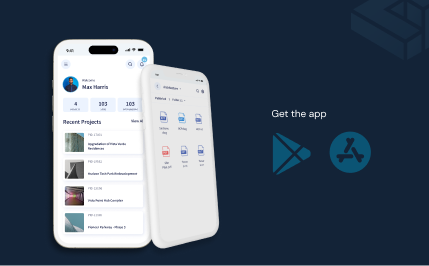
Knowledge Base will soon be integrated into the CUBE Mobile App, allowing users to search, browse, and read help articles directly within the mobile app.
- Versioning in Schedules
Soon you will be able to create and manage Schedule versions similar to versioning in Estimates. Each version can include notes, allow previews of versions, and even set a previous version as the top version.
- Managing Assets with CUBE
The new Assets module in CUBE will allow you to maintain a structured asset register that can be created manually or imported from Excel. It will support metadata-driven organization, configurable metadata templates, and granular access permissions.
What’s coming next continues to streamline everyday workflows - helping teams work faster, with fewer interruptions and better control.
With CUBE V3.3, construction teams can finally work with clarity, control, and confidence - from the field to the office, across multiple tools, languages, and workflows. Every feature in this release is designed to reduce delays, improve visibility, and streamline collaboration, so your projects stay on schedule, budgets stay on track, and your teams can focus on what really matters: delivering quality results. Don’t just take our word for it - experience the difference yourself.
Request a demo to see how CUBE V3.3 can transform your construction workflows.

.png)
.png)