

Online BIM and CAD Viewer for Design & Construction Teams
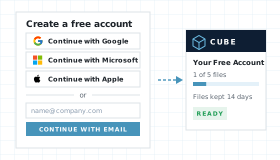
Open the project file you were sent, in the browser. Choose a drawing or a model and it opens here. No account is required.
Drop a Project File Here
Drag and drop your file or click the button below. This page checks the extension, then opens the drawing or the model.
Choose a FileOne file. Up to 50 MB opens without an account. Drawings and models from the list below.
How to Use This Online BIM and CAD Viewer
Three steps from a project file in your inbox to a drawing or a model you can review in your browser. No account needed to look.
Choose a project file
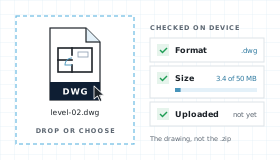
The browser checks the extension and the size before anything leaves your device. Drawings and models from the list both qualify. Up to 50 MB opens without an account.
Let CUBE Prepare It
The file uploads, is scanned for malware, and goes through the translator used in CUBE projects. You see each step as it happens.
View It Right Here
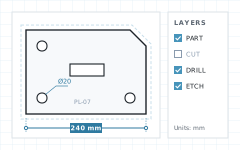
A drawing opens with layouts and layers. A model opens to orbit, pan, and zoom. Sign in for free to share a link, read properties, mark up, open bigger files, or keep the file.
What This Viewer Shows
One page for the files a project team actually passes around. It does not edit them, and it does not ask for an account.
Files
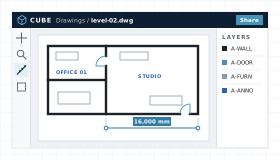
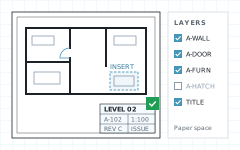
DWG, DXF, DWF, DWFx, and DGN open with layouts and layers. Measure stays available on a drawing.
Models
RVT, NWD, IFC, SKP, STEP, glTF, GLB, STL, OBJ, and FBX open to pan, zoom, and fit. Measuring a model needs an upgrade.
A Page for Each Format
This is the hub. DWG, RVT, IFC, and the rest each keep a page of their own, linked below, for the search term that names that extension.
Hand-off Into CDE
The file is stored for this viewing session. Upgrade and it becomes a controlled document with versions, reviews, and transmittals.
Formats This Page Opens
Each tile is the dedicated page for that extension. Dropping the file on this hub opens it here as well.
Extensions accepted on this page:
Viewer Workflow, Step by Step
Upload and preview your files, directly in the browser.
From Dropzone to Viewer
Four steps between choosing a file and working on it in CUBE.
Choose
Extension check against the format list. Up to 50 MB opens without an account. Nothing is uploaded yet.
Upload and scan
The file uploads for this viewing session, visible only to you. Malware scan runs before translation and fails closed.
Translate and view
Drawings load layouts, layers, and measure. Models load pan, zoom, and fit. Measuring a model needs an upgrade.
Keep or expire
Files are deleted after 48 hours. Upgrading keeps them as controlled project documents.
This Hub Compared With a Desktop Seat
Compare with opening each file in the tool that made it, and with a website that only knows one format.
| Need | CUBE BIM & CAD Viewer | One desktop seat | A single-format site |
|---|---|---|---|
| Open the file without a licence | Yes. No authoring licence and no account. | Only the formats that seat owns. | One extension, and often an account. |
| More than one format | Yes. Drawings and models on this page. | A second product for the next format. | No. Send the reader to another site. |
| File leaves the device | Yes. Uploaded, scanned, and deleted after 48 hours. | No. Opens from local disk. | Varies by site. |
| Edit the file | No. View only. | Yes, in the authoring tool. | Usually no. |
| Save into a controlled project | Already stored in CUBE. Upgrade to keep and share. | Manual upload after the fact. | No CDE hand-off. |
Who Uses a Multi-Format Viewer on a Construction Project
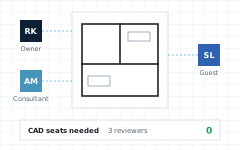
A package rarely arrives as one extension. The person who has to look usually does not hold every authoring seat.
BIM Leads
Open the DWG, the RVT, and the IFC from the same package without switching products.
Contractors
Look at the model or the sheet on a site laptop. No seat is required for someone who only needs to see the file.
Consultants
Check the file a designer sent before the coordination meeting, then send it back to the authoring tool.
Owners
See the current file without buying a seat for every stakeholder. Upgrade when it should become the project record.
BIM & CAD Viewer FAQ
Which files does this page open?
DWG, DXF, DWF, DWFx, DGN, RVT, NWD, IFC, SKP, STEP, STP, glTF, GLB, STL, OBJ, and FBX. Up to 50 MB opens without an account. Other extensions are turned away. Each of these also has its own viewer page.
Do I need BIM or CAD software?
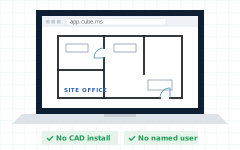
No. CUBE opens these files in Chrome, Edge, Firefox, or Safari. You do not need an authoring licence, a plugin, or a CUBE account.
Is viewing free?
Yes. Viewing on this page is free. No account is required. Measuring a model, sharing, and tracked issues need an upgrade. Measure stays available on a drawing.
Does this page upload my file?
The browser checks the file first, then uploads it so it can be scanned and translated. Files are deleted after 48 hours. Paid plans keep them as controlled project documents.
Does it edit the file?
No. This page is a viewer. Changing geometry or saving a new file stays in the tool that authored it.
Why is there also a page for each format?
This hub is where a mixed package gets opened. A DWG page, an RVT page, or an IFC page is where that one extension is explained on its own. Dropping the file here still opens it in this viewer.
Notes and Trademarks
Trademark notice. Autodesk®, AutoCAD®, Revit®, Navisworks®, DWG™, DXF, and DWF are trademarks of Autodesk, Inc. MicroStation® and DGN are trademarks of Bentley Systems, Incorporated. SketchUp® is a trademark of Trimble Inc. IFC and buildingSMART are trademarks of buildingSMART International. glTF is a trademark of The Khronos Group Inc. Other names are the property of their respective owners and appear here only to identify file formats. CUBE is not affiliated with, sponsored by, or endorsed by any of those owners.
Use of this tool. Use of the Online BIM and CAD Viewer does not require a CUBE account. It is subject to the CUBE Terms of Use and Privacy Policy. By uploading a file, you confirm that you own the file or are authorised to share it. Files are used only to generate the preview and are handled as described above.
File retention. Uploaded files are deleted automatically 48 hours after upload. You can delete a file yourself at any time before then. Paid plans keep files as controlled project documents.
Preview only. Rendered drawings and models are provided for reference. Some entities, materials, or linked content may not display exactly as in the authoring application. Do not rely on the preview for construction, fabrication, or setting out without checking the original file.
Availability. This tool is not offered in countries or regions subject to comprehensive U.S. or other applicable trade sanctions, or to persons on restricted-party lists.

.png)
.png)


.png)


.png)