






Online IFC & BIM Viewer for Construction Teams_ 7 Options Compared (2026)
Compare the 7 best online IFC viewers for construction teams in 2026. Explore features, pricing, BIM coordination, and browser-based model viewing to find the right fit.


TL;DR
There’s one simple rule to find which online IFC™ viewer construction teams should use. Pick based on the work that follows once the model opens. A free browser viewer covers quick checks of a single file, while federated coordination needs BCF issue tracking and revision control attached to the model.
CUBE leads this list for teams that need browser-based IFC viewing inside a controlled project environment. The other six options range from Autodesk® Viewer’s no-install checks to coordination platforms and site-first apps.
This IFC viewer comparison scores each option against ten construction criteria and separates viewers from coordination software. It ends with an IFC schema test list and a two-week pilot plan.
7 Best Options for Online IFC & BIM Viewer for Construction Teams: 2026 List
What Should an Online IFC Viewer Do for a Construction Team?
An online IFC viewer opens Industry Foundation Classes models in a web browser. Project members can inspect elements and their data without desktop building information modeling (BIM) software. IFC itself is an open schema maintained by buildingSMART® International and published as ISO 16739.
Opening the file is the easy part. Construction teams also need to confirm which model version is current and who owns each issue raised on it. Three practical checks separate a useful viewer from a basic one:
Property data survives: Property sets and classifications from the team's own exports display intact.
Federation works: Discipline models load together in one view, with sectioning and measurement.
Context is one click away: Reviewers can reach the current revision and the issue history from the model.
Tools that stop at geometry leave teams rebuilding that context from screenshots and email threads.
IFC Viewer Comparison: 10 Criteria Construction Teams Should Test
Compare tools on what happens after the model opens, since nearly every web- based IFC viewer renders geometry. These ten criteria turn that principle into questions for each vendor. Each row pairs a question with its consequence on a live project. Score every shortlisted tool against the same rows so the results stay comparable.
Weight the rows by role before scoring. Field-heavy teams may rank browser access above federation, while design consultants may rank BCF exchange first.
Caption: Ten criteria for comparing online IFC viewers on construction projects, framed as vendor questions.
Best Online IFC Viewers for Construction Teams in 2026
Every entry below follows the same structure, so buyers can compare like for like. First place goes to CUBE, which pairs IFC viewing with controlled project records, the scenario this guide targets.
1. CUBE: Best for IFC review inside a controlled project environment
CUBE's Common Data Environment includes a browser-based IFC model viewer with redline markup and Issues. Model review happens in the same Spaces that hold controlled drawings and their review history.
CUBE’s Key features
Browser BIM viewer: Open IFC and RVT files in the Design Viewer. Check the object tree and element properties, then cut sections and measure.
Merged models: Combine discipline models into a Merged File. When a constituent model gets a new version, CUBE flags the merge, and a user selects Update to create a new version.
Issues on the model: Raise an Issue on selected elements with redline markup and an assignee. Import BCF from other tools and export Issues to BCF or Excel®.
Versions and comparison: Every upload creates a version automatically, and a revision marks the version the team issued. BIM compare shows the changes between any two versions.
Access and reviews: Six access levels, from Full Access to No Access, are set per user on each file or folder. Review Flows route models through up to 20 ordered levels of reviewers.
Clash Tests (paid add-on): Run hard or soft Clash Tests on merged models and raise an Issue from any clash.
CUBE’s Pros
Model review and drawing approvals run under the same access settings.
Guest seats let partners work in CDE modules in one Space on one project.
The Revit plugin syncs CUBE Issues back to Revit with persistent element IDs.
CUBE holds the British Standards Institution (BSI) Kitemark™ for BIM software, certified against ISO 19650.
CUBE’s Cons and buying considerations
Test IFC schema coverage with the team's own exports during a trial.
The mobile app handles forms and QR checks, while models open in the browser.
Clash Detection is priced as a separate add-on.
CUBE’s Pricing
Common Data Environment: CUBE prices each product per user per month, with a lower rate for annual billing, and lists current rates for the Common Data Environment, Project Management, and add-ons on its pricing page.
CUBE is Best for
Mid-market contractors and design consultants who receive IFC deliverables and need model review inside the same controlled record as drawings.
2. Autodesk Viewer: Best for quick, no-install model checks
Autodesk Viewer is a free way to open IFC files online, along with RVT and other 2D and 3D design files. Nothing needs installing beyond a modern browser.
Autodesk Viewer’s Key features
Drag-and-drop upload with share links and comments
Model tree and element properties for IFC files
RVT and DWG support alongside IFC
Autodesk Viewer’s Pros
Free, with no authoring license needed
Fast to share with clients and trade partners
Autodesk Viewer’s Cons and buying considerations
Uploads stay online for 30 days by default, with extensions available
Project-level document control sits in Autodesk's paid construction platforms
Autodesk Viewer’s Pricing
Autodesk Viewer is free to use.
Autodesk Viewer is Best for
Sharing a model once with someone who has no BIM software.
3. Trimble Connect: Best for federated model coordination across disciplines
Trimble Connect is Trimble's cloud collaboration platform. Its cloud BIM viewer runs in the browser, with Windows and mobile apps alongside.
Trimble Connect’s Key features
BCF Topics compatible with BCF 2.1, with BCF API and BCF-XML exchange
Clash detection and task management on the Business plan
Unlimited external collaborators invited by Business license holders
Trimble Connect’s Pros
Strong BCF interoperability with other openBIM tools
External stakeholders join projects at no extra cost
Trimble Connect’s Cons and buying considerations
Advanced BIM tools require the Business Premium plan
Check how model reviews connect to the system holding document approvals
Trimble Connect’s Pricing
Business costs $12.99 per user per month and Business Premium $23.95 per user per month, per Trimble's September 2026 list prices. Regional and reseller pricing can differ.
Trimble Connect is Best for
BIM and virtual design and construction (VDC) teams coordinating trade models, especially those already on Trimble® tools such as Tekla®.
4. Catenda Hub: Best for openBIM-first teams standardizing on IFC and BCF
Catenda Hub is IFC collaboration software from Norwegian vendor Catenda, run as a web-based CDE built on IFC and BCF. Its roots are a BIM viewer with BCF issue tracking at the core.
Catenda Hub’s Key features
Federated viewer for IFC models from any authoring tool
BCF issues linked to both models and documents
Documented REST API and webhooks
Catenda Hub’s Pros
Vendor-neutral delivery across firm boundaries
Unlimited users on every project
Catenda Hub’s Cons and buying considerations
Per-project pricing needs budgeting project by project
EU data residency is listed; confirm options for North American data requirements
Catenda Hub’s Pricing
Priced per project per year, with unlimited users.
Catenda Hub is Best for
Consultants and owners who require IFC delivery from every party on the project.
5. BIMcollab: Best for BCF issue management across coordination tools
BIMcollab is a BCF-based issue management platform. It pairs a browser app and a streaming BIM coordination viewer, the WebViewer, with BIMcollab Zoom on the
desktop.
BIMcollab’s Key features
BCF issues raised in the WebViewer or directly in authoring tools
Free BCF Manager plugins for Revit and Navisworks®
Smart Views for visual model validation in Zoom
BIMcollab’s Pros
Free Viewer version of Zoom opens multiple IFC files
Issues move between tools through BCF
BIMcollab’s Cons and buying considerations
Zoom installs locally on Windows or macOS®, so browser-only users work in the WebViewer
Plan where document control and approvals will live
BIMcollab’s Pricing
BIMcollab Zoom Viewer is free, with cloud plans priced per user. Confirm current tiers with BIMcollab.
BIMcollab is Best for
BIM coordinators running clash-to-closure issue loops.
6. Dalux: Best for field teams viewing models on site
Dalux's free BIM Viewer is an IFC viewer for construction sites that runs on desktop and mobile devices. Models from IFC and native BIM files appear alongside 2D drawings.
Dalux’s Key features
Free plugins for authoring tools, including Revit and Tekla
Free Field Basic tier for snagging on site
Comment status tracked through the web
Dalux’s Pros
Unlimited free users on BIM Viewer projects
Built for tablets and phones at the workface
Dalux’s Cons and buying considerations
Dalux Box and Dalux Field are paid, quote-based products
Confirm which workflows each free tier includes
Dalux’s Pricing
Dalux BIM Viewer and Field Basic cost nothing, with paid products priced by quote.
Dalux is Best for
Superintendents and field engineers who need 3D context on site.
7. usBIM (ACCA software): Best for cloud IFC viewing with a broad toolset
usBIM is ACCA software's cloud platform, and its free account includes usBIM.browser, an online BIM viewer.
usBIM’s Key features
usBIM.browser opens IFC and RVT models online
usBIM.viewer+ desktop app for viewing and editing IFC files
Extra apps and storage from the usBIM online store
usBIM’s Pros
Generous free tier for small teams
IFC editing in the desktop tool
usBIM’s Cons and buying considerations
Capability depends on which paid apps a team adds
Confirm support coverage for North American time zones
usBIM’s Pricing
Free account with 10 GB of storage, with paid apps and storage priced separately.
usBIM is Best for
Small teams and consultants who want IFC viewing plus adjacent tools under one login.
Online IFC Viewer vs BIM Coordination Software vs CDE: Which Do You Need?
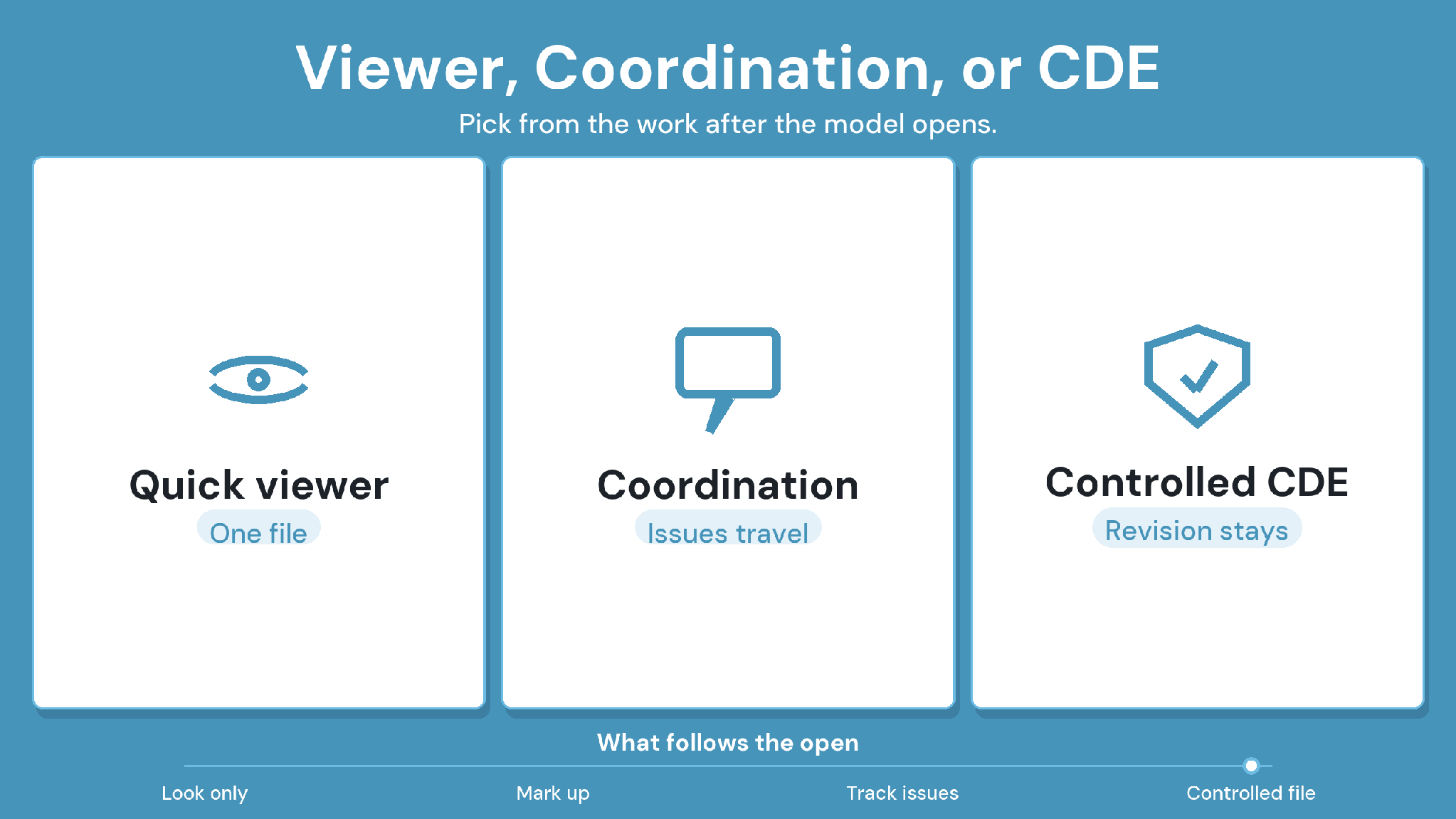
A BIM viewer online is enough when a team only needs to look at a model. Once several companies must act on the model and prove which version they used, the team needs coordination software or a CDE.
Free viewers suit one-off inspection and sharing with a stakeholder who has no BIM software. Coordination software adds clash and issue workflows, while a CDE controls how information gets reviewed and issued.
Caption: Viewer, BIM coordination software, and CDE compared by job, user, and fit.
In CUBE, the CDE column runs through Transmittals. Every CUBE transmittal carries its attached reference files, so the issued package and its record stay together.
For the ISO 19650 information states a CDE manages, see CUBE's guide to what a common data environment is. Digital twins are a separate idea again, describing an operational record of a built asset.
IFC2x3 vs IFC4 vs IFC 4.3: What to Test Before You Standardize
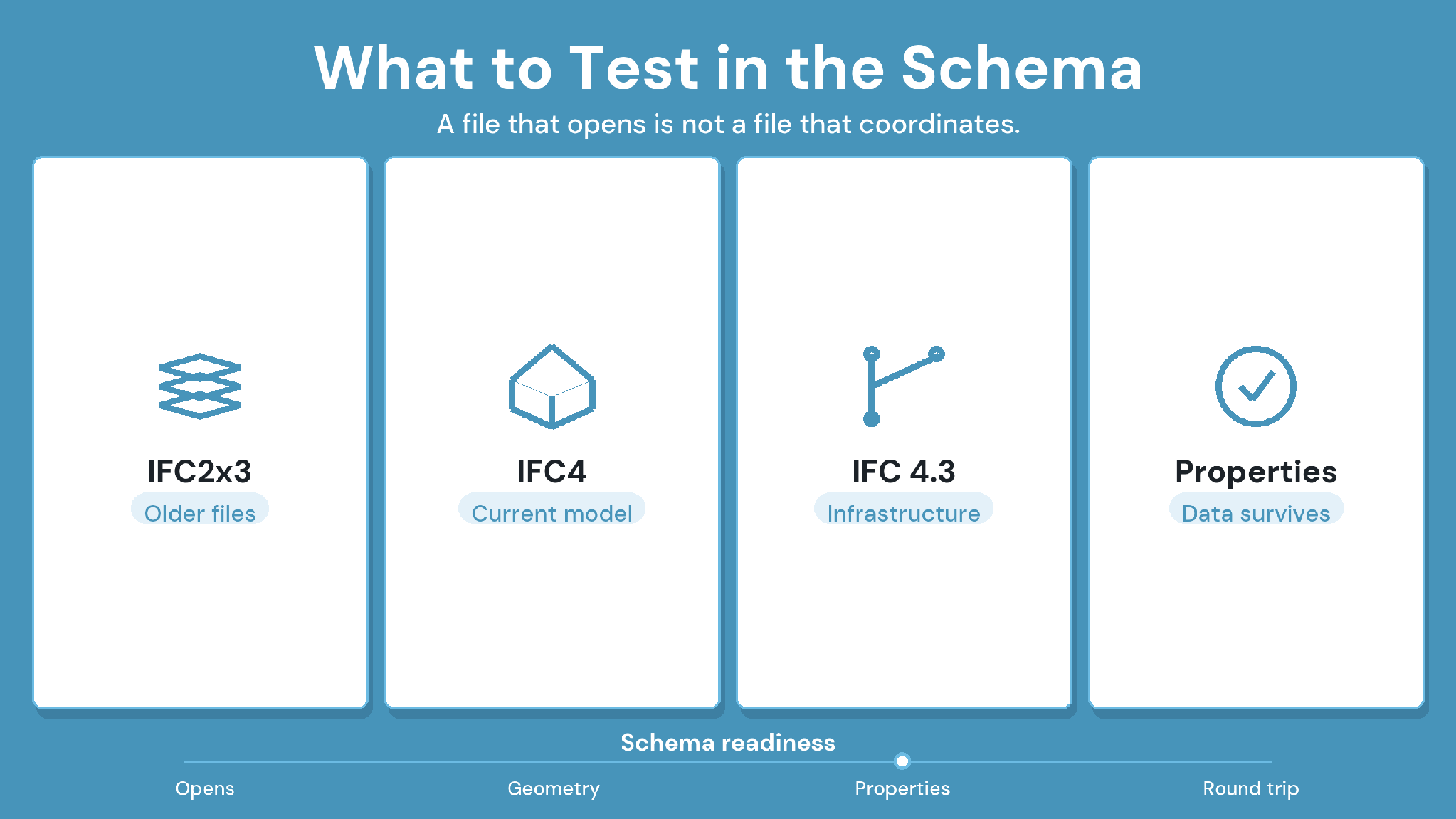
IFC 4.3 is the latest official release of the IFC schema, published as ISO 16739- 1:2024 in April 2024. buildingSMART still lists IFC4 and IFC2x3 as official earlier versions, and IFC 4.3 adds infrastructure entities and alignment definitions.
Support for each release varies by authoring tool and by viewer. What project partners actually export matters more than what a vendor says it imports, so test any IFC file viewer against five checks:
Use the team's own discipline exports, not vendor sample files.
Check that property sets and classifications display completely.
Load the largest federated package the team runs on real projects.
Compare the object tree and element names against the authoring model.
Round-trip one BCF issue back into the authoring or coordination tool.
In a CUBE trial, upload those exports to a Space and check the IFC Types and property panels in the BIM viewer.
How to Run a Two-Week Online IFC Viewer Pilot
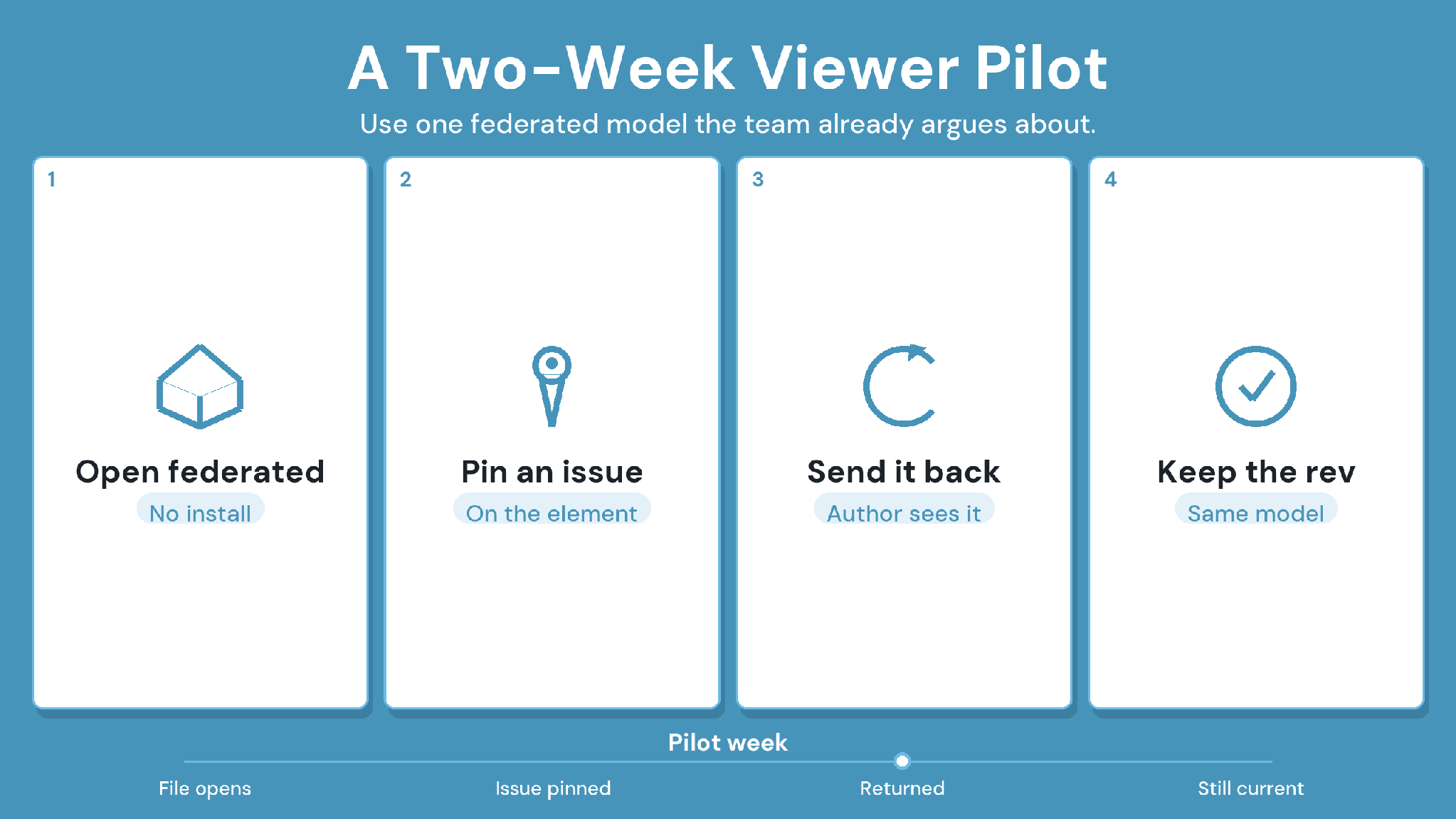
Real models in a two-week pilot show more than any demo. Run these six steps for every shortlisted tool:
1. Assemble a real federated package from at least three disciplines.
2. Name one test user per role, from the BIM lead to an external subcontractor.
3. Trace one coordination question from the object to an issue owner, then to
closure.
4. Check that a reviewer can reach the current drawing or approval from the
model.
5. Time the largest model load on the connection the site actually uses.
6. Write pass or fail criteria before day one, then score every tool against them.
Step 4 is where standalone viewers and CDEs part ways most clearly, and CUBE's field guide on preventing outdated construction drawings covers the drawing side.
Choosing the Best Online IFC Viewer for Construction Teams: Where CUBE Fits
Choose the best online IFC viewer for a construction team by one test: does it keep model review inside the environment that holds controlled documents? That case is what CUBE is built for, with its browser BIM viewer and controlled reviews in one CDE.
Before choosing, put three questions to every shortlisted tool:
Can field and project teams see model context without authoring licenses?
Can reviewers find the current IFC model and the related drawing in one place?
Can a coordination comment stay tied to a model location until it closes?
Bring one real multi-discipline IFC package to a CUBE trial. Test it with the people who will use it daily, from BIM leads to site engineers. Sign up for a free trial.
Frequently Asked Questions About Online IFC Viewers
1. Which online IFC viewer should a construction team use?
Match the tool to the work after the model opens. One-off checks suit a free tool such as Autodesk Viewer, while Trimble Connect or BIMcollab handle BCF coordination loops. For IFC review tied to controlled drawings and approvals, CUBE keeps both in one CDE.
2. Can I open a Revit file in an online IFC viewer?
Some viewers read RVT files directly, while others need an IFC export first. Revit models open directly in Autodesk Viewer and Dalux, alongside IFC. An IFC export still helps when partners use tools outside the Autodesk ecosystem.
3. Can subcontractors view IFC models without buying a license?
Yes. Any free IFC viewer online needs no license, and Trimble Connect Business holders can invite external collaborators at no extra cost. CUBE grants 10 free Guest seats for every 10 paid CDE seats, each covering one Space on one project.
4. How large an IFC model can a browser viewer handle?
Limits depend on the vendor and the user's device, so test the largest federated package on site connectivity. Preload and Open in CUBE loads the complete model first, and user settings control memory limits and progressive loading.
5. Is it safe to upload client models to a cloud IFC viewer?
Check the vendor's security evidence before uploading, including current certifications and the hosting region for project data. As a benchmark, CUBE holds ISO 27001 and System and Organization Controls (SOC) 2 Type II certifications.
6. Can you measure or take quantities from an IFC model in a browser?
Browser viewers generally include distance and area measurement. Quantity takeoff reads element properties, so its accuracy depends on the exported property sets. Test both on the team's own export before relying on viewer quantities.